
Anastasiya Novikava
Copywriter
Anastasiya believes cybersecurity should be easy to understand. She is particularly interested in studying nation-state cyber-attacks. Outside of work, she enjoys history, 1930s screwball comedies, and Eurodance music.
Summary: Enterprise data security protects business data from unauthorized access, alteration, or loss. Best practices include least-privilege access, encryption, patching, MFA, data classification, monitoring, incident response, and DLP.
Serious enterprise data security measures are necessary because organizational data is a valuable target. Modern hackers use sophisticated methods like advanced persistent threats (APTs), highly targeted phishing schemes, and malware designed to quietly extract sensitive data.
At the same time, organizations are adopting cloud-first and hybrid environments, which can create blind spots for enterprise data security. Misconfigurations, unauthorized tools (also known as shadow IT), and insider threats further complicate things. And with regulations like GDPR, HIPAA, and CCPA tightening up enforcement, mistakes can get expensive fast.
Enterprise data security is a set of policies, technologies, and best practices designed to protect an organization’s sensitive information from unauthorized access, alteration, or loss. It ensures the security of critical data at rest, in transit, and in use across devices, networks, and applications.
Enterprise data security is about knowing what data you have, who has access to it, how it’s being used, and how to respond when things go wrong. Securing the data is essential for business because:
The stakes are high, but they are manageable with an enterprise data security strategy and the right tools. Let’s explore the challenges that organizations face when putting security into practice.
Understanding the risks is the first step toward stronger enterprise data security. Organizations today face a complex mix of internal missteps and external threats that can challenge even the most robust enterprise data protection strategies.
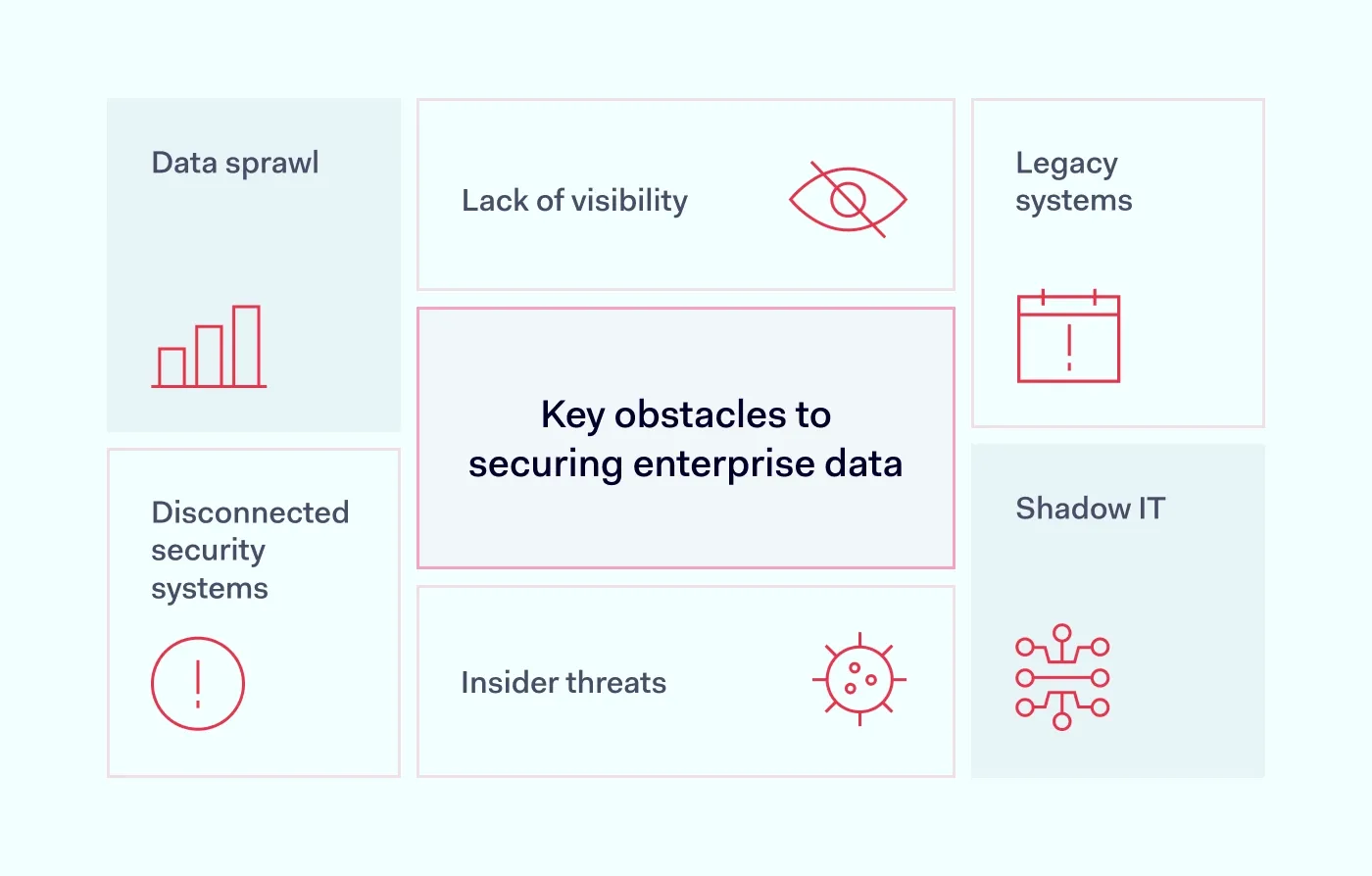
Sensitive data is no longer confined to a centralized system. You can find it in emails, spreadsheets, cloud storage, collaboration platforms, and even messaging apps. This data sprawl makes it difficult to locate, track, and secure information, especially if it’s unstructured.
Without strong data governance policies, you risk losing control over where your sensitive data resides. This lack of visibility can severely hinder data protection efforts across your organization.
You can’t secure what you can’t see, which is why enterprise data security should start with visibility and classification. Many organizations struggle to identify and classify all the data in their ecosystem, particularly in hybrid or multi-cloud environments. Without full visibility into where sensitive data exists and how it flows, it's nearly impossible to apply effective protective measures such as data masking or encryption.
Employees often adopt unsanctioned applications or platforms to work more efficiently, but these tools bypass controls that enterprise data security relies on. This hidden tech stack introduces blind spots in your data security, leaving critical and regulated data vulnerable to leaks.
Outdated infrastructure may lack modern protections or be difficult to update. Older systems may not support modern data security protocols, which leaves gaps that enterprise data security programs struggle to close. They are often harder to patch or integrate with newer tools, creating cracks in your enterprise data protection and slowing down your ability to respond to threats.
Not all risks come from external attackers. Careless employees may mishandle data, while malicious insiders might intentionally expose or exfiltrate sensitive information. While strategies such as data masking and Role-Based Access Control (RBAC) can reduce exposure, they require continuous oversight and education to be effective. That’s why a solid enterprise data security strategy is essential.
When tools operate in isolation, your security posture becomes fragmented. Disconnected systems lead to delayed threat detection, inconsistent policy enforcement, and increased operational complexity. This fragmentation weakens enterprise data protection by making it harder to correlate events, assess risk in real-time, or respond to incidents swiftly.
Unified systems make data protection more agile and responsive. Addressing these issues takes more than a checklist. You need an enterprise data security strategy backed by smart tools, integrated policies, and solutions for enterprise data protection at every stage of its lifecycle.



Enterprise data security is only as strong as daily habits that support it. This means that protecting your organization’s sensitive information isn’t just about technology; it requires disciplined processes, vigilant people, and a mindset of continuous improvement. Let’s break down practical, no-nonsense steps you can take to protect data more effectively:
Use role-based access controls (RBAC) to ensure employees only access the data they need for their jobs. For example, your marketing team probably doesn’t need access to payroll files. Restricting permissions helps limit damage in the event of a breach, supports least-privilege principles, and reduces exposure of sensitive data.
Encrypt data both at rest and in transit. That way, if attackers gain access, they can’t exploit it. Don’t forget to rotate your encryption keys and store them securely to keep sensitive data unreadable if the keys leak. This adds another layer of protection, even if other controls fail.
Unpatched software is like a weak link in your digital chain, and it undermines enterprise data security from day one. Apply security updates as soon as they’re available. Automating this process can reduce human error, keep systems resilient, and minimize exposure to known vulnerabilities.
By adding another step (like a text code or app notification), you can stop attackers even if they steal a password. MFA reduces the risk of unauthorized access to sensitive systems. According to recent data, it stops 99% of account attacks and is one of the simplest ways to close a common security gap.
Vendors and partners with weak security can put your entire operation at risk and expose sensitive data. Vet them properly. Conduct regular reviews to ensure they meet your compliance and security standards. Include contractual requirements for data handling and incident response.
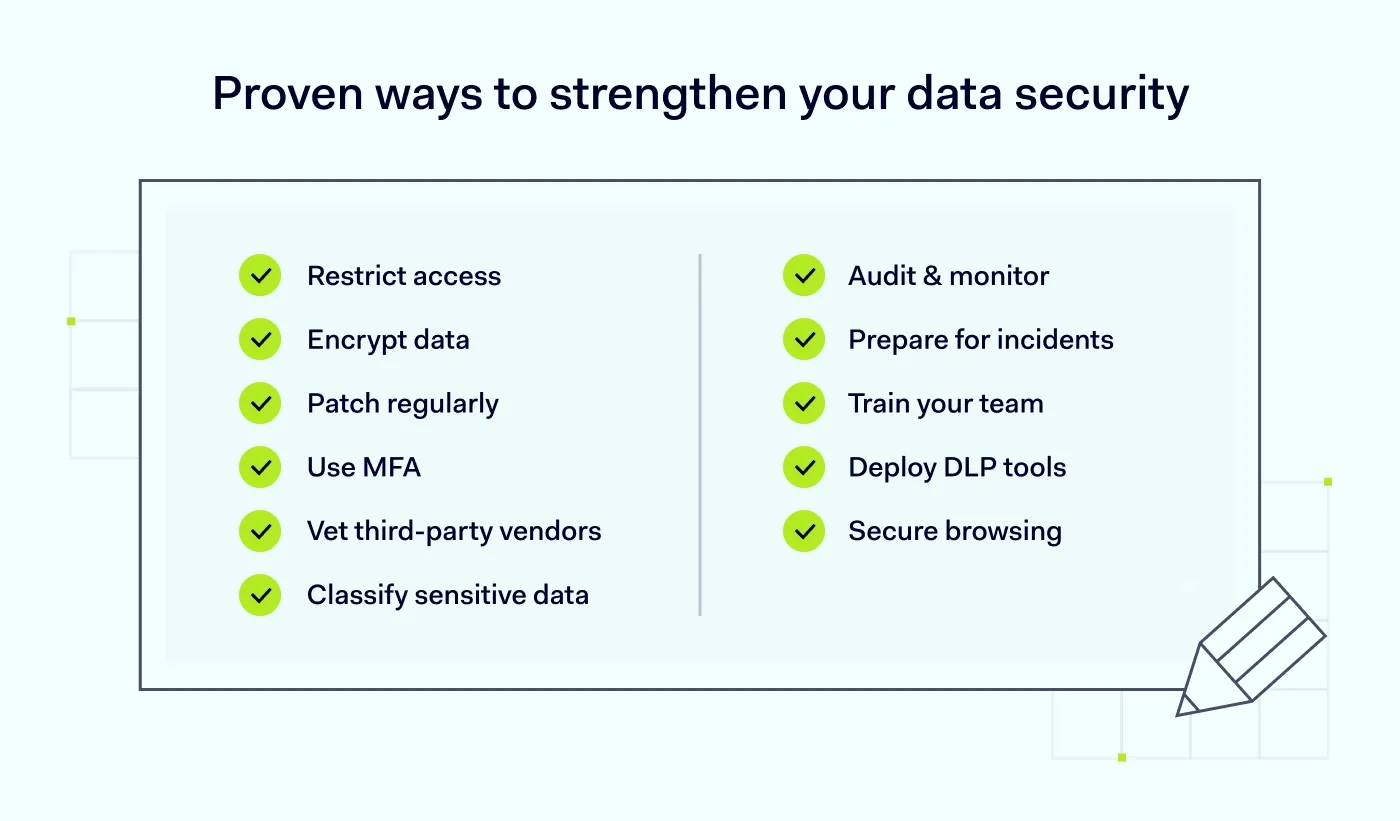
Not all data is equally important. Label sensitive data and prioritize protecting what matters most. A clear data inventory supports stronger compliance and better response planning. This also helps allocate security resources where they’ll have the most impact.
Conduct frequent checks to spot unauthorized access or unusual activity before it becomes a full-blown incident. Use automated logging and alerting tools to enhance real-time awareness. These measures reinforce proactive data protection and support faster incident response. Audit trails also assist with forensics and reporting.
Hope for the best, prepare for the worst. A clear response plan can reduce downtime and damage. Test your plan regularly to ensure your team knows exactly what to do under pressure. Document roles, communication steps, and recovery timelines in detail.
Employees can be your weakest link or your first line of defense. Teach them how to spot phishing emails and suspicious behavior. Continuous, role-specific training keeps cybersecurity top of mind and turns your workforce into an active part of enterprise data protection.
Data Loss Prevention (DLP) solutions monitor and restrict data transfers to prevent leaks, both intentional and accidental. They also help you enforce data security policies based on content type and user behavior. Advanced DLP tools can also detect anomalous activity patterns to catch threats early on.
Modern enterprise browsers offer built-in security controls like URL filtering, data loss prevention, and secure browsing environments. This makes it easier to enforce policies across distributed teams and reduce exposure from unsafe websites or extensions. It also strengthens data protection by directly mitigating browser-based threats.
On top of that approach, NordLayer is building a Business Browser that keeps the core protections teams usually need, without the complexity and heavy granularity required by some enterprise browsers. It’s designed to cover essentials such as secure, policy-based access to company resources (including SSO), protection from phishing and malicious downloads, basic DLP controls for data sharing in the browser, and visibility into visited domains and unapproved web apps. For many teams, “just enough control” can still go a long way toward mitigating common browser-based threats.
The future of secure browsing is coming
Want to be the first to experience it?

Technology works best when it translates policy into consistent, repeatable controls across teams, devices, apps, and data. Most enterprises use a mix of the solutions below so that gaps in one area don’t expose everything else. This approach prevents data security from depending on a single control.
Used in combination, these solutions help enforce enterprise data protection and reduce your exposure to threats across your entire organization.
From global enterprises to startups, no organization is immune to data security threats. NordLayer helps you build a resilient, secure foundation with the following solutions that support:
Enterprise data protection isn't a box you tick. It’s an ongoing effort that adapts to your company’s needs and evolving threats. With the right strategy, best practices, and tools, you can protect data, stay compliant, and focus on growing your business with confidence.
Anastasiya Novikava
Copywriter
Anastasiya believes cybersecurity should be easy to understand. She is particularly interested in studying nation-state cyber-attacks. Outside of work, she enjoys history, 1930s screwball comedies, and Eurodance music.
Subscribe to our blog updates for in-depth perspectives on cybersecurity.


