The enterprise browser built for the way teams work today
Get secure, enterprise-level, browser-based zero-trust controls, SaaS visibility, and threat mitigation fast without the enterprise costs or deployment complexity.
Featured in


benefits
Why do you need an enterprise browser alternative?
Enterprise security browsers solve enterprise-level problems, but the cost and complexity they add can be challenging for smaller IT teams to manage. NordLayer Browser protects what matters most without slowing people down or disrupting business processes.

Stop malicious activity from reaching your team
Block malware, phishing, and ransomware inside the browser, so attacks are neutralized before anyone clicks on something they shouldn’t.

Keep company data where it belongs
Control how data moves between the browser and the device, so sensitive information never leaves approved hands.

Give every user the right level of access
Assign access by role or team, and route each session through the right gateway, so every person reaches only what their work requires.

Govern all browser activity from one place
Manage all security settings and policies from a single, centralized dashboard, so protection stays consistent across every user, device, and location.

Detect and stop shadow IT before it spreads
Know when your employees reach unauthorized sites, apps, or services, so you can stop data leaks and risky behavior at the source.

Make any personal device safe for work
Allow your workforce to connect with their own devices under a bring-your-own-device (BYOD) policy, without adding risk to the business.
“By 2030, enterprise browsers will be the core platform for delivering workforce productivity and security software on managed and unmanaged devices for a seamless hybrid work experience”

100%
All of the 500+ top-ranking work apps featured on Gartner Peer Insights now run in the browser.
1M+
Of all the IT teams included in our survey, 82% said they had a browser-linked security incident.
53%
Just 53% of respondents said they had key browser protections like DLP, SWG, and EDR in place.
73%
False confidence looms large with 73% claiming their browser is secure, despite these gaps.
Get enterprise browser security without the complexity
FEATURES
How NordLayer Browser helps keep your business secure
NordLayer Browser is built to make secure, controlled business browsing available to every organization, not just the enterprise. Here's a look at some of the features we offer to make that happen:
Secure access to all your sensitive resources
Align with Zero Trust Network Access (ZTNA) best practices by controlling which internal and cloud resources users can access from the browser. Single sign-on (SSO) integration makes logins swift and secure, while granular access permissions give you full control over what SaaS apps and web services employees can use.
Protect your team and data from web-based threats
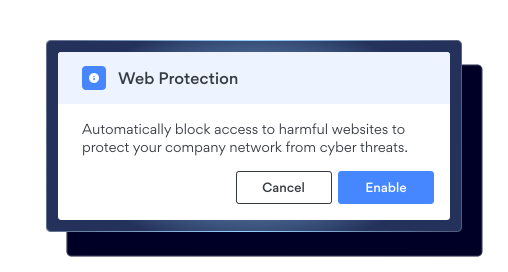
Block access to malicious websites or phishing pages and prevent users from downloading malware-infected files before they can harm your business. You can also prevent unauthorized sharing of sensitive data on unapproved platforms or web apps, and limit copy, paste and file transfers where needed.
Extend browser security to your remote workforce
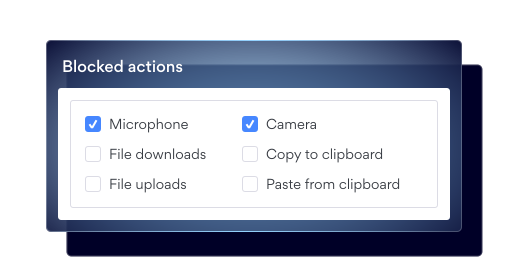
Protect corporate data when employees access resources from personal or unmanaged devices. Built-in Browser Data Loss Prevention (DLP) lets you block or control copying, pasting, and sharing sensitive data, helping reduce the risk of data leakage even when users work remotely or use unmanaged devices.
See and control where your team browses online
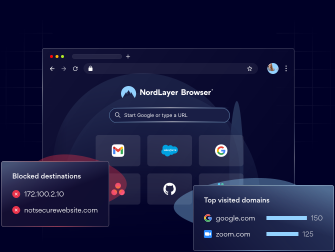
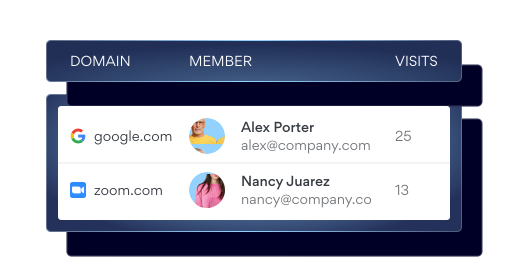
Track which domains your team visits and spot harmful sites before they become problems. Detect unapproved web app usage and block access to non-work-related sites with DNS Filtering and the Web Application Control – giving you more visibility, control, and a safer, more productive browsing environment for your team.
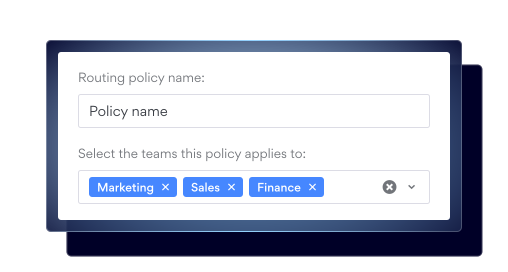
Route traffic intelligently based on your policies
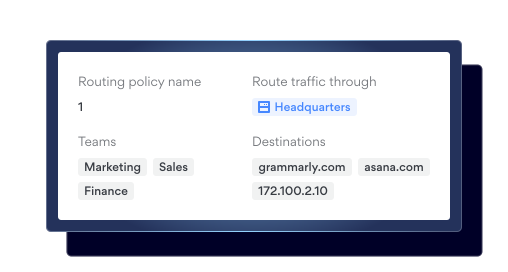
Apply routing policies to send NordLayer Browser traffic through specific gateways – or direct paths – based on your organization-defined rules (like teams and domains). The browser automatically selects the right route, so your remote workforce can access web apps from anywhere without manual setup.
SIMPLE SETUP
How to start using NordLayer Browser
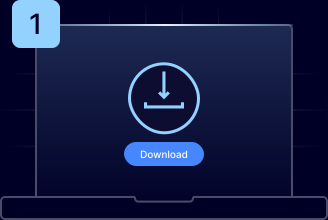
Download the app
Download NordLayer Browser for Windows or macOS and launch it.
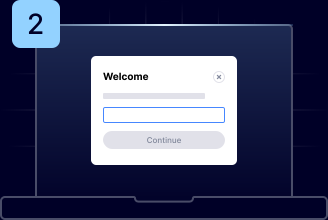
Enter your org ID
Sign in using the organization ID provided by your IT administrator.
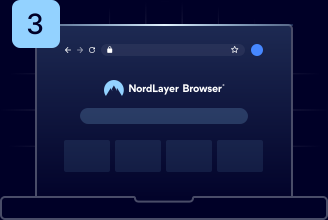
Start browsing
Access everything you need, with all security controls already in place.
DIVE DEEPER
Explore more NordLayer Browser solutions
Observability
A modular approach to cybersecurity
Bringing together industry-leading security tools to create a flexible, scalable, and powerful platform that protects businesses of all shapes and sizes.


NordLayer
A toggle-ready network security platform that provides cybersecurity solutions for businesses of any size or work model.

NordPass
A secure and intuitive password manager that simplifies storing, managing, and accessing credentials safely.

NordLayer Intelligence by NordStellar
A threat intelligence tool that monitors the dark web and helps businesses detect and prevent cyber threats before they strike.
resources
Learn more about the Enterprise Browser


Additional info
Frequently asked questions
An enterprise browser is a web browser designed specifically for business use. It comes with advanced security, compliance, and work optimization features to help organizations protect themselves against cyber threats and improve team productivity. It ensures stronger data protection, Data Loss Prevention (DLP), centralized security management, and real-time user activity observability—allowing companies to detect and mitigate both internal and external threats early. According to Gartner, enterprise browsers will become the core platform for workforce productivity and security by 2030.
Designed with enterprise security in mind, an enterprise browser incorporates advanced security features directly into its architecture. The company’s security teams can then enforce and manage these controls and monitor user activity within the browser to mitigate risks like data leakage or unauthorized access.
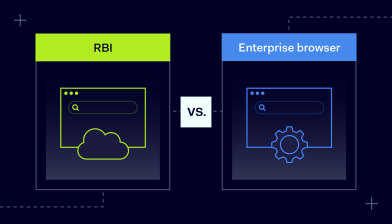
The main difference between an enterprise browser and other browser security solutions is that the enterprise browser is designed as a complete, managed browsing environment for corporate use. Unlike plugins or extensions, which let employees continue using their preferred browsers while adding security, enterprise browsers offer enhanced security by design. They also provide centralized management and integrate with other business infrastructure, such as identity management systems.
SSE is a framework that contains multiple security practices to secure and protect a business network. An enterprise browser, on the other hand, is a specific solution that contributes to the SSE framework.
Traditional consumer browsers often lack centralized management and Zero Trust security controls to effectively protect sensitive business data. To address these shortcomings, a secure enterprise browser delivers a dedicated security layer, centralized management, integration with other business infrastructure, and streamlined productivity.
Yes, an enterprise browser can boost productivity by reducing time spent on IT troubleshooting and security incidents such as data breaches. Additionally, it is designed to be intuitive and user-friendly, offering employees a seamless experience within a secure environment. Productivity is further increased because administrators can control the web environment by creating DNS-level filtering settings and restrictions. Plus, end users don’t need to manually switch between private gateways because the enterprise browser handles this routing automatically.