Tailscale is a popular tool for secure network access, but it isn’t the only option. This article walks through 5 Tailscale alternatives, compares what each one does well, and points out where they fall short, so you can pick the tool that fits your team. Top Tailscale alternatives include NordLayer, GoodAccess, Twingate, OpenVPN CloudConnexa®, and Absolute Secure Access.
Disclaimer: This article includes two types of information, each gathered differently. The comparison table was built directly from each vendor's website, including main pages, feature pages (filtered to display all features), supporting product documentation, and pricing pages. All information is relevant as of June 9, 2026. NordLayer is not responsible for the accuracy or completeness of competitor information, which may change over time.
The feature descriptions are based on publicly available user feedback gathered on June 9, 2026, from platforms including Gartner Peer Insights™ and G2. For each competitor, we manually reviewed 10 to 15 user reviews from the past 12 months, prioritizing the most recent feedback on Gartner (where available) and the most recent reviews on G2. Both positive and negative reviews were included to reflect a balanced view, though the number of relevant reviews varied by vendor. Brief or uninformative entries were excluded. As competitor offerings and user sentiment may evolve, NordLayer does not guarantee the accuracy or completeness of this information and recommends verifying details directly with each provider.
Tailscale overview
Tailscale is an identity-aware mesh VPN and private network access platform built on WireGuard. It creates encrypted connections between users, devices, and services, using direct peer-to-peer connections when possible and relayed connections when direct connectivity is unavailable.
Organizations can connect private resources through “tailnets,” extend access to existing subnets with subnet routers, and define granular permissions through “grants” and access control policies. Tailscale also provides configuration audit logs and, for eligible plans, network flow logs to help teams review changes and understand how nodes connect across their network.
Most mentioned Tailscale’s strengths
According to user reviews, Tailscale stands out for these key features:
Peer-to-peer WireGuard connections that work regardless of network situation or device status.
Broad device support, including platforms like Apple TV, cloud servers, and virtual machines.
Subnet routing.
Granular access control, such as SSH lockdown through a private network.
Easy-to-understand dashboard and UI.
Most mentioned overall product benefits of Tailscale
Users often highlight these benefits:
Quick and easy setup.
Seamless remote access to servers, internal tools, and systems without traditional VPN complexity.
Reduced IT workload, saving time on setup and ongoing management.
Solves NAT traversal, enabling peer-to-peer connectivity without a public IP.
Replaces commercial VPNs for local work, and stays straightforward once the basics click.
Tailscale’s drawbacks
Users also pointed out some downsides:
Cumbersome at production scale, especially for advanced DNS routing and granular ACLs.
Always-on behavior, with no easy way to disconnect when the VPN isn’t needed.
Teams plan gets expensive, with costs climbing as user count grows.
Google sign-in dependency for device authentication, which is also blocked in regions like China.
Frequent re-authentication, since credentials are only cached locally for around 48 to 72 hours.
Limited mobile access, with users unable to properly reach their laptops or machines from a phone.
Let’s now look at Tailscale alternatives.
Comparison parameter
Tailscale
NordLayer
GoodAccess
Twingate
OpenVPN CloudConnexa®
Absolute Secure Access
Core network model
Peer-to-peer mesh VPN/application networking
ZTNA, business VPN, cloud VPN, remote access VPN, site-to-site VPN
Business VPN/zero-trust access platform with dedicated gateways
ZTNA/VPN replacement with identity-based, direct-to-resource access through Remote Networks, Resources, and Connectors
ZTNA + wide-area Private Cloud (WPC) with full-mesh topology
Security Service Edge (SSE) suite for Zero Trust connections to private apps, cloud services, and websites; Absolute Core is ZTNA with NAC
Server/network reach
Peer-to-peer mesh; regional routing and traffic steering on Premium+
Shared gateways in 40+ global locations; speeds up to 1 Gbps
Private Global Secure Network in 35+ locations; gateway performance up to 10 Gbps
Global Relay Network with documented relay cluster locations; Premium Relays on Enterprise; Remote Networks range from 10 to custom by plan
30+ global PoPs
Optimized for hybrid, mobile, and field workers; specific server/PoP/network reach not mentioned
Cloud firewall/FWaaS/network access control
Not named as Cloud Firewall; uses ACLs and role-based access control (RBAC) policies
Yes; cloud firewall
Yes; Cloud FWaaS/zero-trust access control
Yes; Identity Firewall, network-level access policies, resource-level access policies, and GUI-managed access policies; not named Cloud Firewall/FWaaS
Not named as Cloud Firewall; has Access Groups, micro-segmentation, restricted internet access, and Cyber Shield
Yes; self-healing client acts as a distributed firewall; Absolute Core includes Network Access Control (NAC) and dynamic policy enforcement
Yes; device posture security and device posture monitoring
Yes; device posture check
Yes; native device posture controls, minimum OS policies, trusted device profiles, and MDM/EDR integrations are mentioned
Yes; multi-parameter, continuous evaluation
Yes; endpoint compliance and Comply to Connect continuously evaluate device posture and block unhealthy devices from sensitive apps
SSO
Yes; SSO with IdP and custom OIDC
Yes
Yes; multiple SSO providers
Yes; single sign-on support, Google Workspace, Okta, Microsoft Entra ID, JumpCloud, and other Enterprise IdP integrations are mentioned
Yes; SAML and LDAP
Yes; SAML and OIDC
MFA/2FA
Via IdP/SSO
Yes; includes biometric authentication
Yes; includes PIN and biometric authentication, enforced MFA
Yes; MFA for bastion host/SSH access and MFA support for any resource
Yes; authenticator-app 2FA for native/LDAP auth
Yes; FIDO2 support through OIDC and NPS-based MFA
SCIM/user provisioning
Yes
Yes
Yes
Yes
Yes
N/A – not mentioned in the available sources
DNS filtering/secure DNS/content filtering
Not specified; MagicDNS is for naming, not filtering
Yes; DNS filtering by category and custom DNS
Yes; DNS filtering, Private DNS, Custom DNS Resolver, custom domain blocking
Yes; encrypted DNS, DNS-over-HTTPS, custom DNS filtering, content filtering controls, security filtering controls, and network-level DNS filtering are mentioned
Yes; Secure DNS and content/web filtering across 43 categories
Secure Web Gateway and web reputation/category controls are shown; DNS filtering/Secure DNS not mentioned
Download/web protection/malware/ threat blocking
Not specified
Yes; web protection, download protection, application blocker, shadow AI detection, Dark Web Scanner
Yes; Secure Web Gateway Lite and threat blocker logs
Yes; DNS filtering blocks malicious websites and phishing, with protection from threats such as malware and cryptojacking; download protection not mentioned
Yes; advanced threat protection for zero-day threats, malware, malicious code, and data exfiltration; Enterprise adds multiple AV scans, RBI, CDR, and DLP
Secure web gateway/SSE capability
Not mentioned
Web protection and download protection
Yes; Secure Web Gateway Lite
Internet Security with DNS/content/security filtering is mentioned; SWG/SSE not named in the available sources
Yes; essential SSE capabilities
Yes; Secure Access is described as SSE; Enterprise combines SWG, CASB, Private Access (ZTNA), DLP, and RBI
Site-to-site VPN/network connectors
Yes through subnet routers and workload connectivity, but “site-to-site VPN” not named
Yes; site-to-site VPN
Yes; cloud and branch connectors
Connectors provide encrypted connectivity into Remote Networks and are deployed behind the firewall; site-to-site VPN not named
Yes; Site-to-Site VPN
Not positioned as site-to-site VPN; App Connectors for ZTNA across private clouds, data centers, and public clouds
Cloud network integrations/cloud connectivity
Yes; Kubernetes ingress/egress, Kubernetes API proxy, workload connectivity; AWS Marketplace and Azure named
Yes; AWS, Google Cloud, IBM Cloud
Yes; cloud connectors, provider names not stated
Yes; cloud VPC access and an AWS remote network example are mentioned; Twingate is described as fully cloud-agnostic
Yes; connected networks, AppHub, AWS S3 for log streaming
Yes; access to cloud services and cloud apps is mentioned; named cloud provider integrations not mentioned
Network segmentation/micro-segmentation
Yes; ACLs, ACL tags, RBAC, subnet routing
Yes; via cloud firewall, gateways, access rules
Yes; network segmentation and zero-trust access control
Yes; least privilege access, network-level and resource-level access policies, Groups, and dynamic enforcement are mentioned; micro-segmentation term not mentioned
Yes; micro-segmentation and Access Groups
Yes; granular access policies, contextual security, NAC, and dynamic policy enforcement are mentioned; micro-segmentation term not mentioned
Dashboards/monitoring
Yes; services central service monitoring, network flow logging, configuration audit logging
Yes; over 70 dashboards, 90-day data record retention, deep visibility, and user/device/network/application behavior insights are mentioned
1. NordLayer
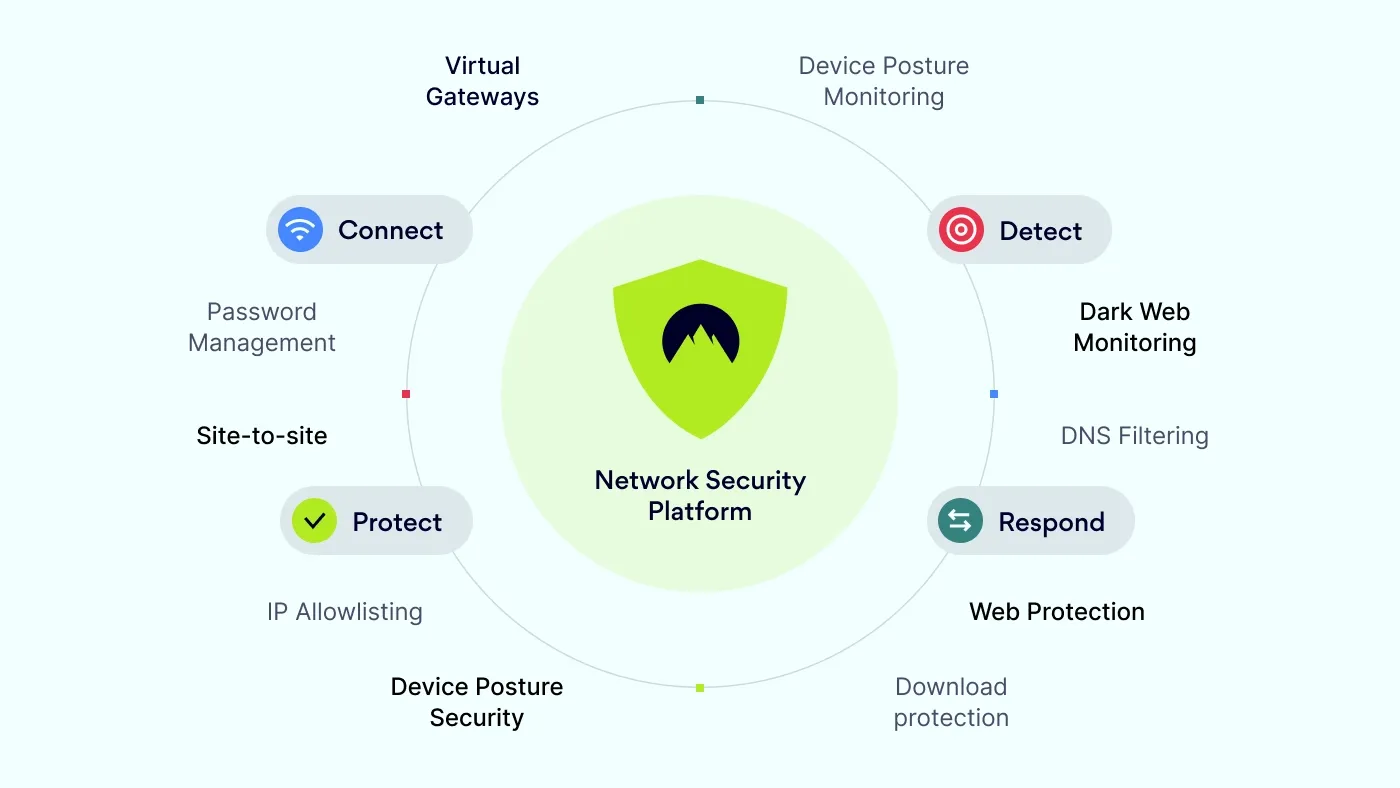
NordLayer is a cloud-based network security platform designed to help organizations secure internet access, private application access, and network connections for hybrid teams. Its product stack includes zero-trust network access, secure web gateway capabilities, cloud firewall, device posture security, DNS filtering, and identity-based access controls.
Organizations can use NordLayer to connect users to private resources, segment access through virtual private gateways and policies, manage user access with SSO and SCIM, and monitor activity from a centralized Control Panel. The platform is built for teams that need business VPN, ZTNA, and security controls in one service.
Most mentioned NordLayer product strengths
Users consistently mention several key strengths when reviewing NordLayer. The most praised product strengths include:
Centralized Control Panel with a clearly structured interface.
Zero-trust network access features.
Flexible VPN configuration, with multiple country options and easy setup of static dedicated IPs.
Simple user management.
Smooth login experience.
Most mentioned overall NordLayer benefits
Users often highlight these NordLayer benefits:
Secure remote access, which lets teams connect to corporate resources from any location.
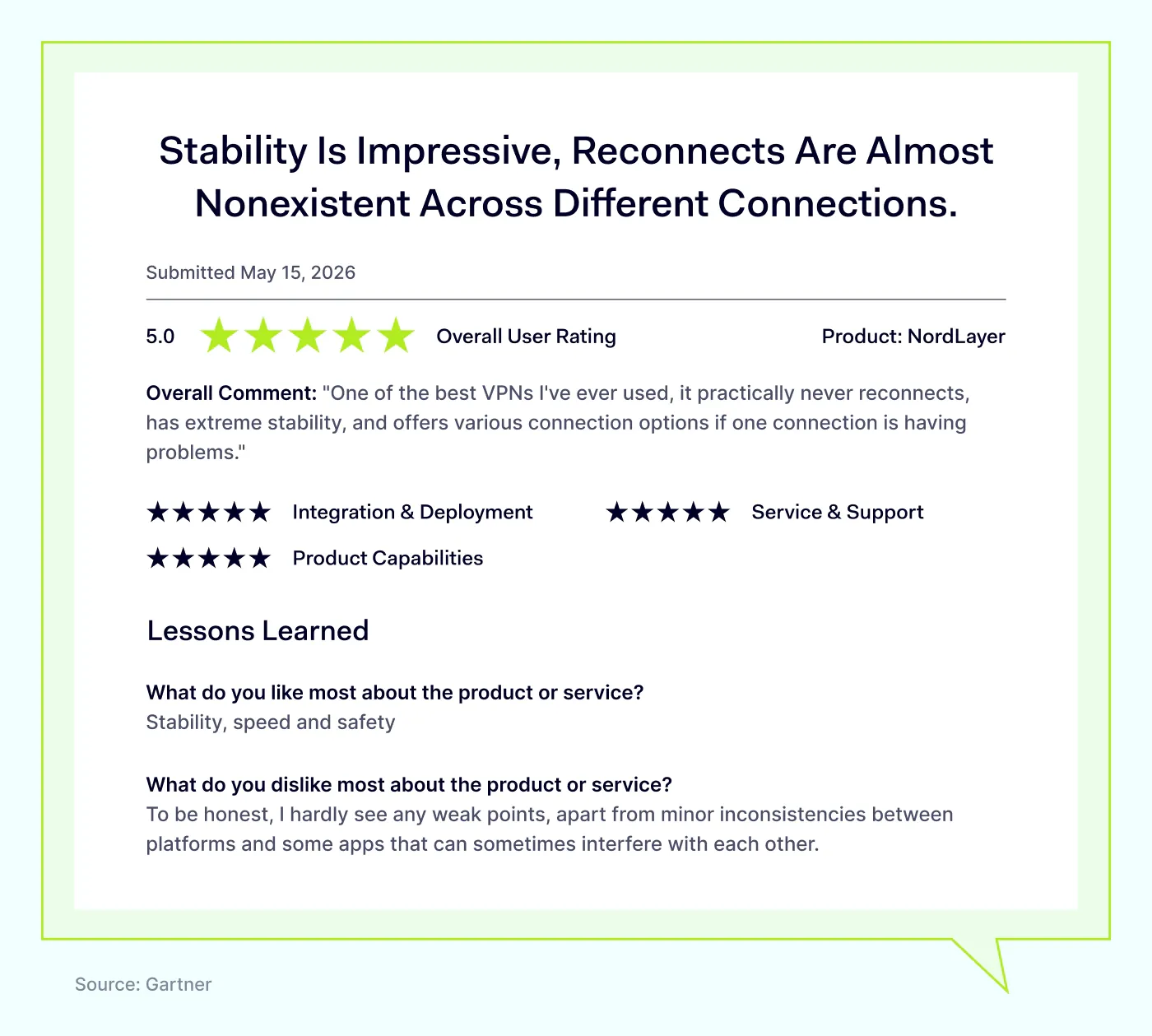
Stable, fast performance.
Quick onboarding and offboarding.
Lower operational overhead, with no VPN infrastructure to patch or maintain manually.
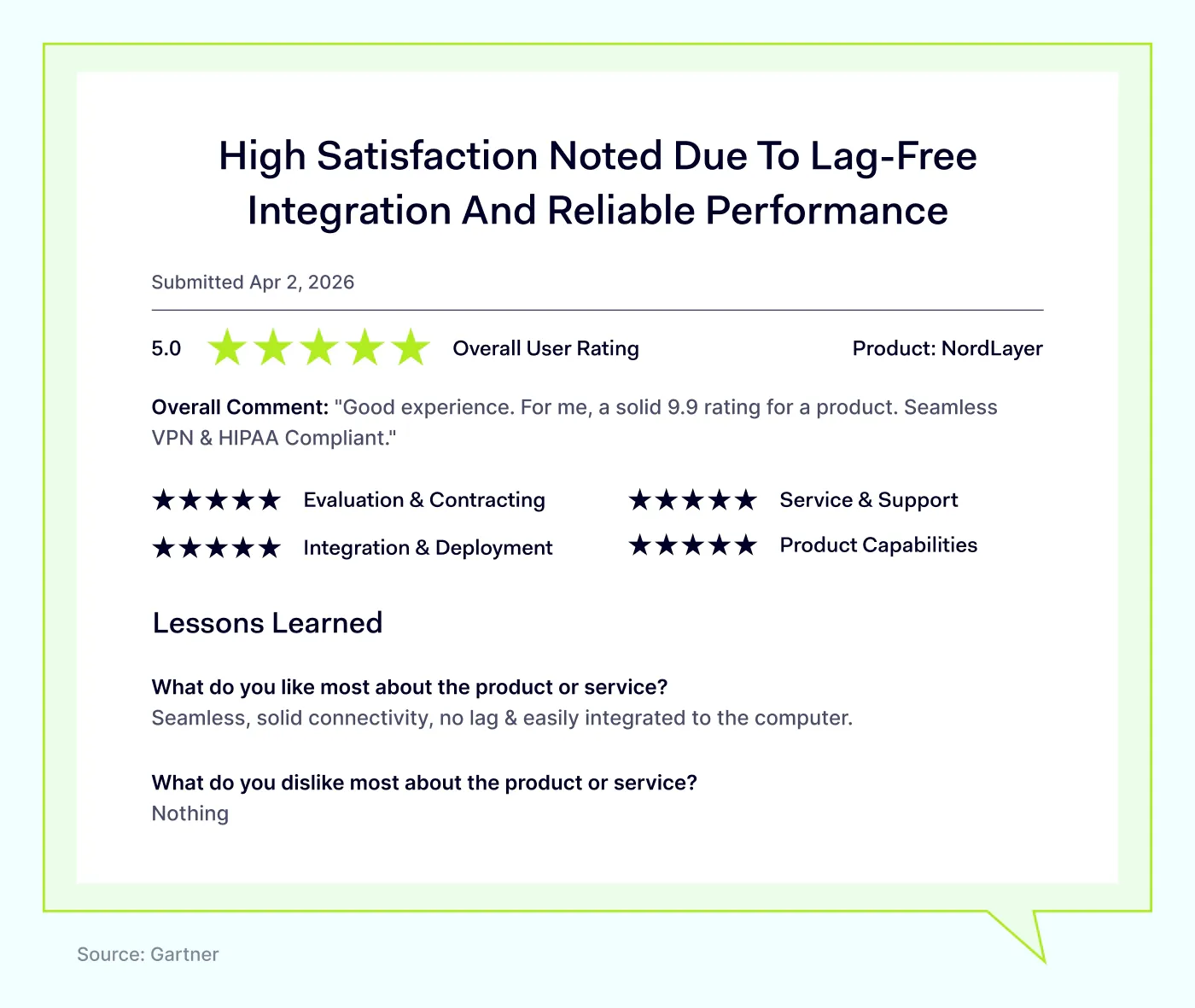
Compliance support, including HIPAA.
What makes NordLayer stand out?
According to NordLayer’s website, the platform offers powerful ZTNA features as well as traditional VPN functionality. It combines secure connectivity with granular access control.
Key solutions:
NordLynx—a high-speed VPN protocol based on WireGuard, available for all plans.
Threat protection detects, blocks, and neutralizes online threats, stopping them before they reach users.
Device posture security ensures only compliant and trusted devices can access company resources.
Download protection shields users’ devices from malware by blocking malicious or unsafe downloads.
Potential drawbacks of NordLayer
Users mention certain limitations in their reviews of NordLayer:
Occasional connection drops, particularly on unstable networks or slow initial connections.
Some advanced security features are reserved for pricier plans.
Limited advanced configuration.
Pricing concerns for smaller teams.
Restricted admin permissions, such as Team Admins being unable to reset MFA without deleting the user.
While these issues do not frequently arise, it is important to consider them.
NordLayer user reviews
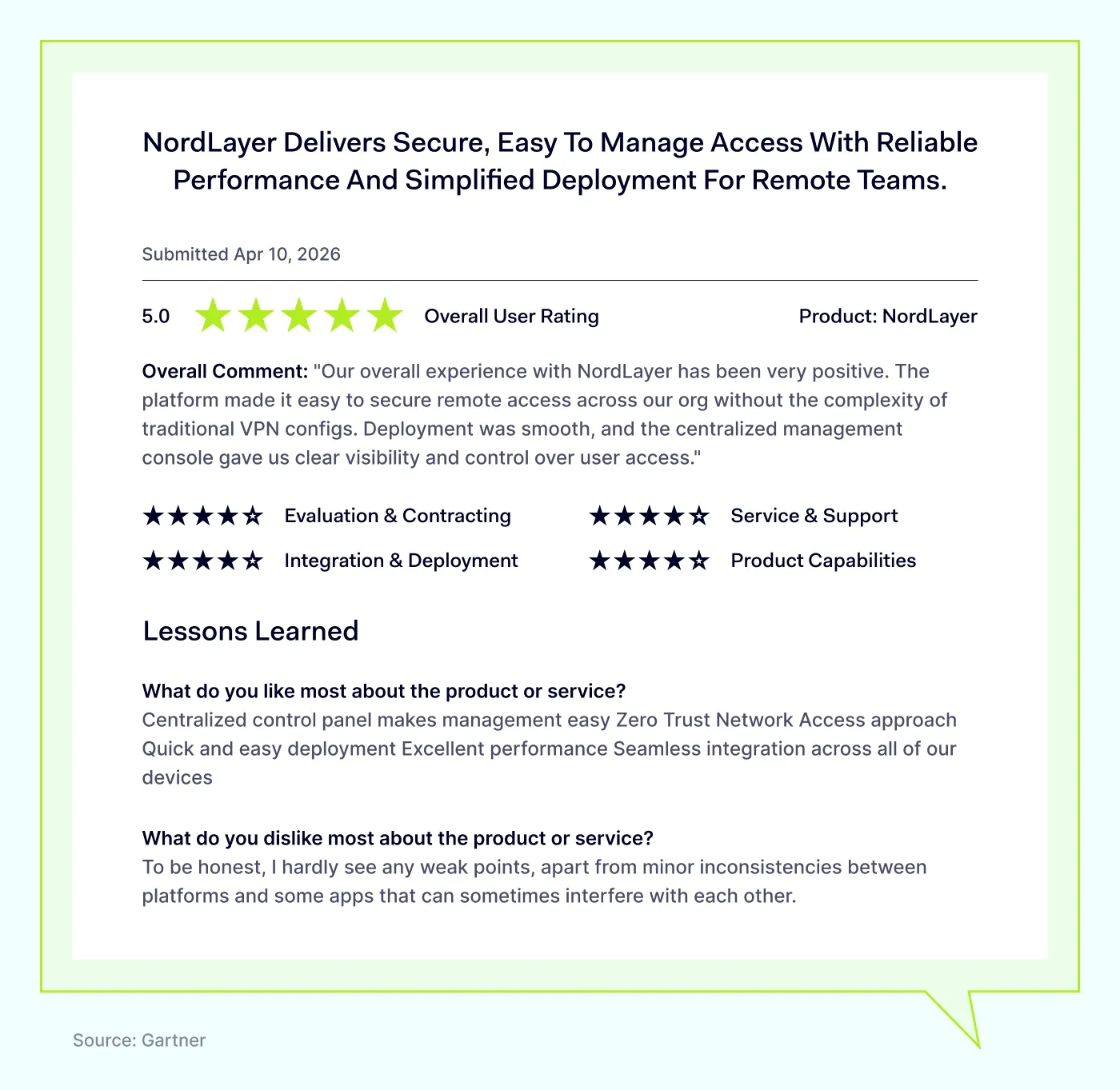
User feedback emphasizes NordLayer’s ease of use combined with solid network protection.
NordLayer currently holds these ratings on industry review websites:
4.6 out of 5 on Gartner, one of the most respected technology review platforms.
4.3 out of 5 on G2.
NordLayer pricing
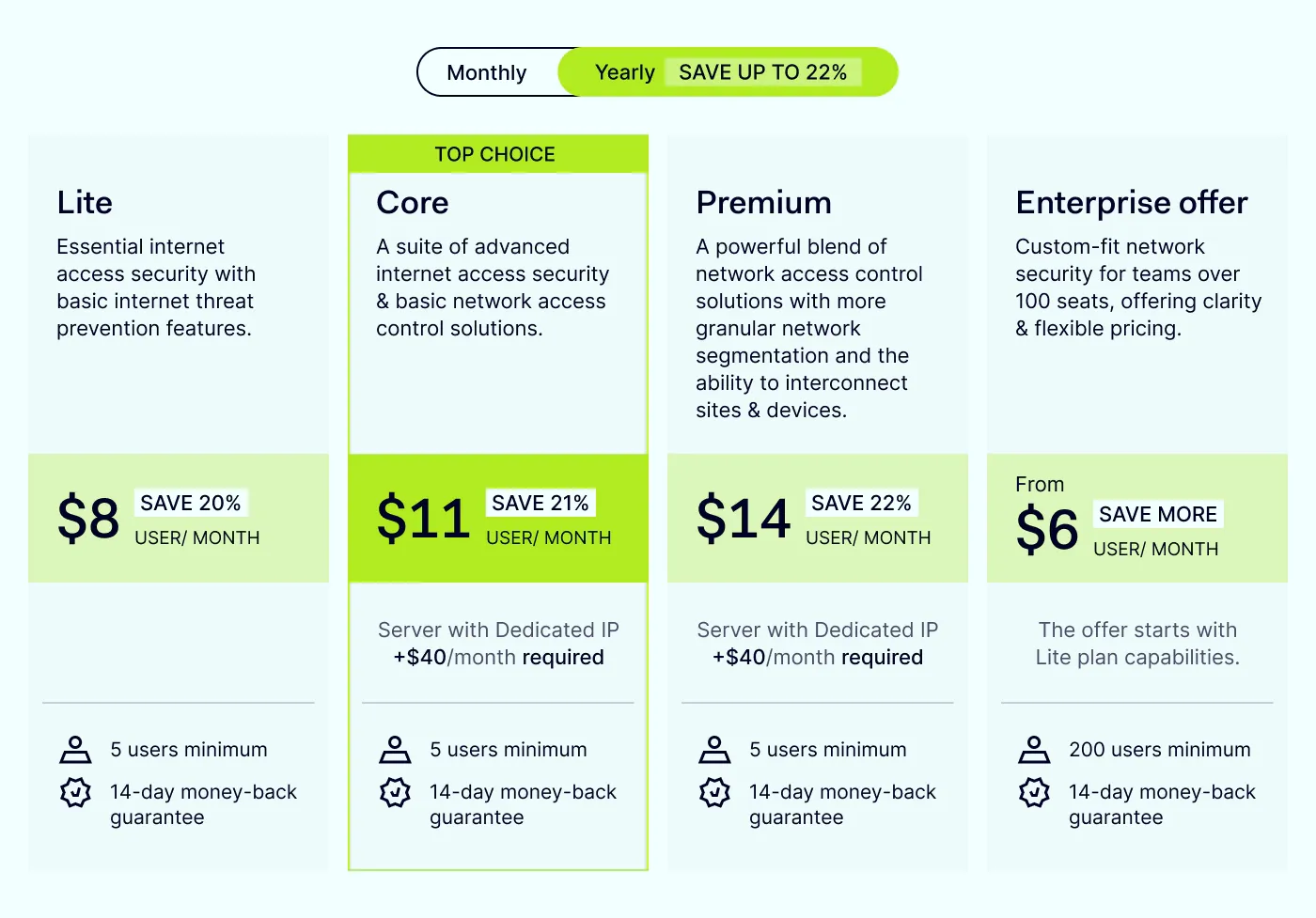
NordLayer’s plans start at 5 users and, according to its pricing page, include:
Up to 1 Gbps server performance
40+ shared gateway locations
Session duration control, MFA, Always On VPN, and SSO across tiers
Web protection (phishing prevention, malicious site blocking)
Download protection to prevent malware
VPN protocol variety, with NordLynx included on all plans
Higher plans add broader remote access solutions and control options, such as:
Virtual private gateways and dedicated IPs
IP allowlisting
Cloud firewall
Device posture security (visibility into which devices connect to the company network and whether they meet compliance standards)
Site-to-site connectivity and cloud LAN
Custom DNS for network-wide access rules
Exact feature availability depends on the tier.
Disclaimer: This information is based on NordLayer’s website and third-party user reviews from Gartner and G2, accessed on June 9, 2026. NordLayer aims to provide accurate and up-to-date information but is not responsible for any inaccuracies from third-party sources.
2. GoodAccess
GoodAccess describes itself as a cloud-delivered ZTNA platform designed mainly for small and medium-sized businesses. It helps organizations create a secure software-defined perimeter around private systems, applications, resources, and networks across cloud, on-premises, and public internet environments. The platform includes business VPN, ZTNA, software-defined perimeter, and secure web gateway capabilities.
Most mentioned product strengths
Users frequently highlight these strengths:
Static IP addresses, which support whitelisting and HIPAA-compliant access control.
Zero trust, MFA, and device posture checks for compliance.
Centralized access control.
Easy SSO and integrations, including straightforward enterprise SSO and AWS infrastructure setup.
Most mentioned overall product benefits of GoodAccess
Customers appreciate GoodAccess primarily for these reasons:
Simple setup and management: quick deployment and minimal configuration needed.
Cost-effective for startups and small IT teams.
Responsive customer support, including helpful partner onboarding.
Easy to scale and integrate with other tools.
GoodAccess’s limitations
Reviewers also note several areas needing improvement:
Limited advanced features, falling short of larger enterprise VPN solutions.
Few admin customization options.
Inconsistent connection speeds: occasional reconnects and slowness during peak times.
Windows client issues, sometimes requiring users to kill and restart the app.
Missing policy-based routing; no way to route only specific app or port traffic without OS tweaks.
High costs at scale, especially when adding AWS, Azure, or extra gateway integrations.
Update friction, since admin-access updates can disrupt remote workers.
Disclaimer: This review is based on publicly available user feedback from Gartner and G2 review platforms, focused on recent user experiences as of June 9, 2026. The information presented here is for informational purposes only and does not imply endorsement or guarantee. Readers should independently verify details before making purchase decisions.
Twingate positions itself as a modern alternative to traditional VPNs. It provides identity-based access for users, services, and AI agents, helping organizations replace perimeter-based VPN access with granular controls for private resources. The platform uses software-based ZTNA to simplify secure remote access.
Most mentioned product strengths
Users most often highlight these strengths of Twingate:
Granular ACL controls, which help enforce least-privilege access transparently for end users.
Easy connector deployment.
Resource alias feature, which helps manage identical IP schemes across multiple networks.
API and script support; community resources available for custom setups.
Complete auditing features.
Smooth identity provider integration.
Flexible usage: supports multi-device use, concurrent connections, and unlimited bandwidth.
Permissions and groups make access control straightforward.
Most mentioned overall product benefits
Reviewers frequently highlight these general benefits associated with Twingate:
Easy install and deployment.
Transparent end-user routing, granting access without complication or disruption.
Very few outages reported over long-term use.
Modernized VPN replacement; helps move away from legacy solutions.
Simplified access management for both internal and external users, including non-production environments.
Limitations mentioned by users
Despite these benefits, reviewers noted some common limitations of Twingate:
Admin UI needs UX work: items are not logically ordered, and the interface feels sparse to some users.
High barrier to support.
Limited APAC support.
Sparse traffic and troubleshooting logs, which makes issue diagnosis harder.
Manual connector updates require effort.
Falls short at large-scale deployment, configuration, and management.
macOS deployment issues, including update problems, dual instances, and orphaned system extensions with no clean uninstall.
Clunky Windows deployment, relying on one massive PowerShell script.
Difficult temporary access management for external users, plus a confusing DNS and NextDNS admin GUI.
Disclaimer: This product review is based on information from VPN review sites such as Gartner and G2, along with customer feedback shared on these platforms, accessed on June 9, 2026.
4. OpenVPN CloudConnexa®
OpenVPN CloudConnexa® is a secure networking and remote access service that helps organizations build a private overlay network across users, applications, networks, and IoT devices. It combines business VPN, ZTNA, site-to-site connectivity, and full-mesh routing through OpenVPN’s worldwide points of presence. The platform supports access policies, user groups, application routing, and identity provider integrations to control private resource access.
Most mentioned product strengths
Users emphasize these strengths when reviewing OpenVPN CloudConnexa®:
Easy Okta SSO and MFA integration.
Built-in IPS, IDS, and content filtering.
User-friendly central dashboard.
Zero trust with centralized policy control.
Flexible access modes, supporting remote, site-to-site, and application-level access.
Easy hybrid and multi-cloud integration; ready configuration for Teltonika routers.
Quick user and device onboarding.
Most mentioned overall product benefits
Users frequently highlight the following product benefits:
Strong tunnel performance, stable connections to customer networks.
Responsive technical support, knowledgeable in resolving issues.
Secure access for distributed teams, also useful for bypassing ISP-imposed Double NAT to set up remote tunnels.
Lower infrastructure overhead; improved network reliability and performance.
Limitations mentioned by users
Although users generally appreciate OpenVPN CloudConnexa®, they cite these drawbacks as well:
High pricing at scale, especially for large user bases or large integrations.
Limited deep customization, since the fully managed cloud service offers less control than self-hosted or appliance-based VPNs.
Poor fit for legacy-heavy networks, where complex environments may need more granular control.
Learning curve for advanced configs, particularly for teams moving from conventional network architectures.
Setup documentation gaps.
Disclaimer: This product review is based on information from VPN review sites such as G2 and customer feedback shared on these platforms, accessed on June 9, 2026.
5. Absolute Secure Access
Absolute Secure Access is an SSE product suite built for hybrid, mobile, field, and remote workforces. It provides secure, zero-trust connections to private applications, cloud services, and websites.
The platform includes ZTNA, dynamic policy enforcement, device posture checks, network access control, and endpoint compliance capabilities. Depending on the edition, Absolute Secure Access also adds a secure web gateway, CASB, DLP, remote browser isolation, advanced threat protection, and AI-powered UEBA notifications.
Most mentioned product strengths
Users often highlight these strengths when reviewing Absolute Secure Access:
Always-on, suspended-state VPN client, useful for devices running remote apps that connect to databases.
Session-persistent connections.
Automatic reconnection.
Device threat evaluation: instantly blocks access when a risk is detected.
Flexible bypass mode.
Custom network access controls, with configurable authentication rules and granular firewall settings.
User and device segmentation.
Easy connection tracking through the Insights view.
Broad device compatibility.
Most mentioned overall product benefits
Users frequently mention these overall benefits:
Reliable, smooth connections.
Seamless user access.
Reduced maintenance burden.
No need to restart apps or DMS after a brief disconnection.
Helpful support.
Limitations mentioned by users
Despite generally positive feedback, users noted certain drawbacks of Absolute Secure Access:
Ecosystem lock-in, since advanced features require full integration into the Absolute ecosystem.
Complex initial setup and policy configuration, a steep learning curve that smaller IT teams may find demanding.
Outdated, inconsistent management console UI, which affects day-to-day admin experience.
Slow helpdesk resolution, where paid support staff may spend weeks gathering information.
Unreliable client updates on Windows due to hardware drivers failing to load properly.
Cost can be a concern, though users note you get what you pay for.
Disclaimer: This section is based exclusively on publicly available user feedback from the Gartner and G2 review platforms, filtered by recency as of June 9, 2026. This information is provided for general informational purposes only and does not imply endorsement, guarantee, or ongoing completeness and accuracy. Readers are advised to independently verify product details directly with vendors before making purchasing decisions.
Overall, the right Tailscale alternative depends on the size of your team, the kind of access you need to manage, and how much hands-on configuration you want to do. Small businesses and lean IT teams that want a simple, cloud-based setup often do well with GoodAccess or NordLayer, since both are quick to deploy and cover the basics of secure access without a steep learning curve.
Mid-sized companies that want a modern VPN replacement with strong identity-based controls tend to favor Twingate, while teams that prefer an all-in-one platform with built-in web protection, threat blocking, and a wide gateway network often pick NordLayer.
OpenVPN CloudConnexa® is a solid fit for organizations that already work with OpenVPN or need flexible site-to-site and hybrid cloud setups, though pricing can climb at scale. Absolute Secure Access is best suited to larger enterprises with field, mobile, or frontline workers who need session-persistent connections and deep device controls, and it tends to be heavier and pricier than the other options here.
Disclaimer: This article is authored and published by Nord Security Inc. as a comparative overview of network access solutions based on publicly available third-party reviews, user feedback accessed and directly from each vendor's website, including main pages, feature pages, supporting product documentation, and pricing pages on June 9, 2026. The information in this article is provided for informational purposes only and should not be considered definitive or permanent. As competitor offerings, feature sets, pricing, and availability may evolve, Nord Security Inc. and its affiliates make no guarantees regarding the accuracy, completeness, or suitability of this information and recommend verifying details directly with each provider before making any purchasing decisions. We disclaim liability for any errors, omissions, or actions taken based on this information. The inclusion of competitor products does not imply affiliation or endorsement, and all trademarks mentioned are the property of their respective owners. Readers should conduct their own research and seek independent advice before making purchasing decisions.
Anastasiya Novikava
Cybersecurity Copywriter
Anastasiya is a cybersecurity copywriter with a decade of experience in content marketing. She creates product comparisons, threat research and statistics, white papers, customer case studies, and educational content, with a focus on AI threats, data breach prevention, and compliance frameworks (DORA, GDPR, NIS2).