
Zero-trust authentication is the process of continuously verifying user identities before granting access to applications, networks, and data. It sits at the center of a broader zero-trust access decision that also considers device posture, context, and continuous validation—but its core job is confirming that users are who they claim to be As organizations adopt cloud computing, remote work, and bring-your-own-device (BYOD) policies, authentication has become the most critical control point in the zero-trust model.
Passwords alone are not enough to stop modern cyberattacks. Stolen credentials, phishing campaigns, and compromised devices are among the leading causes of security incidents and data breaches Where traditional systems rely on a one-time login, zero-trust authentication combines identity verification, device validation, multi-factor authentication (MFA), and continuous monitoring to make smarter access decisions throughout every session.
What is zero-trust authentication?
Zero-trust authentication is a security approach that follows the zero-trust model, where no user is trusted by default and every access request must be authenticated, authorized, and continuously validated. It is not a single technology or product—instead, it combines multiple identity-focused controls, such as passwords, MFA, single sign-on (SSO), passkeys, and biometrics, that work together to verify who a user is.
The broader questions of what that user is allowed to access, from which device, and under what conditions are handled by adjacent zero-trust capabilities like device posture checks, contextual policies, and zero-trust network access (ZTNA).
Traditional authentication often assumes that, once users log in successfully, they can be trusted for the rest of their session. Zero-trust authentication rejects that assumption—trust is never permanent, and it must be earned and continuously reassessed as users move between locations, networks, and devices throughout the day.
How zero-trust authentication works
Zero-trust authentication evaluates every access request before allowing users to reach sensitive resources. It looks beyond a single password and considers multiple signals to determine whether access should be granted.
Step 1. Verify user identity
The first step is confirming that users are who they claim to be. Organizations typically combine several authentication methods, including:
- Passwords or passphrases
- Single sign-on (SSO)
- Multi-factor authentication (MFA)
- Biometrics
- Passkeys or hardware security keys
Using multiple authentication factors makes it significantly more difficult for attackers to access accounts with stolen credentials alone.
Step 2. Check device posture
Verifying the user isn’t enough. Zero-trust authentication also evaluates the security of the device requesting access.
Typical checks include determining whether the device:
- Runs an approved operating system
- Has the latest security updates installed
- Uses endpoint protection software
- Encrypts local storage
- Meets organizational security policies
If a device fails these checks, access may be limited or denied entirely.
Step 3. Evaluate context
Zero-trust authentication also considers contextual information surrounding the request, such as:
- User location
- Time of access
- Device type
- Unusual login behavior
- Detected security risks
For example, a login from an unfamiliar country immediately after another login from a different continent may trigger additional verification.
Step 4. Hand off to access controls
Authentication ends once the user’s identity is confirmed. From there, the broader zero-trust access decision takes over: the system uses the authenticated identity, alongside device posture and context, to determine exactly which resources that user should be allowed to reach.
This follows the principle of least privilege (PoLP) meaning users receive only the permissions necessary to perform their work and nothing more. In place of broad network access, organizations apply granular access controls based on user roles, departments, projects, or the sensitivity of the requested resources. In a zero-trust model, this stage is typically handled by ZTNA or similar access-control mechanisms rather than by authentication itself.
Step 5. Continuously monitor access
Authentication doesn’t stop after login.
One of the defining characteristics of zero-trust authentication is continuous monitoring User behavior, device health, and risk signals continue to be evaluated throughout the session.
If risk increases—for example, because malware is detected on a device or suspicious activity occurs—access can be restricted or terminated immediately, helping contain security incidents before they spread.
Core principles of zero-trust authentication
Several zero-trust principles guide how organizations verify users, and each one plays a distinct role in reducing the risk of unauthorized access. These principles focus on identity verification itself; deciding what an authenticated user can access is handled downstream by ZTNA and related access-control mechanisms.
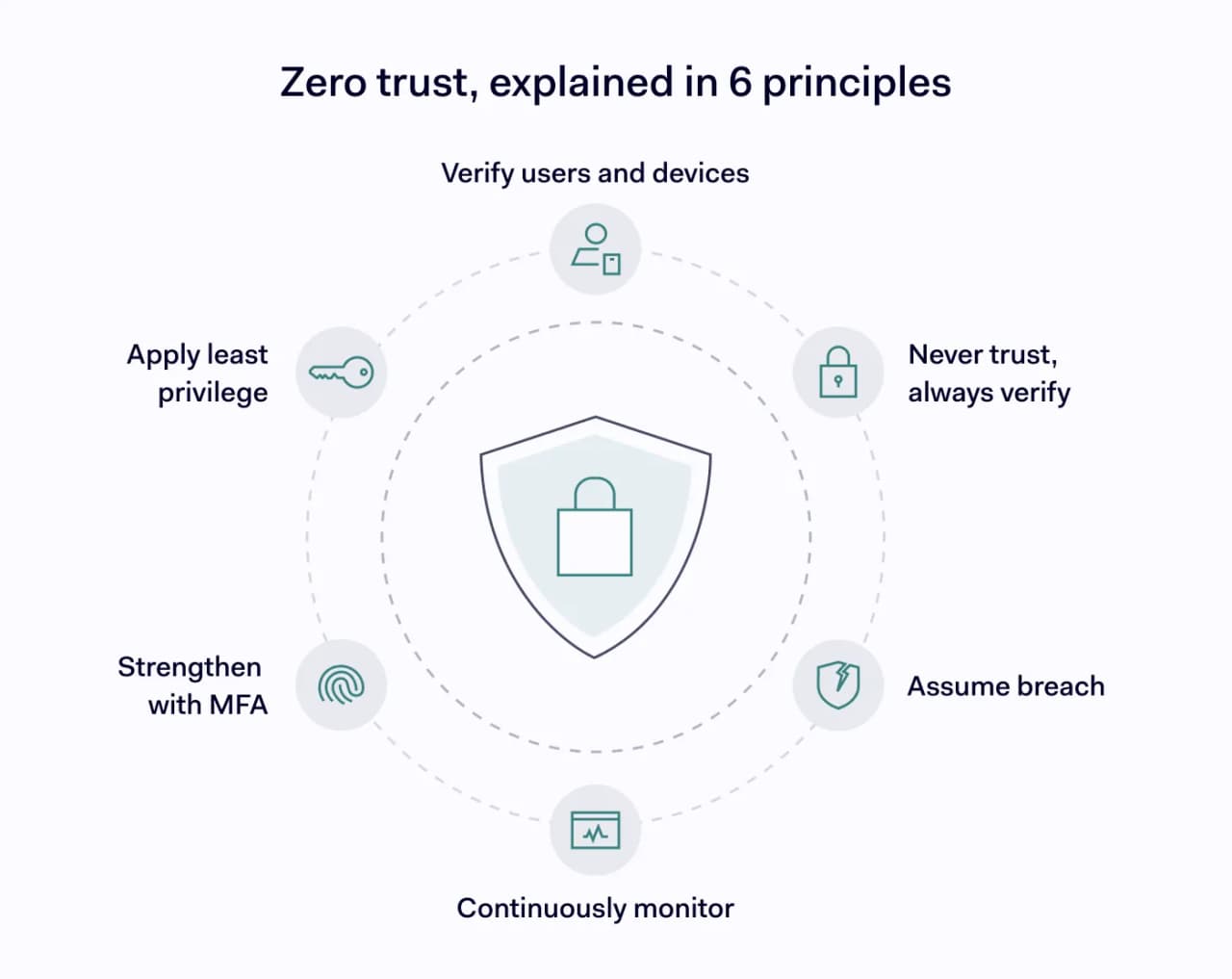
Never trust, always verify
Every user, device, and application must prove its legitimacy before access is granted regardless of whether the request comes from inside the corporate network or from an external location. This applies equally to employees working in corporate offices, users connecting remotely, and third parties, such as contractors or vendors, who need temporary access to specific systems.
Verify users and devices
Authentication focuses on more than user identities. Organizations also verify that the connecting device meets security requirements such as having up-to-date software, active endpoint protection, and full-disk encryption, before treating the login as trustworthy. A legitimate employee using an infected laptop may still fail this check, since a compromised endpoint can put the entire network at risk even when the person behind it is fully authorized.
Apply the principle of least privilege
The principle of least privilege is a downstream access-control concept rather than an authentication step, but strong authentication is what makes it possible. Once a user’s identity has been reliably verified, ZTNA and related controls can grant only the permissions that the user actually needs—defined by role, department, or the sensitivity of the data involved—without giving away broad network access.
Restricting permissions reduces the attack surface and limits the damage attackers can cause if an account is compromised, because a stolen account can only reach the narrow set of systems its owner was allowed to use.
Strengthen authentication with MFA
Multi-factor authentication improves security by requiring more than just passwords for verification which are one of the most frequently stolen and reused credentials in modern attacks. Common authentication factors include:
- Something you know (password)
- Something you have (security key or authentication app)
- Something you are (fingerprint or facial recognition)
Even if attackers steal passwords, they often cannot satisfy additional authentication requirements, especially when those requirements involve a physical device or a biometric trait the attacker doesn’t have.
Continuously monitor user activity
Trust changes over time, and a session that started out safely can become risky within minutes if a device becomes infected, credentials are shared, or a user’s behavior suddenly changes. Continuous monitoring helps organizations spot unusual behavior identify compromised accounts, and re-authenticate, restrict, or terminate the session before the downstream access controls have to deal with a compromised identity.
Assume breach
Zero-trust principles treat every environment as though attackers may already have access somewhere inside the network Authentication’s job is to make identity verification as reliable as possible so that downstream access decisions—handled by ZTNA and related controls—can act on trustworthy signals. Instead of chasing a perfect perimeter, organizations focus on reducing risk through strong authentication, continuous verification, and ongoing validation, so that even a successful intrusion is limited in scope and quickly detected.
The role of micro-segmentation in zero-trust authentication
Authentication controls who gets into the network, but on its own, it doesn’t decide how far a user or attacker can travel once inside. Micro-segmentation divides the network into small, isolated zones—often down to the level of individual applications or workloads—so that access to one resource doesn’t automatically grant access to another.
In a zero-trust model, micro-segmentation and authentication work together. Every time a user or device tries to move between zones, the system re-checks their identity, device posture, and context before allowing the connection. If an attacker manages to compromise a single account or device, micro-segmentation keeps them contained within a narrow slice of the environment, blocking lateral movement toward sensitive systems.
A simple way to think about it: authentication is the front door, and micro-segmentation is the set of locked interior doors behind it.
Zero-trust authentication vs. traditional authentication
Traditional authentication and zero-trust authentication both verify user identities, but they differ significantly in how they establish trust.
Feature | Traditional authentication | Zero-trust authentication |
|---|---|---|
Trust model | Trust after successful login | Verify every access request |
Authentication | Usually, once per session | Continuous verification |
Device validation | Limited or optional | Required at login and throughout the session |
Access permissions | Set once and rarely reviewed | Continuously informed by verified identity and context |
Monitoring | Minimal after login | Continuous monitoring throughout the session |
Risk response | Reacts only at login or after repeated failed attempts | Adjusts access in real time as risk signals change |
Traditional authentication only confirms identity once. In contrast, zero-trust authentication continuously evaluates users, devices, and contextual signals, making it much harder for attackers to maintain unauthorized access.
Benefits of zero-trust authentication
Organizations adopting the zero-trust model for authentication gain several important security advantages that traditional, perimeter-based approaches struggle to match.
- Stronger protection against credential theft. Continuous verification and MFA reduce the effectiveness of stolen passwords, phishing attacks and credential stuffing Even if a password is exposed in a breach, attackers still need to defeat additional factors and device checks to reach anything valuable.
- Reduced risk of data breaches. Limiting user permissions and validating every access request helps prevent attackers from reaching sensitive systems if an account is compromised. In a traditional network, the blast radius of a single stolen credential is much larger.
- Better support for remote and hybrid work. Employees can securely access company resources from almost anywhere, while organizations maintain consistent security policies across offices, home networks, and mobile devices. Location stops being the deciding factor for trust.
- Improved access control. Granular permissions ensure employees access only the applications and information necessary for their responsibilities, which also makes onboarding, role changes, and offboarding cleaner and easier to audit.
- Greater visibility into user activity. Continuous monitoring gives security teams a clearer view of authentication events, user behavior, and potential threats, turning authentication data into a valuable input for detecting and investigating security incidents.
- Stronger regulatory compliance. Strong authentication, detailed audit trails, and controlled access help organizations meet security requirements set forth in regulations and industry standards such as SOC 2 Type 2 ISO 27001 HIPAA and GDPR
Common challenges of zero-trust authentication
Although zero-trust principles strengthen security, implementing the framework requires planning, patience, and ongoing management. Most challenges are practical rather than technical, and they usually surface once real users and real systems come into contact with the new model.
- Legacy applications. Older systems may not support modern authentication methods like SSO or MFA without additional integration work, and some may require proxies, connectors, or eventual replacement to fit into a zero-trust model.
- Balancing security and user experience. Additional verification steps can frustrate users if authentication policies are too strict, so organizations need to fine-tune prompts, session lengths, and risk thresholds to keep friction reasonable.
- Managing diverse devices. Organizations must secure corporate devices alongside employee-owned laptops, tablets, and smartphones, each with different operating systems, patch cycles, and security tools.
- Identity and access lifecycle management. Zero-trust authentication depends on accurate, up-to-date user roles and permissions. When employees change teams, take on new projects, or leave the company, their access permissions must change as well—otherwise, outdated policies may block legitimate users or leave unnecessary access wide open.
- Policy complexity. Creating effective authentication and access controls requires a clear understanding of business roles, applications, and acceptable levels of risk—work that typically involves both IT and business stakeholders.
- Organizational change. Moving from traditional perimeter security to a zero-trust model often requires new technologies, updated policies, and employee training, along with executive support to keep the transition on track. Most organizations adopt zero trust in phases, starting with their most sensitive applications and expanding from there.
How to implement zero-trust authentication
A successful rollout of the zero-trust model begins with a clear picture of your organization’s users, devices, and sensitive resources. From there, most teams follow a similar sequence:
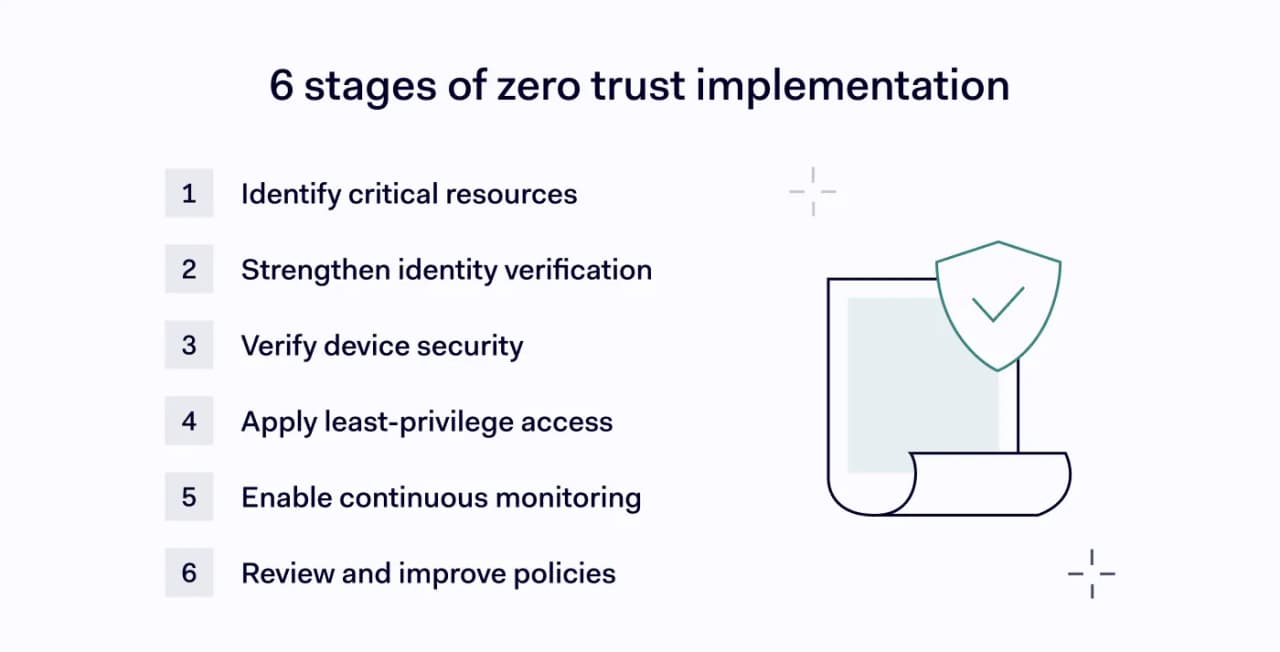
- Identify critical resources. Map the applications, systems, and data that require the highest level of protection, and prioritize authentication policies for your most valuable assets before expanding to the rest of the environment.
- Strengthen identity verification. Implement MFA, SSO, passkeys, or biometric authentication to strengthen user identity verification and reduce reliance on passwords as the sole line of defense.
- Verify device security. Require devices to meet security requirements before granting access. Device posture checks should confirm software updates, encryption, endpoint protection, and overall compliance with company policy.
- Apply least-privilege access. Review user permissions regularly and remove unnecessary privileges. Following the principle of least privilege reduces opportunities for attackers to move throughout the environment if a single account is compromised.
- Enable continuous monitoring. Put tools in place that monitor authentication events, user behavior, and device health in real time, so security teams can respond quickly to suspicious activity while it’s happening, not after the fact.
- Review and improve policies regularly. Threats change constantly, and so do your users, applications, and business priorities. Regularly reviewing authentication policies, permissions, and security controls helps organizations adapt to changing risks and keep the zero-trust model effective over time.
Wrapping up
Zero-trust authentication replaces one-time logins with continuous verification of users, devices, and contextual risk. By combining MFA, the principle of least privilege, continuous monitoring, and granular access controls, organizations can better protect sensitive resources and reduce the likelihood of data breaches.
In practice, NordLayer supports zero-trust authentication through features like MFA, SSO, and device posture security backed by a cloud firewall (FWaaS) for network-level access control. These features give organizations the tools to verify every user and device, and control what they can access once verified.
With identity-based attacks continuing to rise, zero-trust authentication has become a fundamental part of the modern zero-trust model that shapes today’s cybersecurity strategies.