SASE vs firewall: what is the difference?

SASE delivers cloud-based networking and security services, while a firewall filters network traffic at a specific network point. This article breaks down both terms in plain language, then compares where each fits in network security.
Understanding SASE
Secure access service edge (SASE) combines networking and security-as-a-service, including:
- SD-WAN (software-defined wide area network), which manages and optimizes connections between offices, users, and apps over multiple links (internet, MPLS, LTE).
- SWG (secure web gateway), which filters and inspects web traffic (for example, allowing business sites and blocking risky categories).
- CASB (cloud access security broker), which applies security policies to cloud app use, giving visibility and controls (for example, controlling risky logins or data sharing).
- NGFW (next generation firewall), meaning a firewall that goes beyond basic IP/port rules and often adds app-aware rules and intrusion prevention features.
- ZTNA (zero trust network access), which grants access to specific apps or internal resources only after checks such as user identity, device posture, and policy rules. It aims to avoid giving broad “network access” when a user only needs one app.
How SASE works
SASE is an architecture (a blueprint), and vendors usually deliver it as a cloud service. In practice, that means user and site traffic routes through the provider’s network, where the platform applies your security policies before traffic reaches the internet or internal apps.
Those provider locations are called PoPs (points of presence). A way to picture a PoP would be as a regional entry point to the provider’s network, similar to a “service hub” where traffic can get inspected and routed without sending everything back to one headquarters office.
Secure access service edge matters in modern setups because teams now use cloud applications, work from multiple locations, and run workloads across more than one cloud. Relying on one “office perimeter” as the main control point becomes less effective. That’s why many designs move access checks closer to the user, device, and the specific resource they want to reach.
Real-life example of SASE
A user opens a laptop at home and needs access to a SaaS CRM and an internal CRM admin tool hosted on a private network.
With a SASE deployment, the user’s traffic typically goes through the SASE provider’s cloud platform first (via a PoP). From there, the platform can:
- Confirm identity (for example, the user signs in and meets your access requirements).
- Check device posture (for example, “is this device managed and in a compliant state?”).
- Apply web and cloud app controls for SaaS use (SWG/CASB), such as restricting risky web destinations or applying rules to cloud app activity.
- Apply ZTNA-style access for private apps, so the user can reach the internal CRM admin tool without gaining broad access to the entire internal network. Access rules typically focus on who (user/team), what (app/resource), and how (protocol/port) rather than “everything once connected.”
- Log activity centrally so admins can review what happened and adjust policies.
This gives IT teams one place to apply consistent network security controls for users in different locations, while still supporting app-by-app access through SASE solutions.
Understanding a firewall
A firewall is a device or program that controls the flow of traffic between networks or computers that need different levels of trust.
A typical “traditional firewall” appliance sits at the edge of an office network (between the internal LAN and the internet connection). It decides which connections can enter or leave and can also enforce internal segmentation rules if you place it between network segments.
A firewall is a rule-based control for network connections. It applies security policies (rules) like:
- “Allow outbound web browsing over HTTPS (TCP 443)”
- “Block inbound Remote Desktop (RDP) from the public internet.”
- “Allow the HR server to connect to the payroll database only on the database port.”
- “Block connections to known malicious destinations” (common in next-generation firewall setups).
Firewall security focuses on which systems can initiate network connections to which destinations, under which conditions (protocol/port), and sometimes which apps or content.
Traditional firewalls vs. next-generation firewalls
Firewalls can sit in different places:
- Internet edge. An example would be an office firewall between the internal network and the ISP router, controlling inbound and outbound traffic.
- Between internal segments. For example, a firewall between a “user VLAN” and a “server VLAN,” so users can reach only approved services rather than the whole server network.
- In a DMZ. A DMZ (demilitarized zone) is a separate network segment for public-facing services (like a website). For example, the public web server sits in the DMZ, and the firewall tightly controls traffic between the internet, the DMZ, and the internal network.
- On endpoints (host-based firewalls). Examples include, Windows Firewall or a Linux host firewall that blocks inbound connections to a server unless explicitly allowed.
A NGFW usually adds app-aware rules, deeper inspection, and intrusion prevention-style controls compared with traditional firewalls.
For example, NordLayer's Cloud Firewall is a cloud-delivered firewall (FWaaS) which lets organizations set custom security rules for Virtual Private Gateways, with granular controls based on traffic source, destination, and service.
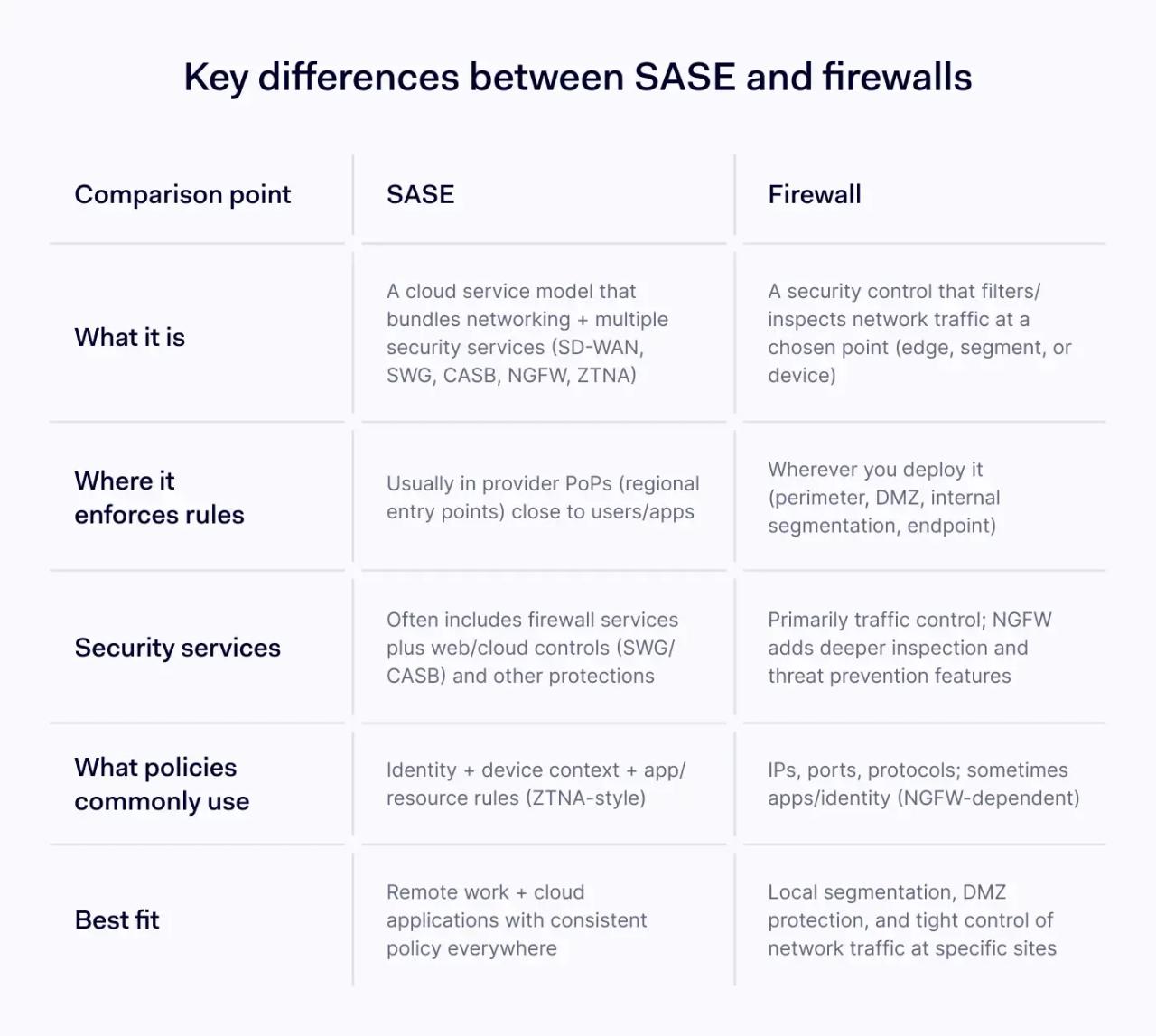
Key differences between SASE and firewalls
Comparison point | SASE | Firewall |
|---|---|---|
What it is | A cloud service model that bundles networking + multiple security services (SD-WAN, SWG, CASB, NGFW, ZTNA) | A security control that filters/inspects network traffic at a chosen point (edge, segment, or device) |
Where it enforces rules | Usually in provider PoPs (regional entry points) close to users/apps | Wherever you deploy it (perimeter, DMZ, internal segmentation, endpoint) |
Security services | Often includes firewall services plus web/cloud controls (SWG/CASB) and other protections | Primarily traffic control; NGFW adds deeper inspection and threat prevention features |
What policies commonly use | Identity + device context + app/resource rules (ZTNA-style) | IPs, ports, protocols; sometimes apps/identity (NGFW-dependent) |
Best fit | Remote work + cloud applications with consistent policy everywhere | Local segmentation, DMZ protection, and tight control of network traffic at specific sites |
Category and scope
“SASE vs firewall” compares two different levels of technology.
- A firewall is a single control. You deploy it at a specific point (office edge, between segments, or on endpoints) and it enforces rules for network traffic.
- SASE is a service model that usually bundles several security services and networking into one cloud-delivered platform. In most SASE definitions, firewalling is one part of the package rather than the whole story.
Policy enforcement and zero trust network access
Traditional firewalls often focus on network-level questions such as: “Can this IP address connect to that IP address on this port?” These rules use concepts like:
- IP address **(**a network address for a device or service)
- Port (a number that identifies a service)
- Protocol (how traffic moves; commonly TCP or UDP)
ZTNA focuses on an access question: “Should this user, on this device, access this specific app right now?” It typically grants access to specific apps (or specific internal resources) rather than placing a user on the whole network.
Remote access and cloud applications
Often, users connect to a VPN, then traffic routes through the corporate network where the perimeter firewall applies policies. This works, but it can create extra routing and policy complexity when most work happens in cloud applications.
SASE deployments often route user traffic to a nearby PoP, apply security services there, then send the traffic to the destination, such as internet, SaaS, or private apps. The intent is consistent network security controls for remote employees without forcing all traffic through a single office.
Segmentation and local control
Firewalls remain a core tool for segmentation inside networks: separating server tiers, isolating sensitive systems, controlling east-west traffic, and building a DMZ for public services.
Even after adopting secure access service edge, many organizations keep local firewalls (and host-based firewalls) because segmentation and local enforcement still matter for many environments.
Encrypted traffic inspection
Most modern traffic is encrypted. Both SASE and firewall security face the same constraint: inspection requires decryption for deep visibility into application data. Firewalls cannot read encrypted application data unless they decrypt and inspect it (noted in NIST SP 800-41), and SASE inspection follows the same practical limit.
How SASE and firewalls work together
In many network security designs, secure access service edge and firewalls solve different problems.
- You should use SASE for user-to-app access (especially cloud applications) and for consistent security services across remote users and locations.
- You should use firewalls for network segmentation, DMZ protection, and local control of network traffic inside sites and data centers.
Policy tip: keep your rule intent consistent (“who can access what”) across both systems so security policies don’t drift as environments grow.
How to choose between SASE and a firewall
Start with where users work and where apps run.
Choose secure access service edge when:
- Remote or hybrid access is the norm and you need consistent security policies across locations.
- Cloud applications run core workflows and you need SWG/CASB controls plus zero trust network access.
- You want a cloud-managed approach that bundles multiple security services into one model.
Choose traditional firewalls when
- You need strong internal segmentation, DMZ protection, or tight control of network traffic at specific sites.
- Local enforcement matters for isolated environments or for strict control at known choke points.
- You mainly need baseline firewall security, and you can manage security policies on a limited set of devices.
The bottom line is, SASE and firewalls reflect two different ways to enforce policy, and many organizations use both as they update how they protect users, apps, and data. The stronger approach is to build security around clear access rules, visibility, and control that can adapt as the environment changes.