Real-life cyberthreat scenarios: office, home, and public spaces
Anastasiya Novikava
Digitalization has expanded the definition of the work environment. Software-as-a-Service (SaaS) applications allow employees to work outside company premises. Cloud-based work also increases exposure to cyberattacks.
Work now happens far beyond the office, from a kitchen table at home to a train station while waiting for a connection. Security depends on many factors that employees may not be aware of. So how can businesses reduce the security risks that come with this flexibility?
Everyday setups and potential cyber threats
Different work environments are susceptible to various threat scenarios. Whether you’re working at company headquarters, from a home office, or on public Wi-Fi, cybersecurity risks can arise anywhere.
The office: malware and DDoS attacks
A corporate network connects users, devices, applications, and business data; handles user traffic, connects endpoints and IoT devices, provides access to applications, and supports the storage and transfer of business data. Because corporate networks provide access to valuable systems, hackers often try to gain unauthorized access to them.
Common threats that organizations face include:
Malware
Malwarecan infect a device through malicious links or attachments, compromised software, exploited vulnerabilities, removable media, or other attack methods.
Malware can take many forms, including viruses,ransomware,spyware, and worms. Once inside a system, it can steal data, disrupt operations, spread to other devices, or perform other unauthorized actions. Some malware, particularly ransomware, can block access to systems or data and demand payment to restore access.
Malware can also be used for installing unauthorized software, stealing data from storage drives, or damaging company systems to disrupt operations.
Distributed Denial of Service (DDoS)
A botnet can flood a target with traffic or requests, overwhelming its resources and disrupting service.
A DDoS attack aims to overwhelm a service, application, or network resource and make it unavailable to legitimate users. An overloaded system may become slow or unable to respond to legitimate requests. To execute a DDoS attack, hackers direct large volumes of traffic or requests at a targeted service, application, or network resource to overwhelm its capacity.
A DDoS attack may be used to disrupt services, support extortion attempts, or distract security teams while another attack takes place. DDoS attacks can also be used solely to disrupt time-sensitive services such as banking, trading platforms, and transportation systems.
Work from home: IoT devices and apps
Working from home can make unsecured endpoints and devices that contain corporate data harder to manage.
Unrestricted use of company-owned or personal devices connected to corporate resources may expose corporate systems to malicious or unapproved applications. That leaves security managers unaware of the exposure and gives hackers a vulnerability to exploit.
Attacks on IoT devices
Internet-connected devices that may provide a path to company resources.
Corporate networks commonly use firewalls and other security controls to protect internal resources. The security of home Wi-Fi routers, smart devices, and printers also depends on how they are configured, maintained, and used. Poorly secured internet-connected devices can give hackers another way to access a home or corporate network.
Compromised IoT devices can provide a route into connected networks, where attackers may attempt to access sensitive business data or install malicious software or files without being noticed. Compromised devices can also become part of a botnet used to carry out DDoS attacks.
Malicious apps and browser extensions
Malicious code hidden in apps, browser extensions, or other downloaded files can compromise company devices.
Employees often install apps and browser extensions to make everyday tasks easier. Both paid and free mobile apps can contain malicious code or be compromised by attackers.
Vulnerable websites and applications can also expose company systems to attack. In an SQL injection attack, hackers insert malicious SQL commands into application inputs to access, modify, or delete data stored in a database.
Public network: MitM attack and phishing
Working from coffee shops is common among freelancers and remote workers. Employees who travel between offices and remote locations may connect to available Wi-Fi while working on the move. Public Wi-Fi networks can introduce additional security risks.
On a shared public network, visible devices may expose information such as device names and create opportunities for nearby attackers to target poorly secured connections. Risks can range from password attacks to social engineering attempts designed to obtain sensitive information.
Man-in-the-Middle attack
An attempt by an unauthorized third party to intercept or alter communications without the user’s knowledge.
Remote collaboration often depends on file sharing, conference calls, and company applications. However, an unauthorized third party may intercept or monitor a session without the user noticing. If intercepting data transmitted between a user and a service, hackers may obtain credentials or sensitive information that can be used for fraud, account takeover, or further attacks.
Using a personal hotspot together with a company VPN can reduce some network risks, but other wireless connections may still require attention. Bluetooth may remain enabled for features such as AirDrop or contact sharing. Poorly configured Bluetooth settings can expose devices to nearby attacks and potentially reveal personal or device information.
Phishing
Fraudulent messages use convincing links or attachments to trick recipients into revealing sensitive information.
Phishing is a social engineering attack that seeks to collect sensitive information from individuals. Fraudsters may imitate familiar websites or login pages to trick users into entering credentials or payment details. The stolen information can then be used to access accounts or systems before the victim realizes the credentials have been compromised.
Phishing often arrives as an email or text message that appears to come from a company, vendor, bank, or other trusted service and contains a malicious link or attachment. The message often creates a sense of urgency, such as a reminder about an overdue invoice, a blocked account, or a request to renew a password. If the recipient follows the link or opens the attachment, attackers may steal credentials or payment information or install malicious software.
Reports of cyberattacks, data breaches, and financial losses appear regularly in the news. Frequent coverage can also make cyberattacks feel abstract, particularly when employees do not understand how they happen in everyday situations.
Therefore, educate yourself and your teams. Understanding common risks and how they arise helps employees recognize and respond to suspicious activity.
Where cybersecurity threats come from
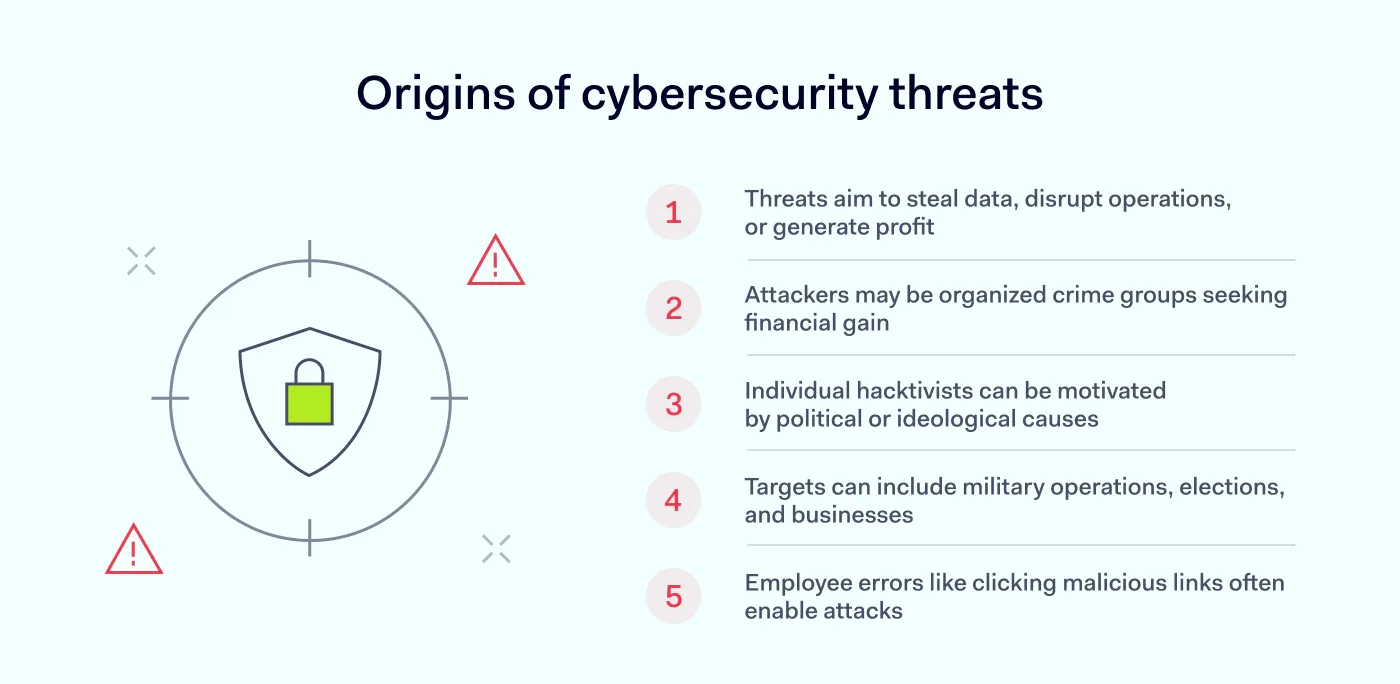
A cybersecurity threat is a potential event or action that could compromise sensitive information, systems, or other digital assets. Attackers may seek to disrupt operations, steal sensitive information, damage systems, or make money.
Regardless of the attack method, malicious activity is carried out by a person, group, or automated system operating on their behalf. Behind an attack may be a person or group seeking unauthorized access to systems or information. An attacker may be part of an organized crime group seeking financial gain or an individual hacktivist motivated by a political or ideological cause.
Stolen or manipulated information can affect military operations, elections, and business competition. Whatever the attacker’s goal, an employee can unintentionally create an opportunity by clicking a malicious link, exposing credentials, or using an unsecured device.
Never assume safety
Security controls can fail when employees ignore basic precautions or assume that existing protections will stop every attack. Incomplete security measures can leave exploitable gaps, although individual controls can still reduce the likelihood or impact of an attack. Strong technical controls can lose much of their value when employees undermine them through unsafe practices, such as leaving passwords visible or installing unapproved software on work devices.
Organizations put a lot of effort into implementing tools and solutions that help mitigate the risks of cyberthreats. Properly configured security controls can reduce the attack surface and the risk of data breaches.
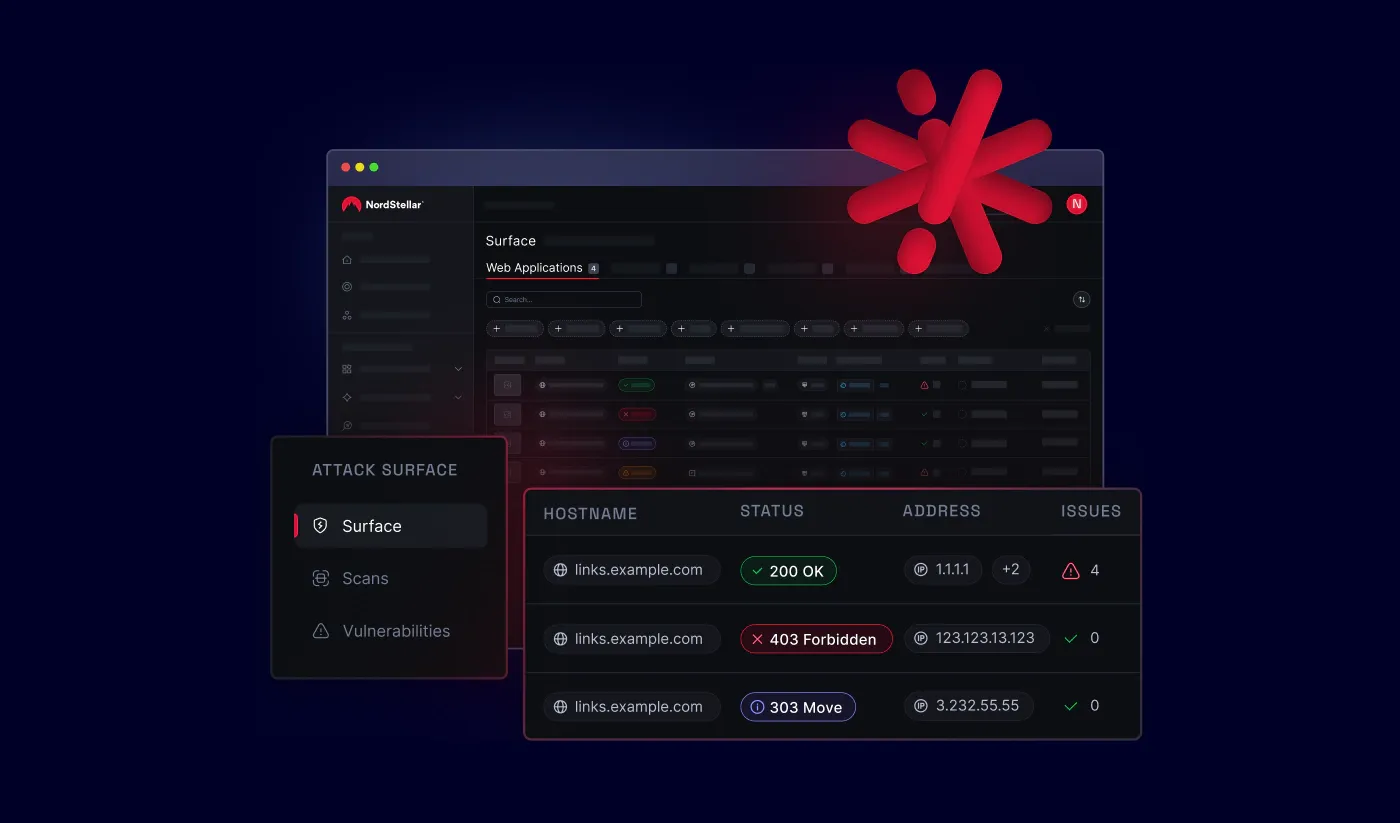
NordLayer Intelligence by NordStellar can help organizations monitor their external attack surface through attack surface management (ASM). It discovers internet-exposed assets, including forgotten subdomains and shadow IT, and checks them for vulnerabilities. It can also test whether identified vulnerabilities are exploitable, helping security teams prioritize the risks that require attention.
A zero-day vulnerability is a software flaw that is unknown to the vendor or has no available fix when it is discovered. Hackers may exploit it before a patch becomes available. Shadow IT refers to applications, services, browser extensions, or devices used for work without approval from the organization’s IT or security teams. Unapproved or malicious software can expose company data or systems to third parties.
Unaddressed vulnerabilities and employee mistakes can lead to data loss, system compromise, and reputational damage. As employees work across offices, homes, and public spaces, understanding common cyber threats can help reduce security risks.
How NordLayer can mitigate cyber threats
Organizations face many cybersecurity threats across networks, devices, applications, and user accounts. Organizations can reduce these risks by applying security controls based on how and where employees access company resources. Multiple security controls can work together to protect company networks and resources.
NordLayer provides secure remote access to company resources across office, home, and public-network environments. Virtual private gateways provide encrypted access to company resources through a dedicated gateway, while NordLayer’s access control and threat prevention features can verify users and block malicious traffic. NordLayer’s Control Panel provides a central place to manage users, access policies, and network activity.
Get in touch to learn how NordLayer can help reduce cybersecurity risks and protect access to company resources when employees work from office, home, or public networks.
Anastasiya Novikava
Cybersecurity Copywriter
Anastasiya is a cybersecurity copywriter with a decade of experience in content marketing. She creates product comparisons, threat research and statistics, white papers, customer case studies, and educational content, with a focus on AI threats, data breach prevention, and compliance frameworks (DORA, GDPR, NIS2).