Summary: Enterprise browsers give IT control over SaaS access, sensitive data, extensions, phishing risks, and unmanaged devices.
The browser is now the primary work surface for most employees. People sign in to SaaS platforms, open internal web apps, access cloud dashboards, paste data into AI tools, and download reports without ever leaving a tab. Yet most organizations still rely on consumer browsers that were never built for enterprise security.
A secure enterprise browser offers a solution. It gives security teams a control point inside the web browser itself, where they can apply access rules, protect data, block web-based threats, govern extensions, and keep an audit trail. According to Gartner, fewer than 10% of organizations use a secure enterprise browser today, but 25% are expected to adopt one by 2028 to fill gaps in remote access and endpoint security.
This article covers the most practical enterprise browser use cases and shows where a secure browser fits into a broader security stack.
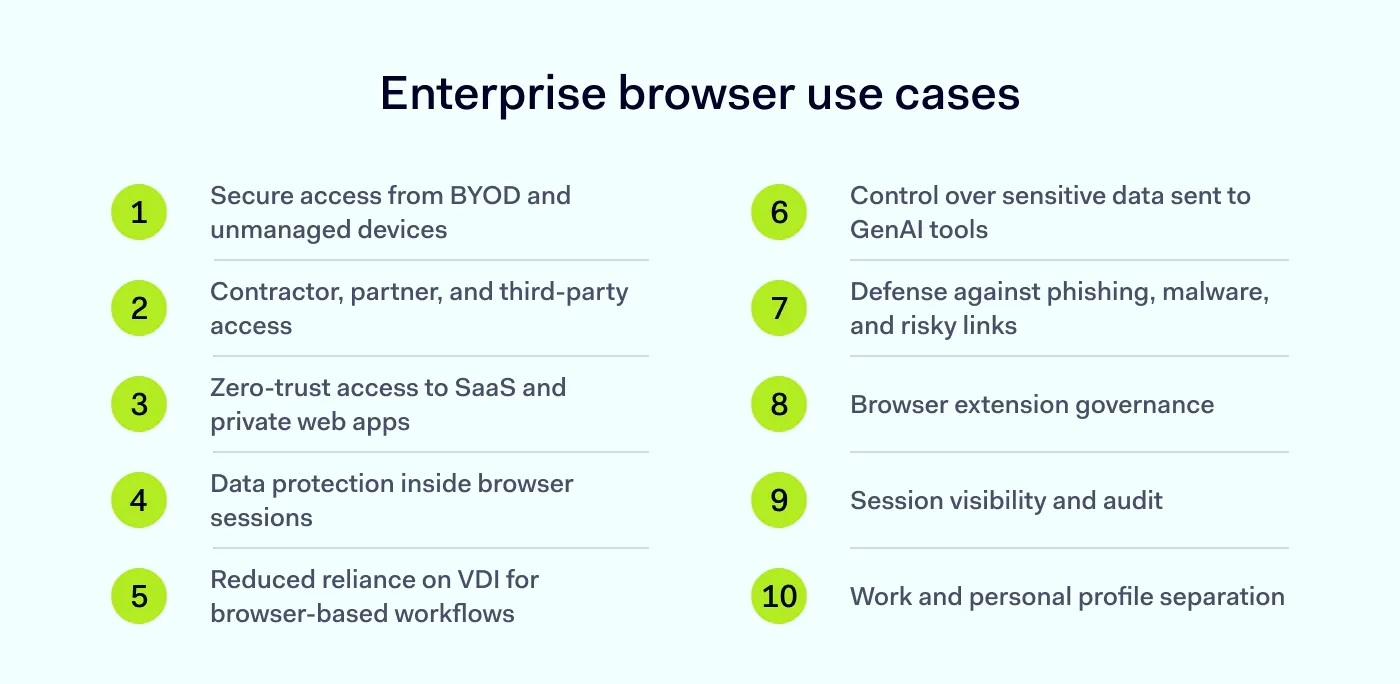
Enterprise browser use cases at a glance:
Secure access from bring-your-own-device (BYOD) and unmanaged devices
Reduced reliance on VDI for browser-based workflows
Control over sensitive data sent to GenAI tools
Defense against phishing, malware, and risky links
Browser extension governance
Session visibility and audit
Work and personal profile separation
1. Secure access from BYOD and unmanaged devices
Many employees access work apps from personal laptops, home desktops, or shared devices. These endpoints rarely meet the same security standards as corporate hardware, which creates a trust gap. According to the NIST’s zero-trust guidance, no device should be trusted simply because it is enterprise-owned. And the same logic applies in reverse: personal devices should not be blocked outright if the right controls are in place.
A secure enterprise browser can be the trusted layer on an untrusted device. It can check device posture before granting access, apply data protection policies in real time, and restrict actions such as downloads or copy-and-paste based on context. As a result, organizations can support BYOD without full device enrollment and without exposing corporate data to an unknown endpoint.
For companies with hybrid workforces, seasonal staff, or employees who travel often and need fast access from whatever device is available, this use case matters most.
2. Contractor, partner, and third-party access
Contractors, vendors, agencies, and partners often need access to specific tools for short periods. Issuing corporate laptops is slow and expensive. However, giving them VPN access opens far more of the network than they actually need.
With an enterprise browser, external users can install the tool, authenticate, and get access only to the apps they need, with policies that govern what they can do inside those sessions. File downloads can be blocked, screenshots disabled, and sessions logged.
Software development partners who need access to a code repository? Marketing agencies work inside a CMS? Auditors require read-only access to financial systems? In these cases, the browser then becomes the boundary, so external users never touch the wider network.
Close the tabs on browser threats. Open one for security
Your first line of defense starts at the Enterprise Browser
Most corporate apps now run in the browser. CRMs, HR systems, finance dashboards, ticketing tools, admin consoles, and developer portals are all web-based. This makes the browser the natural place to apply zero-trust principles at the resource level rather than at the network perimeter.
A secure enterprise browser can integrate with identity providers, enforce conditional access, and connect users to private web apps without a traditional VPN tunnel. For companies that have already moved most workflows to SaaS applications, this use case often delivers the fastest value. The protected resources are already inside the browser, so the control layer is exactly where it is needed.
4. Data protection inside browser sessions
Users upload documents to cloud storage, paste customer records into spreadsheets, print invoices, take screenshots of dashboards, and download exports. Traditional endpoint data protection tools often miss these flows because they happen at the application layer rather than the file system.
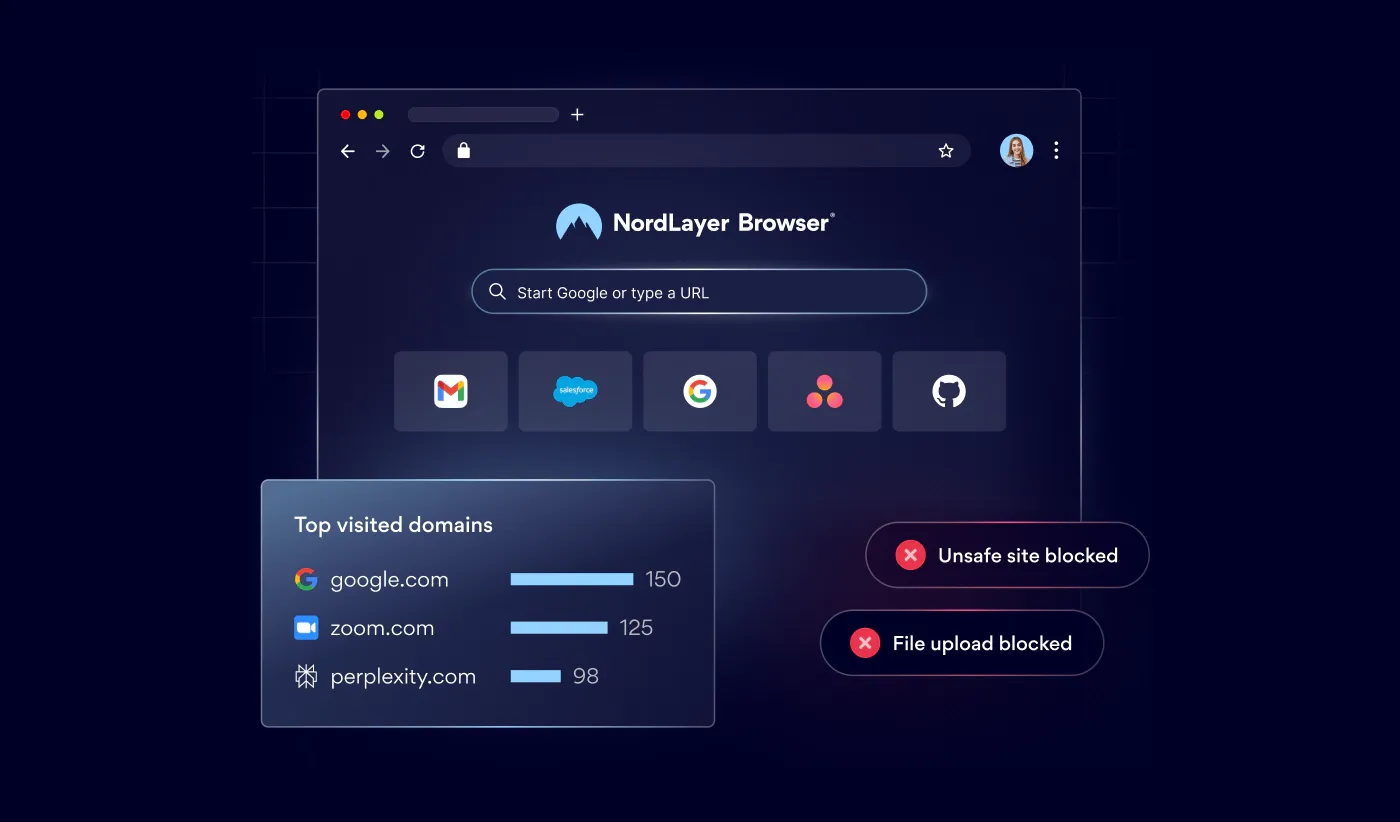
Browser-level data protection targets exactly that. An enterprise browser can audit or block file uploads and downloads, disable printing for specific apps, prevent screenshots of sensitive pages, and apply controls based on document sensitivity labels.
This use case is especially relevant in regulated industries, such as finance, healthcare, and legal services, where data protection requirements extend to every channel a user can access.
5. Reduced reliance on VDI for browser-based workflows
Many organizations use virtual desktop infrastructure (VDI) to give employees a controlled environment for web-based work. VDI is effective, but it is also expensive to license, complex to maintain, and often slow for users on lower-bandwidth connections.
For a workflow that only needs a browser, VDI is doing a lot of unnecessary work: running a full Windows VM, streaming video, and maintaining a remote session—all so the user can click inside a SaaS app. An enterprise browser gets you the same outcomes that matter for security (namely, controlled access, data protection, and audit) by enforcing them directly in the browser process on the local device.
You still need VDI for workflows that depend on thick clients, legacy applications, or specialized desktop software. But for browser-only roles, the enterprise browser eliminated the need for a VM, streaming protocol, and data-center computing costs.
6. Control over sensitive data sent to GenAI tools
Generative AI tools have become part of daily work, but they also create a new data leak path. For example, employees may paste customer data into ChatGPT to draft emails or feed source code into a coding assistant. Once that data leaves the organization, it cannot be recalled.
An enterprise browser can inspect typed prompts and uploaded files before they reach the AI app, block submissions that contain sensitive content, and warn users when they are about to share regulated data—without blocking AI use entirely. This way, organizations reap the productivity benefits of AI while keeping confidential information inside the perimeter.
7. Defense against phishing, malware, and risky links
CISA describes the browser as a primary interaction point with the internet and a constant security concern because adversaries can interact directly with users through it. Phishing pages, malicious downloads, drive-by exploits, malvertising, and credential harvesting all reach users through a tab. The browser is the main channel for web-based threats.
A secure enterprise browser adds several layers of defense. It can check URLs against reputation services, isolate risky sites in a remote environment so malicious code never runs on the local device, block downloads from untrusted sources, and warn users when they land on pages that mimic known login portals. Some products combine this with remote browser isolation, which moves the rendering of untrusted content to a cloud environment.
These controls reduce the likelihood of a single click leading to ransomware, account takeover, or data theft.
8. Browser extension governance
Extensions can boost productivity, but they also carry significant risk. NCSC notes that extensions often have permission to read or change data on every site a user visits, including sensitive pages. OWASP highlights that excessive permissions can expose tabs, browsing history, and personal data to external servers.
A consumer browser leaves extension choices to the individual user. But an enterprise browser puts those choices under central control: security teams can maintain an allowlist of approved extensions, block extensions that request risky permissions, require approval workflows for user requests, and remove extensions remotely if they are later found to be malicious.
Browser extension governance is often overlooked but easy to implement, and it removes one of the most common paths to silent data theft inside a browser security program.
9. Session visibility and audit
When an incident happens, security teams need to know what a user did, where, and when. Consumer browsers do not produce the kind of structured logs necessary for an investigation. A secure enterprise browser can record session-level events, such as logins, file uploads and downloads, copy-and-paste actions, extension installs, and policy violations.
These logs can be fed into a SIEM or extended detection platform, where they support threat hunting, compliance reporting, and incident response. For organizations with strict audit requirements, this level of visibility is often a baseline expectation rather than an optional feature.
The same logs also help with day-to-day tuning. Teams can see which policies are triggered most often, which apps users interact with, and where friction slows people down.
10. Work and personal profile separation
Many employees use the same browser for work and personal tasks. It creates accidental data leakage risks: a synced password could end up in a personal account, a personal extension could read work pages, or a cached file could remain on a shared device.
An enterprise browser separates work and personal use into distinct profiles with separate caches, storage, history, and sync settings. Corporate data stays inside the work profile, while personal browsing remains private to the user. This balance protects the organization without monitoring personal activity, which often improves employee acceptance.
The same model supports compliance with privacy regulations that limit how employers can observe personal data on shared devices.
How NordLayer supports the 10 enterprise browser use cases
The NordLayer enterprise browser gives security teams a single place to manage access to SaaS applications and private web apps, apply data protection policies, govern extensions, and collect session logs across managed and unmanaged devices.
Teams can extend zero-trust access to contractors and BYOD users without full device enrollment, restrict risky actions, such as uploads to unapproved AI tools, isolate suspicious links before they reach the endpoint, and keep work and personal browsing separate.
Because the browser sits next to the rest of the NordLayer platform, including ZTNA,threat protection, and device posture checks, it fits into a broader security stack rather than replacing it.
If your organization relies on SaaS, hybrid work, or external partners, a secure enterprise browser is one of the most direct ways to reduce risk at the point where work actually happens.
Anastasiya Novikava
Cybersecurity Copywriter
Anastasiya is a cybersecurity copywriter with a decade of experience in content marketing. She creates product comparisons, threat research and statistics, white papers, customer case studies, and educational content, with a focus on AI threats, data breach prevention, and compliance frameworks (DORA, GDPR, NIS2).