ZERO TRUST VPN
Zero trust access and VPN protection in a single platform
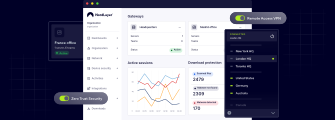
NordLayer combines modern zero-trust controls and VPN protection to help your business reduce risk, control access, and support work from anywhere.
QUALITY GUARANTEE
Top-rated secure access, recognized by experts
Recognized by over 15,000 businesses worldwide, NordLayer combines VPN and zero-trust capabilities in a single award-winning platform for secure, controlled remote access.

benefits
Why use zero trust with a VPN?
A VPN secures the connection. Zero trust controls access. Together, they help businesses enable secure remote access, reduce network exposure, and protect cloud, hybrid, and on-premises environments.

Reduce the attack surface
Limit network access and reduce exposed entry points by giving users access only to the resources they need.

Verify every connection
Protect connections with a VPN while verifying users, devices, and permissions before granting access.

Improve visibility
Track access activity, apply policies, and see how users connect to company resources.

Secure legacy and modern environments
Support on-prem systems, cloud apps, and hybrid infrastructures without leaving access security gaps.

Limit remote access exposure across your network
Let employees connect safely from anywhere while keeping critical systems protected from unnecessary exposure.

Move toward zero trust at your own pace
Start with VPN protection, then gradually add stronger access controls without disrupting daily work.
COMPARISON
VPN and ZTNA: two layers of access security
Secures traffic through encrypted tunnels
Connects users to private networks and resources
Works well with legacy infrastructure
Helps protect remote connections
May grant broader network access after login
Secures traffic through encrypted tunnels
Connects users to private networks and resources
Works well with legacy infrastructure
Helps protect remote connections
May grant broader network access after login

See VPN and zero-trust controls in action
Explore the interactive Control Panel demo to see how NordLayer combines VPN features and zero-trust controls to protect connections, manage access, and reduce network exposure.
CONNECTION + ACCESS CONTROL
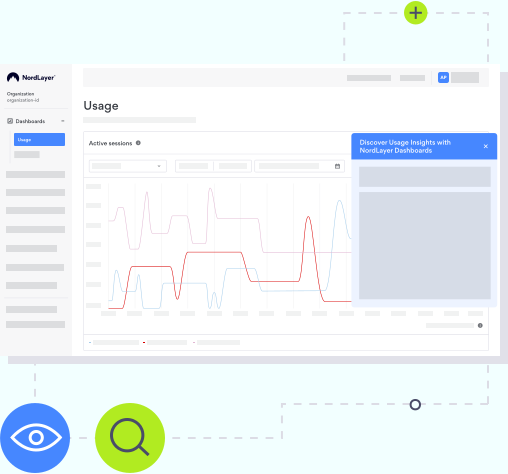
How NordLayer combines a VPN and zero trust
NordLayer brings VPN and zero-trust capabilities together, so businesses can protect remote connections, verify users and devices, and control access across cloud, hybrid, and on-premises environments.
VPN capabilities
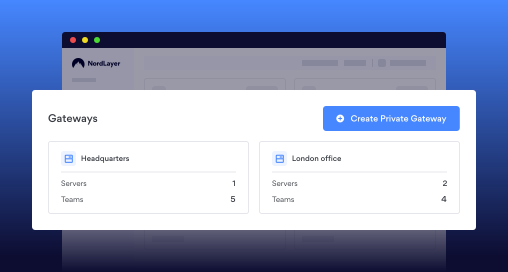
- Encrypted tunnels for protected traffic (AES-256 or ChaCha20)
- Remote access to internal networks and resources
- Dedicated IPs and virtual private gateways
- Site-to-site connectivity for office networks
- Always On VPN for continuous protection
- Kill Switch to help prevent data leaks
- DNS protection and traffic filtering
- High-performance global server infrastructure
Zero-trust capabilities
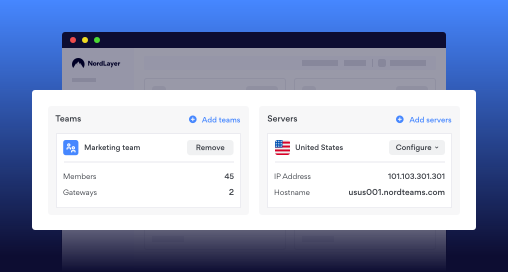
- Identity-based access control
- Device posture checks
- Multi-factor authentication enforcement
- Granular policies by user, team, or resource
- App-level access instead of full network exposure
- Continuous access verification
- Least-privilege access enforcement
- Visibility into access activity and events
GETTING STARTED
Get started with NordLayer in 3 simple steps
Set up NordLayer, connect your team, and start applying VPN protection and zero-trust access controls from a single Control Panel.

Sign up
Create your NordLayer account and choose the setup that fits your team’s remote access needs.
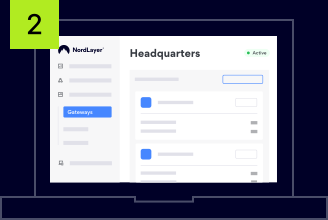
Configure
Set up gateways, dedicated IPs, permissions, MFA, device posture checks, and access rules in the Control Panel.
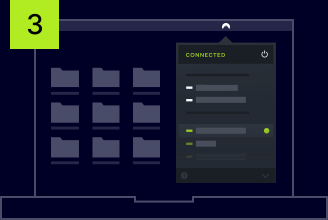
Start using NordLayer
Invite team members, secure your remote teams, and use other features in the Control Panel.
WHY CHOOSE NORDLAYER
Simplify your security stack with NordLayer
NordLayer helps reduce tool sprawl by bringing VPN, zero-trust access controls, and network security capabilities into one platform – with one contract, one renewal, and one invoice.

One platform instead of multiple security tools
Combine a VPN, zero-trust access controls, gateways, DNS protection, and device security checks in one solution.

Control access across every environment
Manage who can access which apps, networks, and resources across cloud, hybrid, and on-premises setups.

Simplify security management for IT
Set up users, policies, gateways, and security controls from an intuitive Control Panel without complex infrastructure.

Built to support distributed teams
Support remote, hybrid, and multi-location teams with access security that grows with your business.
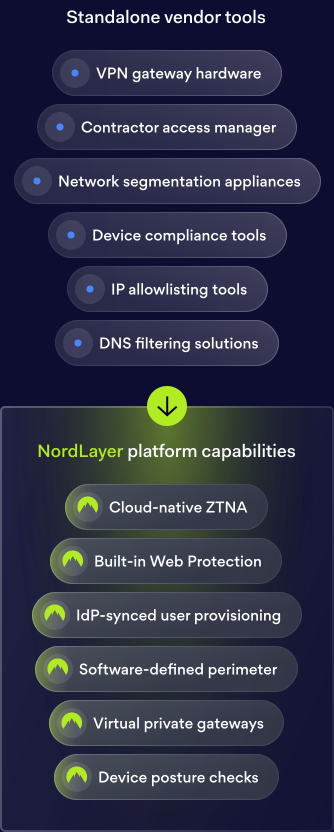
*Standalone vendor tools: Contractor access manager, VPN gateway hardware, IP allowlisting tools, DNS filtering solutions, Device compliance tools, Network segmentation appliances. NordLayer platform capabilities: IdP-synced user provisioning, Cloud-native ZTNA, Virtual private gateways, Built-in Web Protection, Device posture checks, Software-defined perimeter.
Ready to test how a VPN and zero trust work for you?
Our reputation
Why teams all around the globe trust NordLayer
In Security Service Edge category
NordLayer has been very accommodating in terms of our needs. They are flexible to cater timing of payments and also providing exclusive support
Everything is super efficient and easy: negociations, setup, dashboard, accounting, support
Very easy to set up and use and is very reliable. There are good security options to enable the configuration comply with security policies.
NordLayer in numbers
15,000+
Businesses protected
10 min
Average time to deploy
40+
Global service locations
integrations
NordLayer fits into your existing stack
Connect NordLayer with your identity providers, cloud platforms, and endpoint tools without changing how your team works.


Additional info
Frequently asked questions
NordLayer can be set up in just a few minutes. Its cloud-based platform and intuitive Control Panel make it easy to onboard users, configure policies, and start protecting access without the need for complex infrastructure.
Yes. NordLayer is built for remote, hybrid, and distributed teams. It helps employees connect safely from different locations while giving admins centralized control over users, devices, access policies, and company resources.
A zero-trust VPN combines secure VPN connectivity with zero-trust access controls. VPN helps protect the connection, while zero trust verifies users, devices, and permissions before granting access to specific apps, networks, or resources.
When comparing ZTNA vs. VPN, it’s not about which one is better – they solve different access security needs. A VPN secures the connection between users and company resources. Zero trust adds stronger control over who can access what. For many businesses, using both together provides stronger protection than relying on either one alone.
It depends on your environment. A VPN is useful for secure connectivity, especially with private networks and legacy systems. Zero trust helps reduce broad access by limiting users to only the resources they need. Together, they help protect remote access across cloud, hybrid, and on-premises environments.
NordLayer brings VPN capabilities and zero-trust controls into one platform. Teams can use encrypted tunnels, dedicated IPs, virtual private gateways, MFA, device posture checks, identity-based policies, and app-level access controls from one Control Panel.
Migrating from a virtual private network (VPN) to zero trust network access (ZTNA) works best as a phased process. You do not have to replace your VPN outright. Many organizations keep existing remote access and add zero trust controls on top: identity-based authentication, device trust verification through device posture checks, and least-privilege policies that limit each user to the applications they need. This reduces the attack surface and blocks lateral movement if a threat gets in, while your teams keep working without disruption. NordLayer, a zero trust vendor, helps you strengthen VPN-based access with these controls and move toward a zero trust model at your own pace. When you are ready to replace VPN with ZTNA fully, the same platform supports that final step.