What is browser monitoring? A security-first guide
Anastasiya Novikava
Summary: Browser monitoring shows risky SaaS usage, unsafe sites, extensions, and data transfers within everyday browser work.
Browser monitoring is the practice of tracking browser-based activity or performance to understand what happens on the user side of a web session. Instead of watching servers or networks alone, browser monitoring looks at the layer where people work: tabs, pages, and extensions.
The term covers two disciplines that are sometimes confused with each other:
Web app performance monitoring looks at how a site or app behaves in browsers. It captures page speed, JavaScript errors, network requests, synthetic checks, real user monitoring (RUM), and tests of critical flows, such as checkout.
Workplace browser monitoring looks at how employees use browsers at work. It looks into SaaS usage, unsafe websites, browser extensions, uploads, downloads, copy-and-paste actions, session logs, access policy enforcement, and shadow IT management.
Both rely on visibility into the browser, but they answer different questions. The first asks, “Is my product fast and stable for visitors?”, and the second asks, “Is my workforce safe and compliant when using the browser to access company data?”
This guide focuses mostly on the second category, since the browser has become the main control point for identity, SaaS, and data movement.
Browser monitoring for web application performance
Historically, browser monitoring has referred primarily to web performance and user experience monitoring. Performance teams instrument web applications so they can see not only how the backend responds, but how pages render in a browser session.
There are two main approaches.
Synthetic monitoring runs scripted browser sessions from controlled locations at fixed intervals. It checks uptime, measures page load times, and validates that key paths, such as login or checkout, still work.
Real user monitoring (RUM) collects data passively from live visitors and reports on Core Web Vitals, JavaScript errors, slow API calls, and crashes by device, browser, and region.
These two methods give product and site reliability engineer (SRE) teams a good view of user interactions: which third-party script slowed the page, which browser version triggered an error, which release degraded a checkout.
However, it is often not what security and IT teams mean when they talk about monitoring the browser today. In security and IT contexts, browser monitoring often refers to workforce browser visibility and control.
Browser monitoring for workforce security
Over the past few years, the definition has expanded. The browser is now where most work gets done. Email, CRM, finance tools, code reviews, design files, HR records, AI assistants—all of it lives behind a tab. That’s the reason why browser monitoring has become a security subject.
Traditional security stacks often overlook the browser, according to Google Cloud and Mandiant incident responders. Endpoint tools see processes and files. Network controls see traffic. Identity logs see logins. But on their own, many of these tools may struggle to answer browser-native questions such as:
Which extension read a sensitive page?
Which URL triggered a phishing block?
Which user reused a corporate password on a personal site?
Which file was moved from a managed SaaS app to a personal Google Drive?
In a security context, browser monitoring means visibility into browser-layer signals from managed browsers and related controls. That may include browser inventory and versions, applied policies, installed extensions, URL and domain access, phishing and malware events, downloads and uploads, password reuse or breach events, data loss prevention (DLP) matches, and SaaS session activity.
This way, it helps to think of browser monitoring as the connection between IT asset management, endpoint security, web protection, DLP, identity, and compliance evidence. Precisely because the browser now carries that much risk, there is a need for a secure enterprise browser designed for corporate environments with security, privacy, and manageability built in.
Why? Because of the new threats. The NSA notes that browsers handle untrusted active content constantly, which makes them a unique enterprise risk. CISA’s browser hardening guidance warns that too many browser variants increase the attack surface and reduce situational awareness. Microsoft’s 2025 Digital Defense Report highlights AI-automated phishing and attacks on web assets.
Many of those threats either begin in the browser or become visible there.
Why browser monitoring matters for shadow IT and user behavior
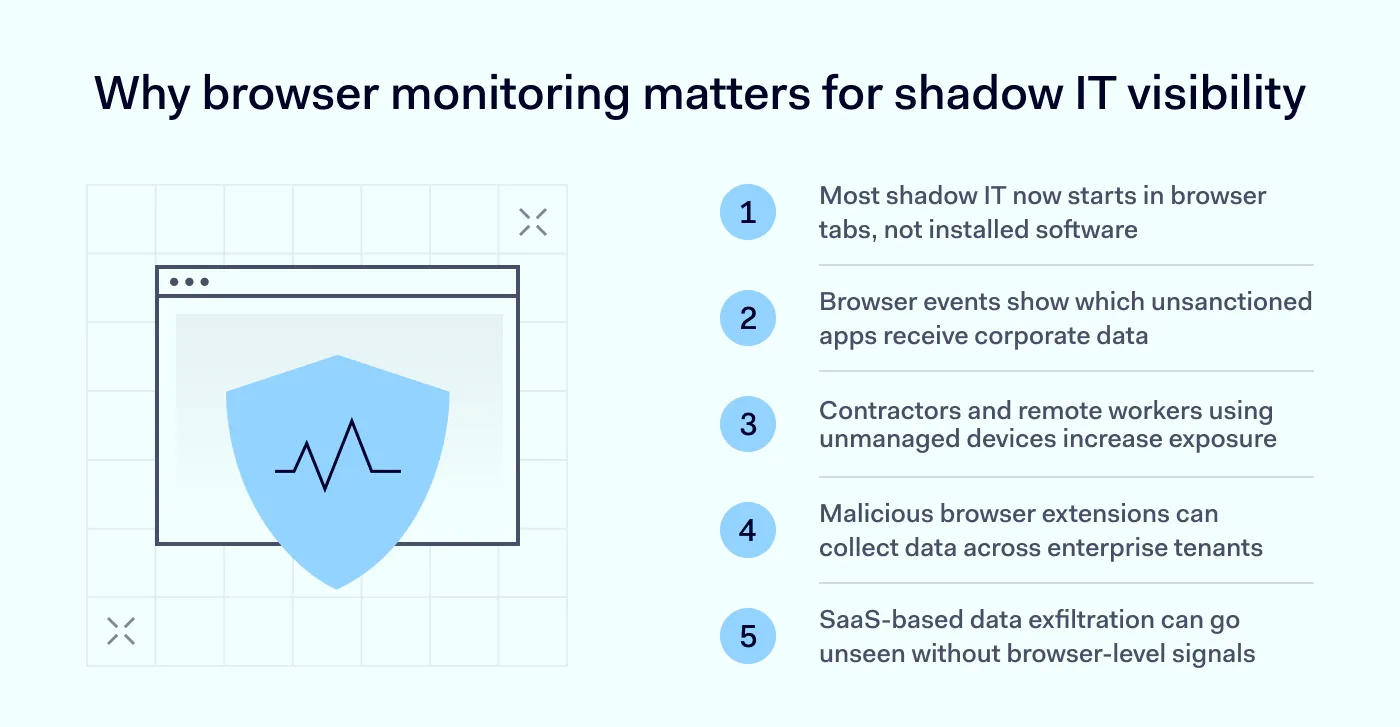
Shadow IT, or the unsanctioned use of SaaS apps and tools, has become more of a browser problem. An employee who signs up for a new AI writing tool or a free file converter does not need to install software—they just open a tab.
That makes browser monitoring one of the few practical ways to spot shadow IT. Thanks to analyzing security-relevant browser events, IT teams can spot which SaaS apps are actually in use, which ones receive corporate data, and which ones bypass single sign-on entirely. Patterns of user behavior, such as repeated uploads to an unsanctioned cloud storage service, or logins to a duplicate CRM account, surface quickly when the browser itself reports them.
There are 3 risks that make this visibility more urgent.
Contractors and remote workers often access SaaS apps from browsers that the company does not control. Mandiant’s Snowflake investigation found that attackers behind UNC5537 used credentials from infostealer malware, and that at least 79.7% of affected accounts had prior credential exposure, often from personal or unmonitored devices.
Malicious browser extensions are a persistence technique. In 2026, Microsoft reported malicious Chromium extensions that posed as AI assistants, reached roughly 900,000 installs, and harvested URLs and chat content across more than 20,000 enterprise tenants.
Data exfiltration through SaaS. A single drag, paste, or download can move sensitive content out of a sanctioned app into a personal account. Without browser-level signals, security teams may never see it.
The sad truth is that shadow IT is an everyday reality for users. Luckily, browser monitoring turns such activity into reviewable evidence.
What security teams should monitor in the browser
A useful program covers 6 categories of telemetry. Each one closes a specific blind spot that endpoint, network, or identity tools alone cannot fill.
Security configuration: automatic updates, Safe Browsing or SmartScreen status, site isolation, password manager settings, TLS posture, extension install policy.
Extension inventory and risk: extension ID, publisher, version, permissions, install source, affected users and devices, etc.
Web threat events: URLs visited, categories, phishing or malware blocks, devices exposed to risky domains.
Content movement and DLP: file downloads, uploads, copy-and-paste actions, malware or sensitive data transfers, and DLP policy matches inside the browser or SaaS app.
Identity and SaaS session context: which user accessed which cloud app or file from which device, under which conditional access policy, with which session controls applied.
Privacy guardrails matter as much as collection. Worker monitoring must be lawful, fair, proportionate, and use the least intrusive means. Teams should collect security-relevant metadata by default, but avoid capture of personal content unless strictly justified. They should document the purpose, set retention, restrict analyst access, and tell employees what is being monitored and why. However, prevention often reduces the need for deeper monitoring.
NordLayer Browser and user monitoring
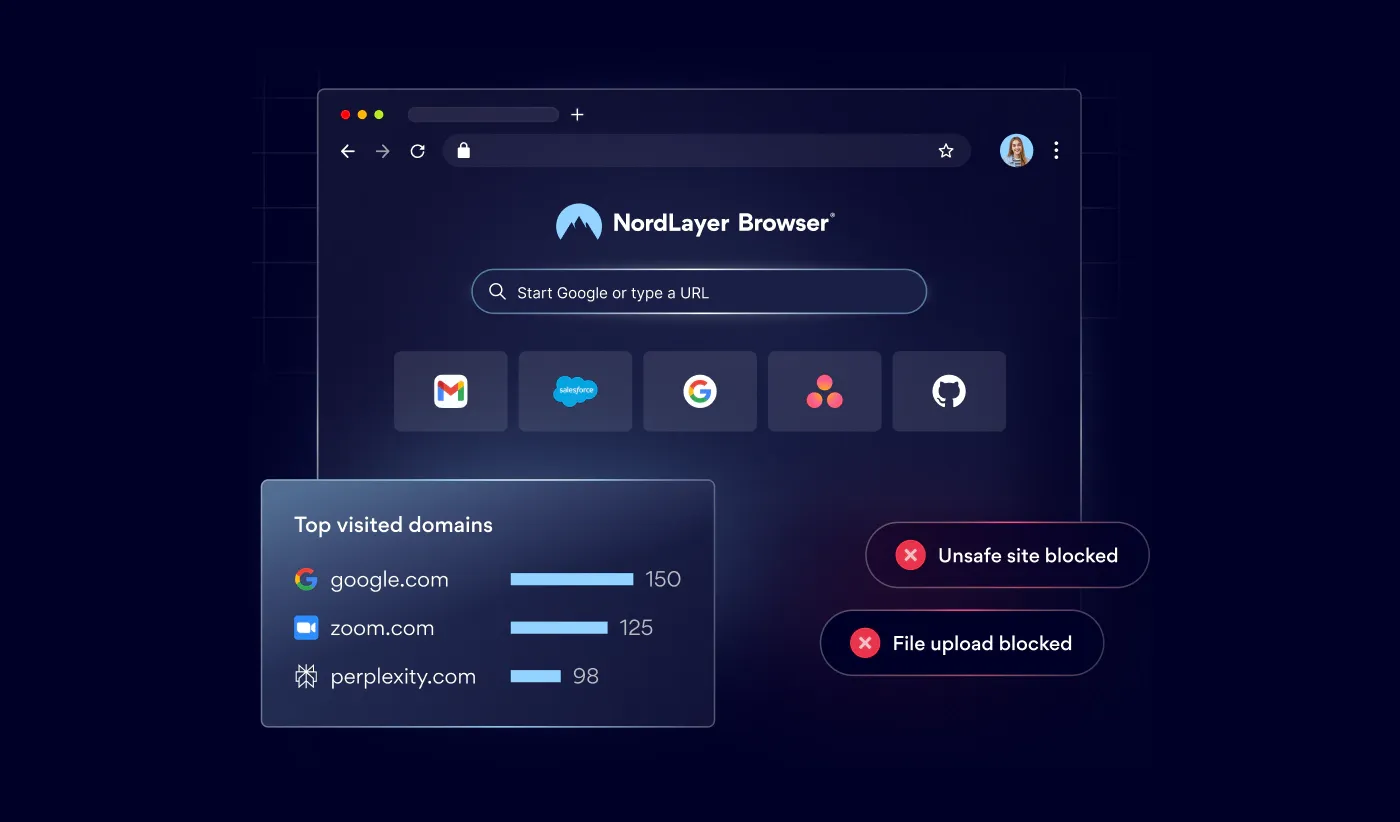
NordLayer Browser helps organizations reduce browser-based risks by putting visibility, access control, and data protection in one managed environment. IT teams can see which web tools, domains, and browser extensions employees use with shadow IT management, and then block risky or noncompliant destinations with secure browsing.
To reduce data leakage, browser DLP elements let admins control uploads, downloads, clipboard actions, camera access, and microphone access by app, domain, user group, or transfer direction.
NordLayer Browser helps organizations manage shadow IT, unsafe websites, risky extensions, contractor access, and accidental SaaS data loss. Book your personalized demo today.
Anastasiya Novikava
Cybersecurity Copywriter
Anastasiya is a cybersecurity copywriter with a decade of experience in content marketing. She creates product comparisons, threat research and statistics, white papers, customer case studies, and educational content, with a focus on AI threats, data breach prevention, and compliance frameworks (DORA, GDPR, NIS2).