
AI phishing is a cyberattack that uses artificial intelligence to personalize and automate scams, making them more convincing, scalable, and difficult to detect. Instead of sending thousands of poorly written emails with malicious links and hoping someone clicks them, attackers can now generate personalized messages, clone voices, and automate phishing campaigns within minutes. AI keeps lowering the barrier to cybercrime, so organizations need to rethink how they recognize and defend against phishing.
Key takeaways
- Cybercriminals use generative AI to create convincing phishing emails, messages, calls, and videos that are difficult to distinguish from legitimate communication.
- AI allows threat actors to launch personalized phishing campaigns at scale, making attacks cheaper, faster, and more effective.
- While AI-generated phishing is harder to detect, warning signs such as unusual requests, urgency, and context mismatches help reveal scams.
- Organizations can reduce the risk of AI phishing through employee training, multi-factor authentication (MFA), zero-trust access controls, email security, and DNS filtering.
What is AI phishing?
AI phishing is a form of phishing in which attackers use generative AI—large language models, voice cloning, and video synthesis—to produce fraudulent emails, text messages, phone calls, or videos. These messages aim to trick people into revealing sensitive information, downloading malware or approving unauthorized actions, and they’re crafted to closely imitate communication from a real person or company.
Traditional phishing has long included broad, generic email campaigns sent to thousands of recipients. They often contained spelling mistakes, awkward grammar, or other obvious signs of fraud. Generative AI blurs that line—it makes attacks personalized, well-written, and easy to produce at scale
Large language models (LLMs) can now write professional emails that match a company’s tone, imitate a colleague’s writing style, and include publicly available information about the recipient. As a result, phishing campaigns require less manual effort while becoming much more convincing.
Traditional phishing vs. AI phishing
The table below highlights the main differences between traditional and AI phishing at a glance.
Traditional phishing | AI phishing |
|---|---|
Often relies on generic messages sent to many recipients | Can produce personalized messages tailored to each victim at scale |
May contain grammar or spelling mistakes | Typically uses natural language with near-perfect grammar |
Personalization and campaign setup usually require significant manual effort | Automates much of the writing and personalization, cutting setup time |
Personalization is possible, but slower and harder to scale | Can use public information from LinkedIn, company websites, social media, and data leaks with minimal effort |
Red flags are often easier to spot | More realistic messages can be harder to identify as phishing |
Usually follows fixed templates | Adapts tone, style, and wording to different victims more easily |
Lower success rate | Higher likelihood of convincing victims |
The shift isn’t just cosmetic—AI changes the cost and effort involved in running personalized phishing campaigns.
How does AI phishing work?
Mass phishing has always been cheap and easy to send because attackers didn’t need to research victims to blast out generic emails. The resource-intensive part has been spear phishing: researching individual targets, mimicking their contacts’ writing styles, and crafting believable pretexts. Generative AI changes that equation, making targeted, personalized phishing almost as fast to produce as a generic blast.
Instead of manually crafting every email, attackers simply give an AI model a prompt such as: “Write an email from a company’s HR department asking employees to review the updated remote work policy.”
Within seconds, the AI produces a polished message that can be customized for hundreds—or thousands—of recipients. Many attackers also combine AI with publicly available information collected from:
- LinkedIn profiles
- Company websites
- Press releases
- Social media
- Public employee directories
- Previous data breaches
This allows them to mention a person’s role, manager, current projects, recent events, or business partners, making phishing emails look more credible. The biggest change is economic rather than technical.
Previously, creating thousands of personalized spear-phishing emails required a lot of human effort. Today, AI can generate them almost instantly, allowing attackers to scale targeted phishing campaigns at very little cost. This removes one of the biggest barriers that used to limit phishing attacks.
The AI phishing attack lifecycle
Most AI phishing attacks follow a similar process:
- Reconnaissance. Attackers collect publicly available information about employees, partners, or executives.
- Content generation. AI uses this information to generate personalized phishing emails, SMS messages, or scripts.
- Automation. Campaigns are automatically customized and sent to hundreds or thousands of targets.
- Social engineering. Attackers pressure victims into clicking malicious links, downloading files, revealing credentials, or approving payments.
- Compromise. If successful, cybercriminals steal credentials, deploy malware, or gain unauthorized access to corporate systems.
Types of AI phishing attacks
Generative AI has pushed phishing beyond email. Today, attackers use AI across multiple communication channels to impersonate trusted individuals and automate social engineering.
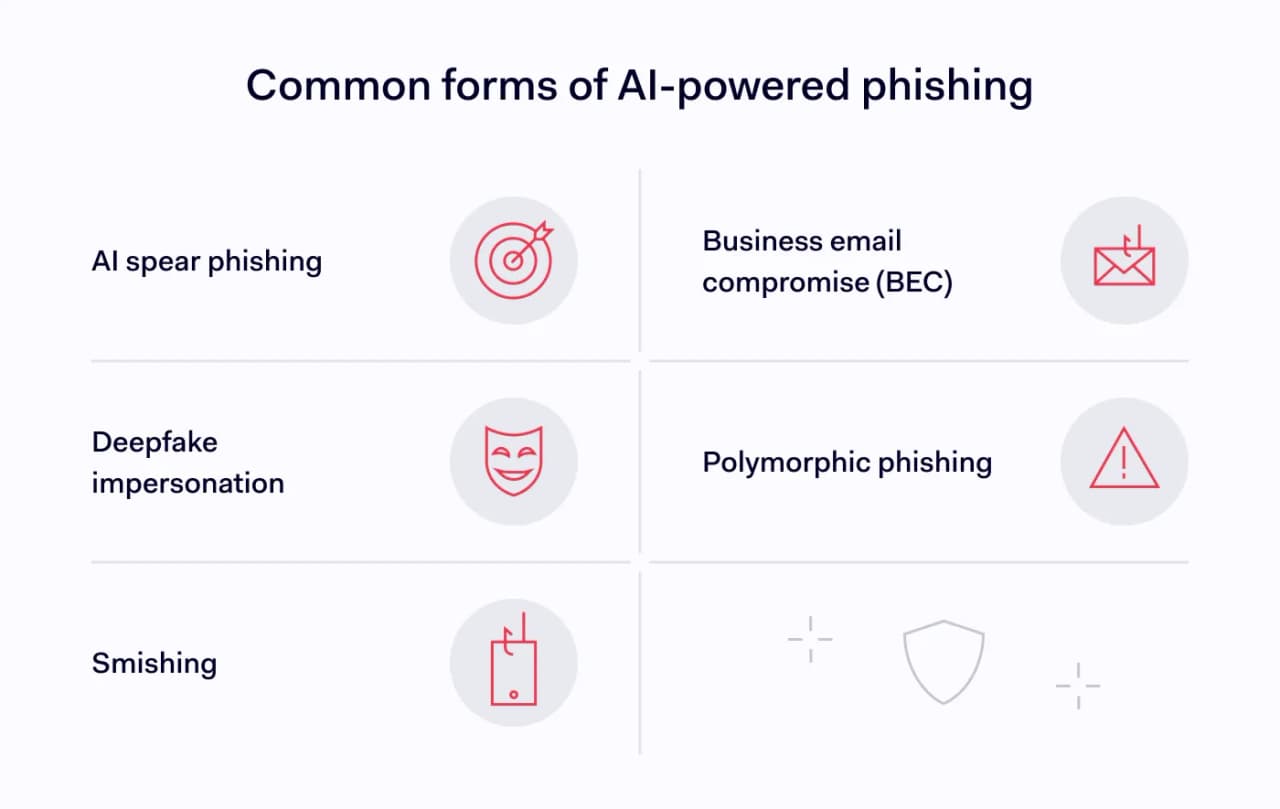
AI spear phishing
AI spear phishing combines traditional targeted phishing with AI-generated personalization.
Instead of sending identical emails to thousands of people, attackers tailor every message to its recipient. AI can use publicly available information about the victim’s employer, job title, recent conference attendance, colleagues, or ongoing projects.
For example, an attacker targeting a finance manager may generate an email mentioning a recent company acquisition and requesting an urgent invoice payment. Because the message contains accurate company details, it appears far more legitimate than a generic phishing email.
Deepfake phishing (voice and video)
Generative AI has made voice cloning and video impersonation easier to produce.
Attackers can create realistic recordings—or even conduct live conversations—that impersonate executives, colleagues, or family members. These attacks typically pressure victims into transferring money, sharing credentials, or bypassing normal approval processes. The victim hears—or even sees—someone who appears to be a trusted person, making these attacks particularly convincing.
Several organizations worldwide have already reported financial losses after employees received convincing AI-generated voice or video calls from individuals impersonating company executives.
AI-generated SMS phishing (smishing)
Text-message phishing, or smishing, has also benefited from AI. Attackers don’t send poorly written SMS messages anymore. Instead, they generate natural-sounding texts that imitate delivery companies, banks, cloud providers, or internal IT teams.
Examples include:
- “Your Microsoft 365 password expires today. Verify your account here.”
- “A package couldn’t be delivered. Confirm your address.”
- “Your VPN session has expired. Sign in again.”
Because these messages often resemble legitimate notifications, recipients may respond without checking whether they are authentic.
Business email compromise (BEC) at scale
Business email compromise (BEC) has traditionally involved attackers impersonating executives to convince employees to transfer money or share confidential information. AI greatly increases the scale of these attacks.
Instead of manually writing convincing executive emails, attackers can automatically generate messages that mimic a CEO’s tone, vocabulary, and writing style. They can even personalize each email based on the recipient’s department, role, or responsibilities.
This allows criminals to launch hundreds of tailored BEC campaigns simultaneously instead of focusing on just a few high-value targets.
Polymorphic phishing emails
One of the newest developments is the rise of polymorphic phishing.
Rather than sending identical phishing emails, attackers use AI to generate unique variations for every recipient. Each email contains different wording, sentence structure, formatting, or subject line while delivering the same malicious message. This variability makes phishing campaigns more difficult for traditional email security solutions to detect because there is no single email signature or pattern to block.
A 2025 study found that AI-generated phishing emails differ stylistically from human-written ones, and that traditional spam filters trained on older phishing datasets are less effective at catching them. Detection systems need models trained specifically on AI-generated content.
What does an AI phishing email look like?
AI-generated phishing emails often look almost identical to legitimate business communication. They usually contain flawless grammar, professional formatting, and details gathered from public sources such as LinkedIn profiles, company websites, or social media AI-generated messages are often highly personalized to appear fully authentic, and they no longer have spelling mistakes and generic greetings.
Here are some AI phishing email examples:
Example 1: AI phishing email
Subject: Updated Remote Work Policy – Action Required Today
Hi Sarah,
As discussed during last week’s Operations meeting, we’ve updated the remote work policy to comply with our latest security requirements. Please review and acknowledge the document before 5:00 PM today to avoid temporary access restrictions.
_Review policy:
_https://company-portal-secure[.]com
Thanks,
Michael Thompson
HR Operations
Warning signs:
- Unexpected request requiring immediate action
- Slightly altered domain name
- Manufactured sense of urgency
- Login link instead of directing users to the official company portal
Example 2: AI spear-phishing scenario
A finance employee receives an email that appears to come from the CFO shortly after the company announces a new supplier partnership on LinkedIn.
Hi Emma,
Since you’re handling the onboarding for our new supplier, could you process the attached invoice before noon? I'm in meetings all morning and won't be available.
Thanks!
Warning signs: The attacker knows the employee’s name, the company’s recent announcement, the CFO’s name, and that the employee works in Finance. This information was collected from public sources and used by AI to generate an email that feels legitimate.
AI phishing detection: How to identify AI-generated phishing emails
Detecting AI phishing is getting harder because AI-generated messages can closely resemble legitimate business communication. Modern language models generate natural-sounding text, imitate writing styles, and personalize emails using publicly available information. This removes many of the warning signs people traditionally associated with phishing.
Instead of looking for poor grammar alone, users should evaluate the overall context of every unexpected request.
Why AI phishing is harder to detect
Several factors make AI-generated phishing more convincing than traditional phishing:
- Near-perfect grammar and spelling. AI produces professional-looking emails with few obvious language mistakes.
- Deep personalization. Messages often reference your job title, colleagues, recent projects, or employer.
- Tone matching. AI can imitate the writing style of executives, coworkers, or trusted organizations.
- Large-scale automation. Attackers can generate thousands of unique phishing emails simultaneously, which makes pattern-based detection more difficult.
- Multi-channel attacks. AI combines emails with phone calls, SMS messages, or social media outreach to make a request more credible.
Can AI detect AI phishing?
Yes, but not perfectly.
Many email security platforms now use AI and machine learning to analyze incoming messages. Instead of relying only on known malicious signatures, AI can detect unusual writing patterns, suspicious sender behavior, malicious URLs, or anomalies in communication history.
However, attackers keep improving their prompts and techniques, creating an arms race between offensive and defensive AI. Human judgment still plays an important part in AI phishing detection, particularly for requests involving credentials, payments, or sensitive business information.
Practical checklist
Even sophisticated phishing emails often reveal themselves through context rather than language. Watch for these warning signs:
- Unexpected urgency. Pressure to act immediately or bypass normal procedures.
- Requests to change payment details. Always verify new bank account information through another communication channel.
- Credential requests. Legitimate IT teams rarely ask employees to submit passwords through email.
- Unexpected attachments or links. Verify documents and URLs before opening them.
- Context doesn’t quite fit. The message may reference real events, but ask you to take unusual actions.
- Slightly modified domains. Look carefully for misspellings or extra characters in email addresses and websites.
- Requests to ignore established processes. Be cautious if someone asks you to skip approval workflows or security checks.
- Unusual communication style. Even if the grammar is perfect, does the request sound like something that person would normally send?
Whenever possible, verify unexpected requests using another trusted communication channel before taking action.
How to defend against AI phishing
No single security tool can prevent AI phishing. Because these attacks combine technical deception with social engineering organizations need multiple layers of protection that work together.
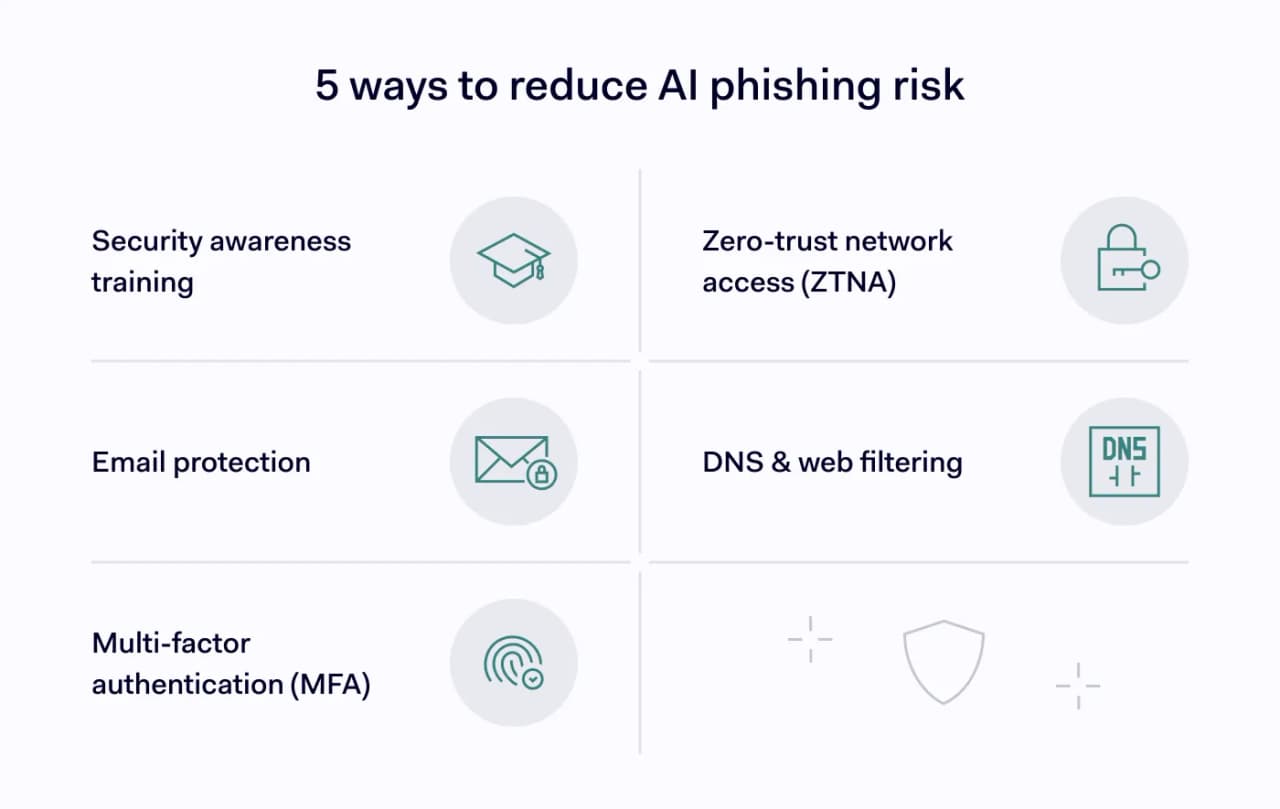
AI-awareness security training
Traditional phishing training focused on spotting spelling mistakes and suspicious formatting. Modern awareness programs should instead teach employees to verify requests, recognize social engineering tactics, and question unexpected urgency—even when messages look professional.
Organizations should also regularly conduct phishing simulations that reflect today’s attack methods.
Email filtering and anti-phishing gateways
Modern email security platforms analyze sender reputation, domain authenticity, malicious links, suspicious attachments, and behavioral anomalies before messages reach employees’ inboxes. Many solutions now use AI to detect previously unseen phishing campaigns that traditional signature-based tools might miss.
Multi-factor authentication (MFA)
Even if attackers successfully steal passwords, multi-factor authentication (MFA) can reduce the likelihood of account compromise by requiring an additional verification factor. Whenever possible, organizations should deploy phishing-resistant MFA methods such as hardware security keys or passkeys instead of SMS verification.
Zero-trust network access (ZTNA) and network segmentation
Zero trust assumes that no user or device should be automatically trusted, even after successful authentication. By continuously verifying user identity, device health, and access context, zero-trust network access limits attackers’ ability to move laterally through corporate networks after a phishing compromise.
Network segmentation can further reduce the impact of stolen credentials by preventing unrestricted access to sensitive systems.
DNS and web filtering
Many phishing attacks ultimately depend on directing victims to malicious websites. DNS filtering blocks access to known malicious domains before users can reach them, while secure web gateways inspect web traffic and prevent connections to suspicious or newly registered websites commonly used in phishing campaigns.
Together, these controls reduce exposure even if a user clicks a malicious link.
AI phishing statistics (2025–2026)
Recent industry research highlights how fast AI is changing phishing campaigns:
- Over 82% of phishing emails analyzed in 2026 showed evidence of AI-generated content, demonstrating how quickly generative AI has become part of phishing operations.
- Verizon’s 2026 Data Breach Investigations Report (DBIR) found that phishing remains one of the most common initial access methods in confirmed data breaches, particularly when combined with stolen credentials and social engineering.
- IBM’s Cost of a Data Breach Report 2026 identified phishing and compromised credentials among the leading initial attack vectors contributing to costly security incidents.
- Security researchers have also observed a sharp increase in AI-assisted business email compromise (BEC) campaigns, where attackers use generative AI to imitate executives and automate personalized fraud attempts.
These findings reinforce an important point that AI has not replaced traditional phishing techniques. On the contrary, it has amplified them, making attacks more convincing, scalable, and accessible to a broader range of cybercriminals.
Together, these numbers make one thing clear—defending against AI phishing means combining smarter tools with sharper security habits.
Stay ahead of AI-powered phishing
AI has made phishing faster, cheaper, and harder to spot. The organizations best positioned to defend against it treat phishing as both a human and a technical problem. On one hand, training people to question unexpected requests, and on the other, building the layered controls that contain the damage when someone eventually clicks.