
Anastasiya Novikava
Copywriter
Anastasiya believes cybersecurity should be easy to understand. She is particularly interested in studying nation-state cyber-attacks. Outside of work, she enjoys history, 1930s screwball comedies, and Eurodance music.
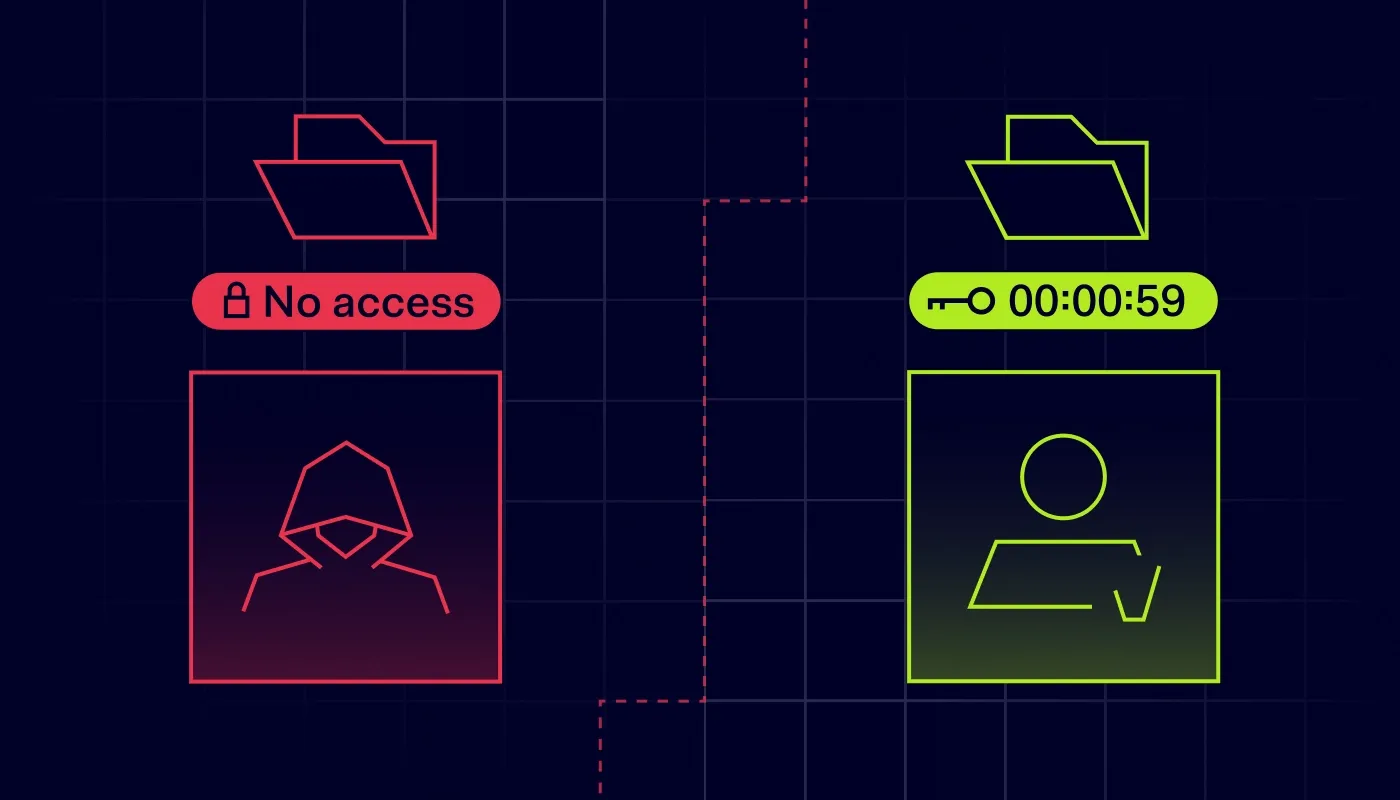
Summary: SaaS security fails when stolen creds look “normal.” Verify identity, block risky devices, restrict sharing, and review access regularly.
The era of simple corporate security has come to an end. Years ago, you could house most digital assets in a single server room and rely on a firewall to keep potential threats outside. That model depended on a clear perimeter, which allowed companies to feel safe once they built a wall around their critical data.
As current trends suggest, that world is unlikely to return. Teams now access resources from kitchen tables, airport lounges, and shared coworking spaces. Many day-to-day workflows depend heavily on third-party cloud tools. With business data spread across a web of vendors and services, 30% of breaches now involve a third party, up from 15% in 2024.
IT professionals need a strategy that matches reality. That strategy could be the Zero Trust model, providing a framework for securing your users and their access to software-as-a-service (SaaS) applications.
The adoption of SaaS has exploded because of its flexibility and obvious cost efficiency. Companies no longer buy software on disks to install on local machines. They subscribe to services hosted by vendors who hold your sensitive data. Your employees access these platforms through standard web browsers.
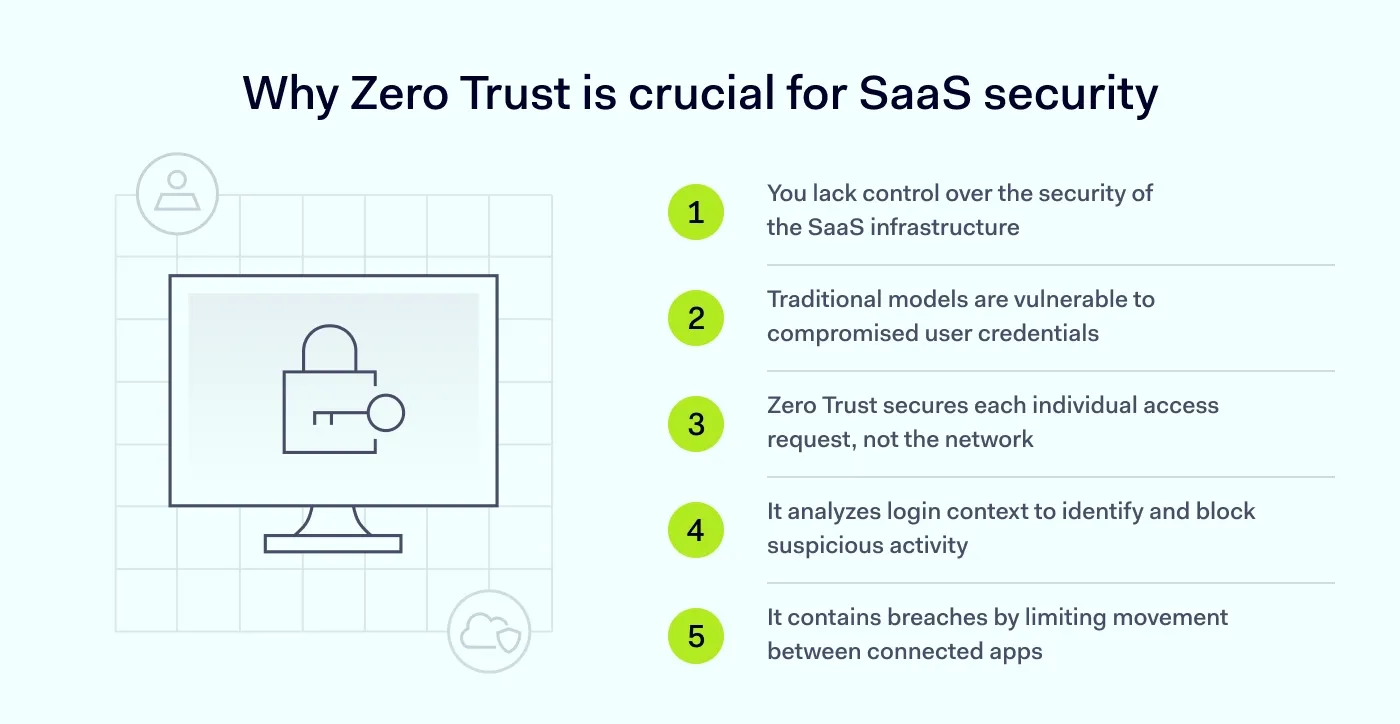
Convenience comes with risk. Traditional models trusted anyone inside the corporate network, but that assumption is dangerous today. Attackers can easily compromise a single user's credentials to bypass legacy defenses. If the system trusts that user, the attacker can gain access to data meant for authorized users only.
SaaS security needs a different approach because you generally lack control over the infrastructure. You can’t install your own firewall on SaaS provider-managed servers (for example, Salesforce or Google Workspace). You cannot control the physical security of their data centers. But you can control access, configurations, and how data is shared for stronger data protection. Zero Trust security shifts the focus from securing a network perimeter to securing individual access requests.
Think about the sheer volume of logins across your organization each day and what that means for SaaS security. Thousands of requests hit your managed SaaS applications, and each request represents a potential entry point for a cybercriminal.
Malicious actors use sophisticated phishing attacks to steal credentials. A traditional model can miss their intrusion as it sees a valid username and password. A Zero Trust model digs deeper throughout the process, analyzing the request’s context to identify anomalies. It looks for suspicious behavior and can block access before data is exposed or exfiltrated.
On top of that, the modern ecosystem of SaaS applications is interconnected through application programming interfaces (APIs) and integration points. Apps talk to other apps. An email platform might connect to a CRM, while a project management tool might integrate with a cloud storage drive. If one link in this chain breaks, the whole system becomes vulnerable.
Zero Trust principles help limit the damage. They ensure that even if one app is breached, the attacker cannot easily move laterally to other SaaS applications. The goal is containment and ensuring your business keeps running securely.
Don't bite the bait: Trust no one with ZTNA
Implement Zero Trust Network Access for stronger phishing protection

Implementing a Zero Trust architecture requires a comprehensive approach rather than reliance on a single tool. It involves covering five specific areas of your IT environment to strengthen SaaS security.
This pillar serves as the foundation for the entire strategy. You must verify the user because relying on passwords alone is no longer sufficient. You need to know with certainty that the person logging in is truly who they claim to be.
Verification includes analyzing user attributes and implementing lifecycle management for onboarding and offboarding. If you cannot verify identity with high confidence, the access request halts immediately.
Your users require access to SaaS applications from many different devices. Some are corporate laptops, and others are personal smartphones used for quick checks. A verified user operating on an infected device still poses a threat to your infrastructure.
This pillar focuses on device health by auditing the operating system status and security software. Compromised devices should never touch your data, regardless of who owns them.
You do not control the internet, but you can control how your users connect to it. This pillar focuses on segmentation to ensure valid traffic flows while restricting potentially harmful connections. It can inspect traffic for malicious content after Transport Layer Security (TLS) decryption, where appropriate and permitted. Even within a secure session, the network must remain hostile to unauthorized access attempts that try to move laterally.
This pillar focuses on software configurations and service interactions. You must manage configurations properly to avoid leaving storage buckets or admin panels open to the public. You also should monitor the APIs that connect different SaaS applications to ensure they do not abuse permissions. Poorly configured cloud apps are one of the leading causes of cloud breaches. This pillar ensures the workload remains secure against exploitation.
This is the ultimate goal of the entire Zero Trust architecture. You protect the information itself rather than just the container it sits in. You need to classify your data to understand where sensitive files live within your SaaS applications. You also must apply encryption and enforce rights management to control exactly who can view, edit, or share that data.
The mechanics of Zero Trust security avoid static rules. The system evaluates each access request and can recheck risk during a session.
The first principle dictates that you verify explicitly. The system never assumes trust based on location or prior history. Every time a user attempts to access SaaS applications, the system checks credentials, location, time of day, and device posture. All available data points help the system make a decision before granting entry.
The second principle is least-privilege access. This concept restricts users to the bare minimum permissions required for their role using role-based access control (RBAC). Users should get access only to the SaaS applications they strictly need to perform their daily tasks. A finance manager needs the accounting software, but does not need the software development repository. Access should be granular and time-bound to minimize the potential blast radius of a breach. If an account is compromised, the attacker finds themselves in a small “room” with no doors to the rest of the company.
The third principle is to assume breach. IT teams must operate as if the network is compromised or will be soon. They must assume an attacker is possibly listening to communications or probing for weaknesses. This mindset drives good behaviors, such as encryption and monitoring of SaaS applications. It ensures that threat detection mechanisms are active and ready to respond. Security teams stop asking “if” a breach happens and instead prepare to minimize its impact.
Transitioning to a Zero Trust architecture takes time. You should layer your defenses to create a barrier against intrusion and improve SaaS security.
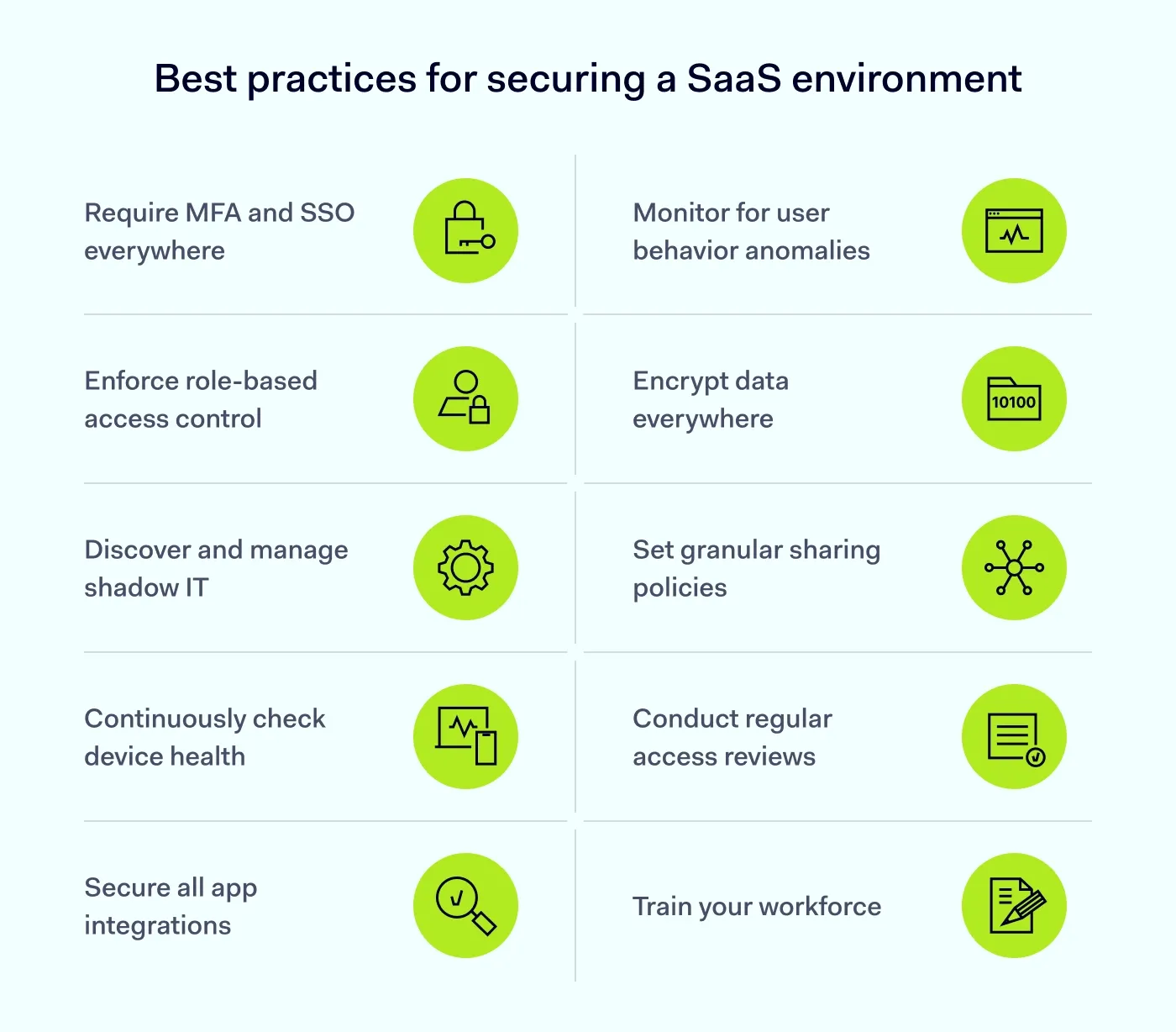
Identity is the new perimeter in a cloud-first world. You must move beyond simple passwords as they are easily stolen or guessed by attackers. Implement multi-factor authentication (MFA) everywhere to create a barrier that passwords alone cannot provide. This applies to all managed SaaS applications, administrative consoles, and email accounts.
Consider the user experience alongside security by using tools like single sign-on (SSO). SSO centralizes identity so users log in once to gain access to all their assigned SaaS applications through a secure portal. This reduces password fatigue and prevents users from writing passwords on sticky notes. It also helps IT teams revoke access to all SaaS applications with one click during employee offboarding.
Be stingy with permissions and start by setting default access to “none.” Role-based access control (RBAC) is the standard for successfully implementing least privilege access across an organization. Define roles based on job function and map those roles to specific permissions within your SaaS applications.
Review these roles frequently. An employee might change departments or projects, and if you do not update their role, they accumulate privileges. This is known as privilege creep, and it creates a bloated security profile that increases risk. Automated provisioning tools help this process by ensuring that access to SaaS applications aligns with current responsibilities.
Employees want to be productive and often sign up for SaaS applications without telling IT. They use their corporate email to create accounts and upload corporate data to unvetted platforms. This behavior creates shadow IT, a massive blind spot for SaaS security. You cannot secure what you do not know about, so discovery is crucial.
You need visibility into your network traffic to identify these connections. Use tools to scan for connections to unknown SaaS applications that bypass your standard gateways. Discovery allows you to assess risk and decide whether to sanction a useful tool or block it. The key is bringing these unauthorized SaaS applications into the light so you can apply Zero Trust principles to them.
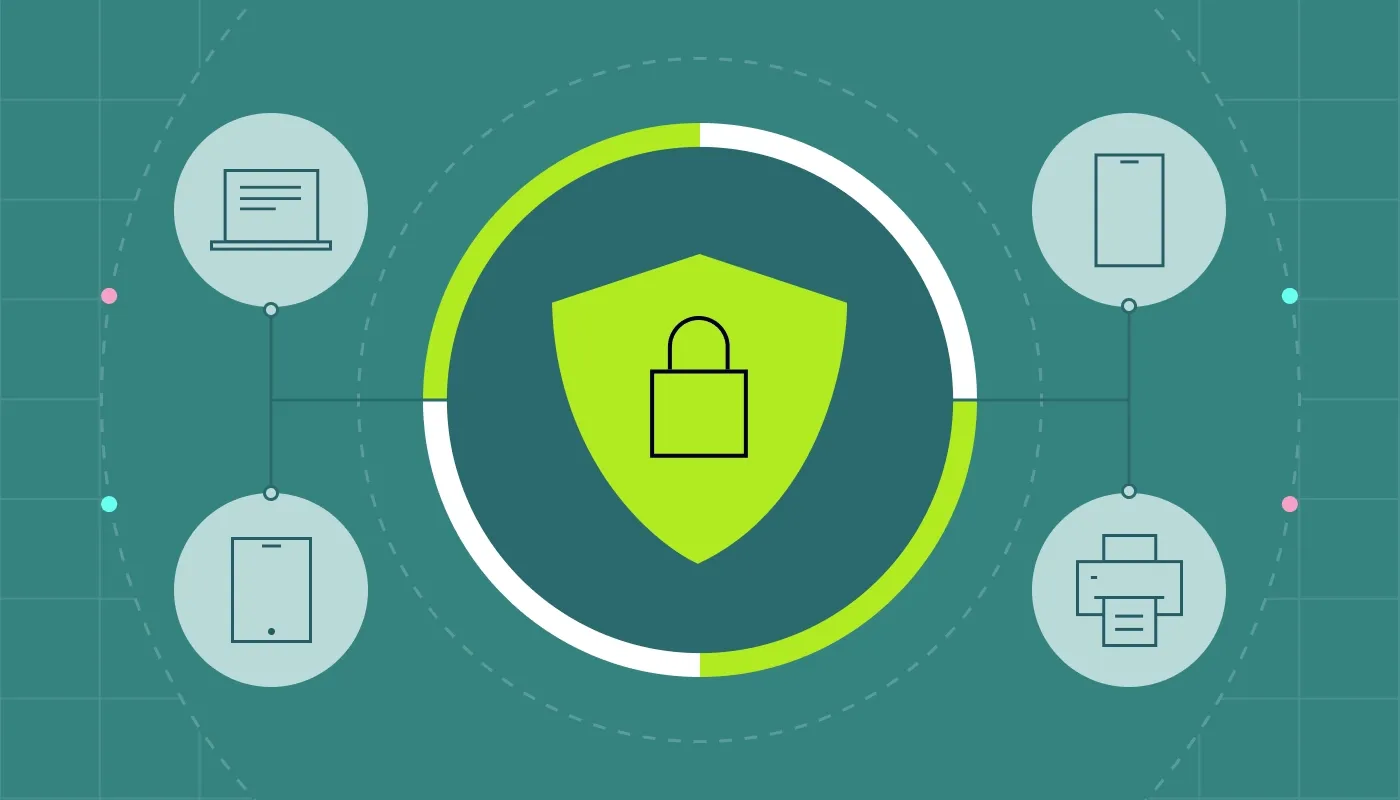
Users look for flexibility and often prefer using their personal devices for work. The Bring Your Own Device (BYOD) trend creates a vector for malware when personal devices lack proper hygiene. A Zero Trust security model must interrogate the device before establishing a session.
Implement policies that check device posture for specific security criteria. Before granting access to SaaS applications, the system should verify whether the OS is up to date or whether the device is jailbroken. If the device fails the check, access is denied even if the username and password are correct. This isolates compromised hardware and keeps insecure devices away from your critical SaaS applications.


SaaS applications rarely work in isolation because they rely on APIs to exchange data. A marketing platform might connect to a social media tool, while a support desk connects to a bug tracker. Third-party integrations are useful, but they introduce risk if one party is compromised.
An attacker might compromise a small app to get to your core systems. They use that app's permissions to extract data from your major SaaS applications without triggering standard alarms.
Audit these integrations and restrict which extensions employees can install. Review the permissions granted to third-party add-ons to ensure connected SaaS applications adhere to your data protection standards.
Static security rules often fail against sophisticated attacks involving stolen credentials. Zero Trust security needs user and entity behavior analytics (UEBA), which often requires machine learning tools to establish a baseline.
Imagine a user who usually logs in to SaaS applications from London during business hours. Suddenly, they log in from two different continents in one hour using an unrecognized device. This is an impossible travel anomaly that demands immediate investigation.
If a user typically downloads ten files a day but suddenly downloads thousands from your SaaS applications, this indicates data exfiltration. The system should automatically lock the account and alert the IT teams so threat detection turns into rapid containment.
Assume that even identity checks might fail. Your last line of defense is encryption, which supports data protection by making intercepted information useless. Data in SaaS applications should be encrypted at rest on the server and in transit across the web.
Manage your encryption keys carefully to maintain sovereignty over your information. Where possible, manage your own keys rather than relying on the vendor of the SaaS applications. In this case, even if the vendor suffers a breach, your data remains unreadable.
SaaS applications make sharing easy, which is their primary selling point and biggest danger. An employee can create a public link to a sensitive document and accidentally email it to the wrong person. This leads to data leaks that entirely bypass perimeter defenses.
Configure your SaaS applications to restrict external sharing by default. Whitelist specific domains if necessary to allow collaboration with trusted partners only. Use Data Loss Prevention (DLP) tools to scan files stored in your SaaS applications. They look for credit card numbers or Social Security numbers and block the sharing of this sensitive content. DLP tools help prevent accidental data exposure by well-meaning employees.
Security is not a one-time setup because organizations change constantly. IT teams should conduct quarterly access audits to confirm role-based access control still matches real job needs. Review who has admin rights to your SaaS applications and verify if they still require that level of control. You might also want to check which external guests have access to your data and remove those who no longer need it.
Often, contractors finish a project, but their access remains active indefinitely. Unauthorized access is often caused by forgotten accounts that attackers discover. Regular cleanups help ensure that only active, authorized personnel can access your SaaS applications.
Technology can detect many threats, but it cannot stop a user from handing over credentials. The human element is the weakest link in a security strategy. Phishing attacks specifically target your users to gain entry to SaaS applications.
Conduct regular security awareness training to keep threats top of mind. Teach employees to spot suspicious emails that try to mimic trusted SaaS applications. Tell them about the dangers of using unapproved SaaS applications and the importance of strong passwords. Explain why MFA is important so they do not view it as a burden.
Navigating the world of Zero Trust solutions is easier with the right platform. NordLayer supports Zero Trust access controls with identity-based access policies that keep secure access consistent across SaaS tools. Set clear rules for who can connect, from where, and under what conditions.
With Device Posture Security, you can require devices to meet your security requirements before they connect. If a device doesn’t pass, NordLayer blocks a specific user from accessing the network via that device, and risky connections stop at the door.
To reduce exposure to threats in transit, you can add internet access security controls like DNS Filtering and Application Blocker for more granular traffic control.
From one Control Panel, IT admins get visibility into who and what is connected without tracking what users do inside the network. It helps you deploy Zero Trust SaaS strategies effectively.
Contact us today to get stronger access controls that are built for distributed teams—and built to stay out of their way.
Anastasiya Novikava
Copywriter
Anastasiya believes cybersecurity should be easy to understand. She is particularly interested in studying nation-state cyber-attacks. Outside of work, she enjoys history, 1930s screwball comedies, and Eurodance music.
Subscribe to our blog updates for in-depth perspectives on cybersecurity.


