Application Blocker
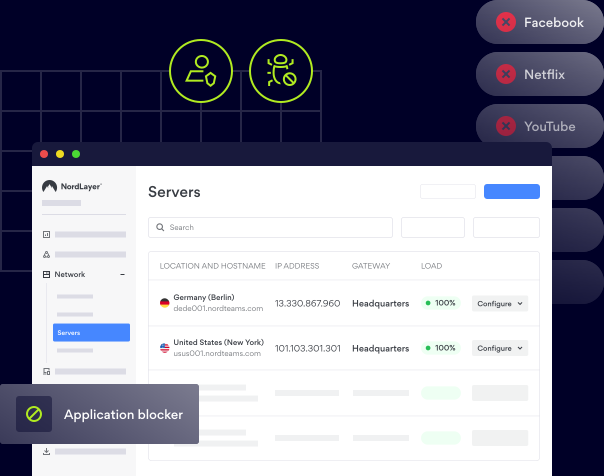
Block specific apps and services across your company network to avoid malware threats and help your teams stay focused.
- Reduce the risk of data breaches and compliance violations
- Protect your endpoints and other network assets effectively
- Maintain a safe and productive work environment

14-day money-back guarantee
OVERVIEW
What is Application Blocker?
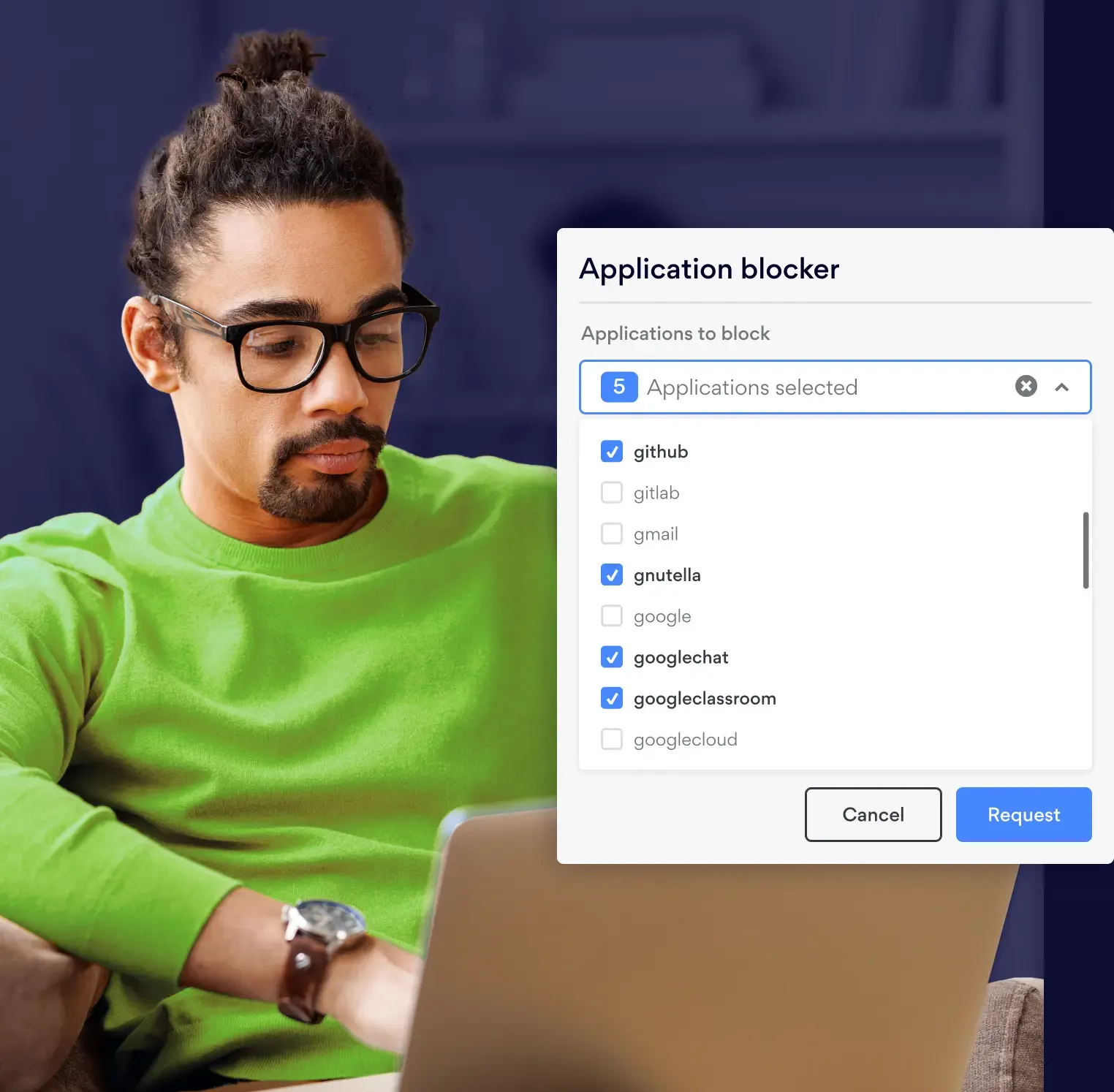
Application Blocker is a network security feature that prevents employees from accessing selected applications and services while connected to the company’s Virtual Private Gateways (VPGs). It uses the Deep Packet Inspection (DPI) solution to analyze traffic and block unwanted or high-risk applications in real-time.
As a result, it protects teams from potentially dangerous or distracting content, strengthening overall security and helping to increase productivity. Organizations can use it to block messaging apps such as Snapchat and Viber, as well as peer-to-peer file-sharing tools like Stealthnet and Thunder.
EXPLANATION
How Application Blocker works
When data travels over the internet, it’s broken into packets. As these packets move through the company network, Application Blocker uses the DPI technology to examine their content. If any malicious element or code is found, access is denied. All of this happens on Virtual Private Gateways.
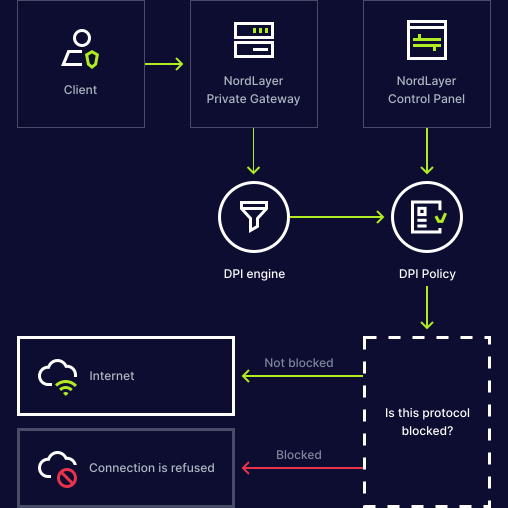
Using the Application Blocker interface, network administrators can easily control which ports and protocols are allowed and set up user-specific permissions. Popular streaming services, gaming websites, messaging apps, and social networks can be selectively blocked to maintain security and productivity.
More than one-feature
Control. Detection. Visibility
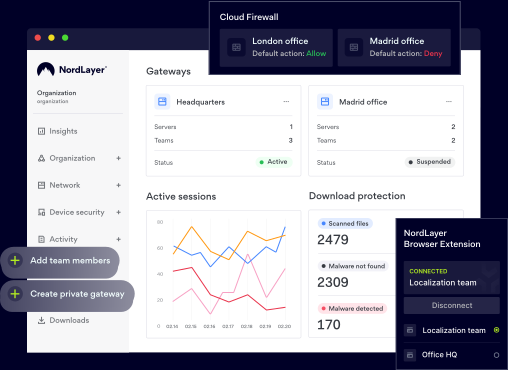
NordLayer isn’t built to do just one thing. It’s a toggle-ready platform that adapts to suit your needs, from controlling access to detecting threats and proactively protecting everything that matters.
Get the Core plan to enable Application Blocker

benefits
Benefits of Application Blocking with DPI

Enforcement of content policies
Application Blocker gives organization owners the option of deciding which applications/sites members can interact with while connected to their virtual private gateway Owners may use Application Blocker to block malicious sites, others may block file sharing sites, streaming, gambling or productivity-lowering apps and games. The use case for this feature is defined by the type of problem organization owners want to solve.

Block malicious content
When paired with threat detection algorithms, Application Blocker can be used to block malware before it compromises endpoints and other network assets. This means it can help filter out activity from ransomware, viruses, spyware, and worms. Even further, Application Blocker provides visibility across the network that can be analyzed to identify abnormal traffic patterns, alerting security teams to malicious behavior.
USE CASES
Application Blocker Use Cases in the industry
Application blocker is vital if a business uses Bring Your Own Device (BYOD) computers for work. This prevents worms, spyware, and viruses from getting into the corporate network. Furthermore, the rules and policies defined by system admins, allows them to restrict certain protocols and pages to be opened within their network. Application blocker detects prohibited uses within approved applications and stops them.
Network admins also employ Application blocker to facilitate the movement of network traffic. For instance, you can employ Application blocker to allow high-priority information to go ahead of other lower priority messages. Additionally, you can give mission-critical packets priority over regular browsing packets. Application blocker can be used to throttle or reduce the data transmission rate if peer-to-peer downloads are giving you trouble.
Application blocker is another tool used by mobile service operators and other similar service providers to customize their services to specific customers. For example, record labels and other copyright holders can ask ISPs to use Deep Packet Inspection to stop their content from being downloaded illegally.
Application blocker can assist enterprises in stopping information leaks, such as when emailing a private file. A user will not be able to submit a file successfully; rather, they will obtain guidance on how to gain the required authorization and clearance.
Deep packet inspection, like other technologies, may be employed for less than honorable objectives like eavesdropping and censorship. Deep packet inspection has been used by governments to monitor network activity within their nations and block websites and information that is detrimental to those governments' interests. This is how certain governments have been able to prohibit access to websites like Wikipedia, Google, and Facebook as well as pornographic, religious, and political dissenting content.
ENABLING
How to enable Application Blocker in NordLayer?
Enabling Application Blocker allows to select app and web categories to be blocked.
- 1
Get Core or Premium plan with a Server with a dedicated IP
- 2
Create Virtual Private Gateway in control panel
- 3
Select application categories that you want to block on the gateway level
- 4
Enjoy safe browsing!
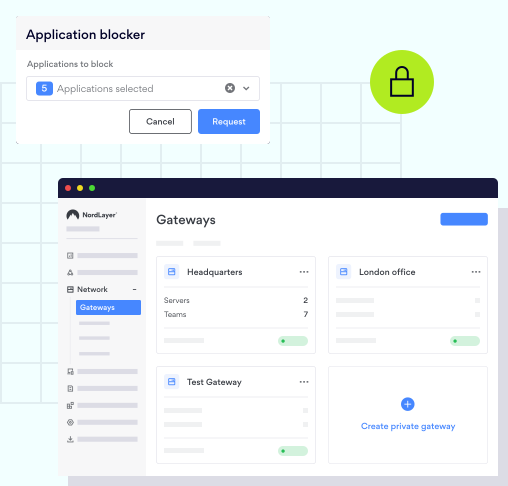
Protect your Business with NordLayer
With NordLayer's Application Blocker you can choose from 400+ categories of ports and protocols to block while being connected to your virtual private gateway.


ADDITIONAL INFO
Frequently asked questions
Stateful Packet Inspection (SPI) only evaluates packet header information, such as source IP address, destination IP address, and port number.
DPI goes a bit deeper and looks at a more comprehensive range of data and metadata associated with individual packets.
Unlike conventional packet filtering, DPI finds, recognizes, categorizes, and reroutes or stops packets carrying certain data or code payloads. By looking at a message's content, DPI can pinpoint the precise program or service that delivered it. Additionally, filters may be set up to search for and redirect network traffic coming from a particular IP address range or an online service, like Facebook or Twitter.