VDI vs. enterprise browser: which is better for business?
Anastasiya Novikava
Summary: VDI keeps work off the device through hosted desktops, while enterprise browsers protect SaaS and web apps directly in the browser.
Virtual desktop infrastructure (VDI) and enterprise browsers solve related but different access problems. VDI delivers a full remote desktop or application from a central environment, while an enterprise browser applies security controls directly inside a browser used for SaaS applications and private web apps. This article explains how each model works, where each one fits, and how to decide between them.
What is VDI?
Virtual desktop infrastructure is a model where users connect from their devices to a virtual machine hosted in a data center or in the cloud. The virtual machine runs the operating system and the applications, and the user’s device acts mostly as a screen, keyboard, and mouse. Because the desktop and the data stay on the server side, sensitive files do not need to be stored on the local device.
VDI is commonly deployed in persistent and non-persistent models:
Persistent VDI. Each user gets a dedicated virtual desktop that keeps their settings, files, and installed apps between sessions. It feels closer to a personal corporate laptop.
Non-persistent VDI. Users connect to a fresh virtual desktop from a shared pool. When the session ends, the image is reset. Non-persistent VDI reduces storage costs and is common for shift workers, contractors, and call center employees.
Common VDI platforms include Citrix, Omnissa (the former VMware end-user computing business), Microsoft Azure Virtual Desktop, and Amazon WorkSpaces. Many deployments are now cloud-hosted, but on-premises VDI is still used in regulated industries.
VDI benefits
With VDI, the operating system, the applications, and the data are stored in a controlled location, which reduces what gets stored on user devices.
Strong data containment, because files can stay inside the virtual desktop and never reach the local disk.
Support for legacy Windows applications and non-web software that does not run well in a browser.
A consistent corporate desktop for any device, including personal laptops and contractor machines.
Central control over patches, images, policies, and logs.
Useful for regulated workflows where auditors expect strict separation between corporate data and personal devices.
VDI challenges
VDI is powerful, but the infrastructure has to be planned, sized, secured, and maintained. Moreover, the user experience depends on factors outside the desktop image itself.
Limited value for users whose work is entirely SaaS-based, where a full desktop is unnecessary overhead.
High infrastructure and licensing costs across computing, storage, networking, and management tools.
Latency and performance issues when the session host is far from the user or under-provisioned.
Complex operations, including host pool design, image updates, profile management, and capacity planning.
Residual endpoint risk, because malware on the local device can still capture keystrokes or screen content from a VDI session.
VDI works well when the use case justifies the cost. For lighter, browser-based work, it can be more than the situation requires.
What is an enterprise browser?
An enterprise browser is a work browser with built-in security and policy controls for corporate use. It is either a dedicated browser or a managed version of a standard browser.
Unlike consumer browsers, which focus on speed and personal features, enterprise web browsers give administrators direct control over what happens during web sessions.
It means that an enterprise browser separates work activity from personal activity, applies policies tied to user identity and device posture, and enforces rules on downloads, uploads, copy-and-paste actions, printing, extensions, and access to specific web apps. Many products also include data loss prevention (DLP), anti-phishing protection, and controls for generative AI tools.
The browser has become the main way people reach SaaS applications, internal web tools, and cloud platforms. Securing the browser itself has therefore become a control point in its own right, separate from the network or the endpoint agent.
Enterprise browser benefits
Enterprise browsers belong between the user and the web app, which gives administrators a clear place to apply policies without a full virtual desktop or a heavy endpoint agent.
Granular control over SaaS applications and private web apps, including DLP, copy-and-paste rules, download blocks, and upload limits.
Strong fit for BYOD and contractor scenarios, because policies follow the browser profile rather than the device.
Separation of work and personal browsing through distinct profiles, caches, and storage.
Identity-aware and context-aware access, often tied to a zero-trust model.
Lower infrastructure footprint than full VDI for browser-based work.
Visibility into shadow IT and unsanctioned AI tools through usage logs and policy enforcement.
For SaaS-first organizations, an enterprise browser can deliver many of the access control and data handling capabilities that businesses often use VDI for, without streaming a full desktop.
Close the tabs on browser threats. Open one for security
Your first line of defense starts at the Enterprise Browser
An enterprise browser only controls what happens inside the browser, which leaves gaps for other types of work and other forms of compromise.
Limited value for native applications, legacy Windows software, or full desktop workflows.
Exposure to endpoint risks, such as keyloggers, infostealers, screen capture, and token theft.
Dependence on strong identity, conditional access, and device posture checks to be effective.
Coverage gaps if users can still reach corporate apps from an unmanaged consumer browser.
Browser zero-days and malicious extensions.
Overall, an enterprise browser is a strong control for web work, but it does not replace a managed device strategy or a hardened identity layer.
VDI vs. enterprise browser: key differences
The two models overlap in the security problems they address, such as BYOD access and data exposure on unmanaged devices, but they take different paths.
VDI keeps the work environment off the device. An enterprise browser keeps web-based work inside a controlled browser profile on the device.
Lower infrastructure load, focus shifts to policy and identity
Main limitation
Cost, complexity, latency
Weak coverage for non-web apps
Best fit
Full desktops, legacy apps, sensitive workflows
SaaS applications, private web apps, BYOD, contractors
Where work happens
Hosted virtual machine in a data center or cloud
Local browser with corporate policies
Data on device
Minimal; data stays in the virtual desktop
Browser data only; controlled by policy
App coverage
Web, native, and legacy applications
Web and SaaS only
Endpoint risk
Still exposed to keyloggers and screen capture
Still exposed to keyloggers and screen capture
User experience
Depends on latency and session host location
Close to a normal browser, lighter for web apps
The key takeaway is that VDI is built around the desktop, while an enterprise browser is built around the web session. VDI gives stronger control over the full work environment at a higher cost, and an enterprise browser gives sharper control over browser-based work with less infrastructure to maintain. The right choice depends on what kind of applications people use.
Can an enterprise browser replace VDI?
In some organizations, yes. In most, not entirely.
If almost all work happens in SaaS applications, browser-based internal tools, and cloud platforms, an enterprise browser can cover the majority of access scenarios without a virtual desktop. Contractors, partners, and BYOD users can reach what they need through a managed browser profile, with DLP and conditional access in place. Gartner has noted that secure enterprise browsers can complement or reduce reliance on VPNs, VDI, and desktop as a service in such cases.
However, an enterprise browser cannot deliver a non-web application, a thick client, or a legacy Windows tool that depends on a specific operating system. If those workloads are part of daily operations, VDI or a similar remote desktop model still has a role.
The more realistic outcome for most businesses is a mixed setup: VDI for workflows that need a controlled desktop, and an enterprise browser for the much larger share of work that happens on the web.
How to choose between VDI and an enterprise browser
The choice usually comes down to 3 factors: the type of applications people use, the level of control required over the device and the data, and the budget and operational capacity available.
If most work is in a full desktop or in native apps, look at VDI first.
If most work is in SaaS and web apps, look at an enterprise browser first.
If both situations exist, plan for both and segment users by role.
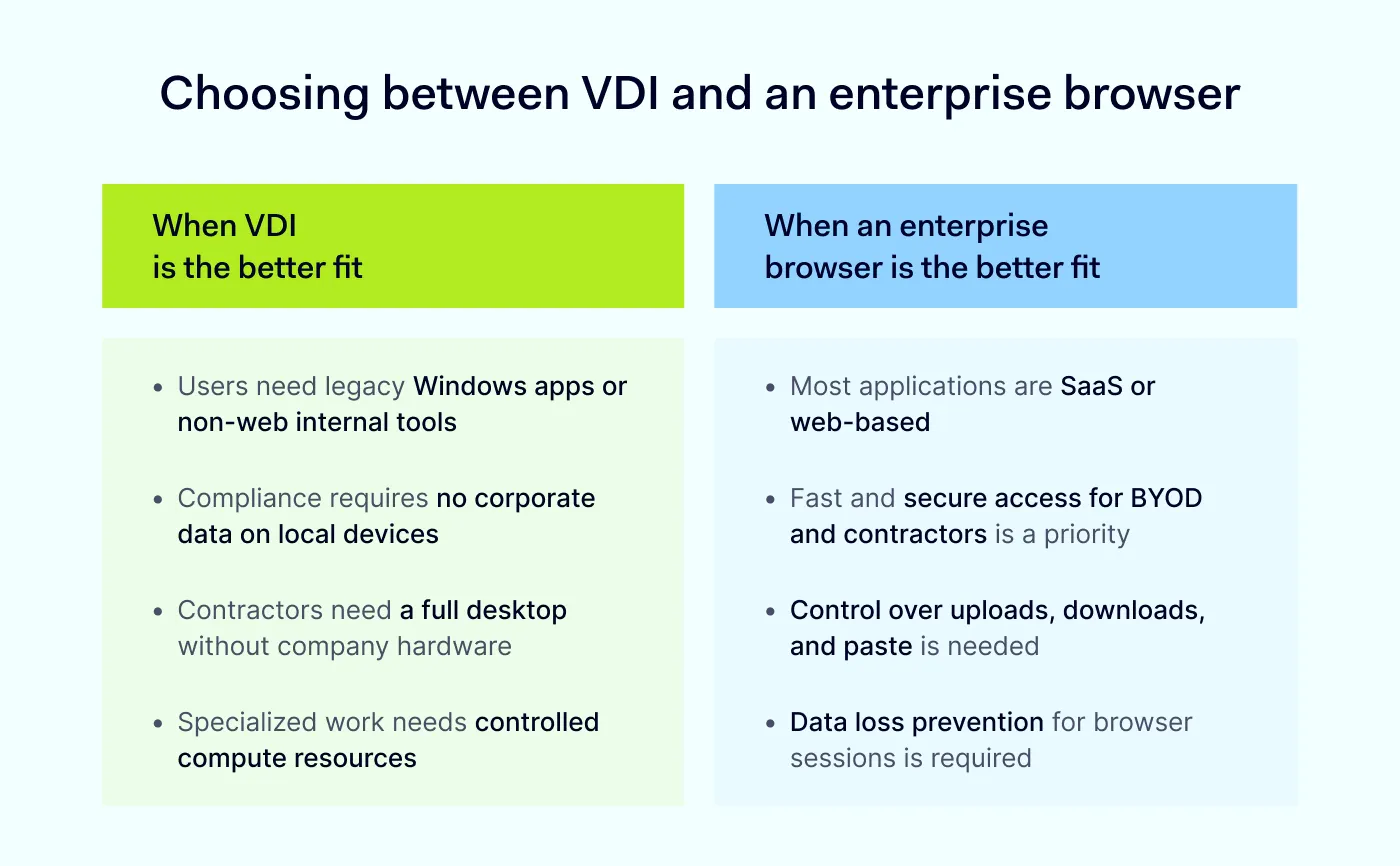
When to choose VDI
VDI fits scenarios where the work environment itself needs to be hosted and controlled, not just the browser session. It is often the right choice when applications, data, or compliance requirements rule out a browser-only approach.
Users need access to legacy Windows applications or non-web internal tools.
Highly regulated workflows require that no corporate data touches the local device.
Contractors or third parties need a full corporate desktop without receiving company hardware.
Specialized environments, such as developer workstations or design tools, need controlled compute resources.
Audit and compliance teams expect centralized logging and image control.
When to choose an enterprise browser
An enterprise browser fits when most corporate applications live on the web, and the priority is control over browser activity rather than the full desktop. It is also ideal for quickly onboarding external users.
The application portfolio is mostly SaaS applications and private web apps.
BYOD, contractor, and partner access has to be enabled quickly and safely.
The business wants policy control over downloads, uploads, copy-and-paste actions, printing, and AI tools.
Data loss prevention for web sessions is a priority.
A lighter alternative to VDI is needed for users who do not require a full desktop.
The organization is moving toward a zero-trust model that ties access to identity and device posture rather than to the network.
How NordLayer Browser fits into this picture
For many businesses, the practical answer is not one or the other, but rather, the right tool for each use case. VDI handles the workloads that need a full hosted desktop. An enterprise browser covers the much larger share of work that happens in SaaS and private web apps, with policy and DLP applied where users actually spend their time.
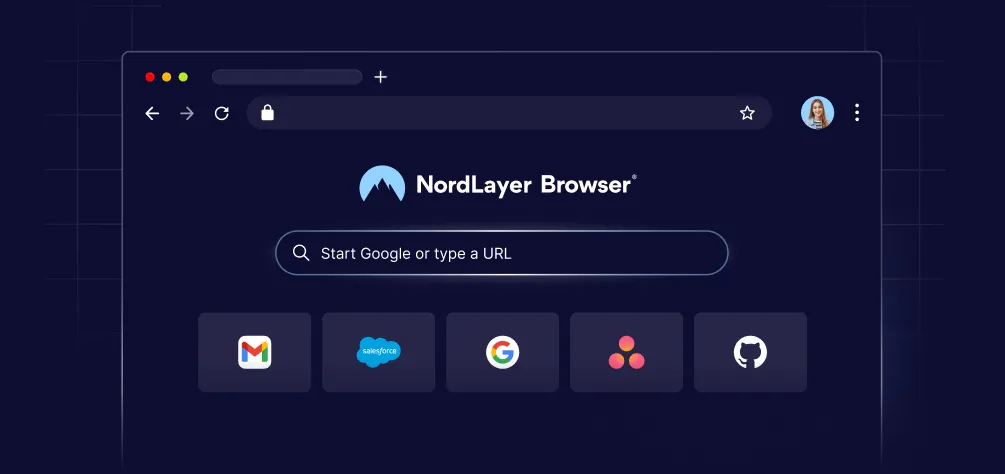
NordLayer Browser is built for that second part. It gives security teams a managed work browser with identity-aware access, policy controls over downloads, uploads, copy-and-paste actions, and extensions, and protection against phishing and unsafe sites. It works alongside existing identity, SSO, and security infrastructure, so businesses can reserve VDI for workflows that need a hosted desktop while applying browser-level controls to SaaS and private web apps.
If your team relies on SaaS applications, supports BYOD or contractors, or wants tighter control over browser activity without rolling out a full virtual desktop, an enterprise browser is a strong starting point. Pair it with VDI where legacy or specialized apps still demand a hosted desktop, and you cover both ends of the access problem.
Anastasiya Novikava
Cybersecurity Copywriter
Anastasiya is a cybersecurity copywriter with a decade of experience in content marketing. She creates product comparisons, threat research and statistics, white papers, customer case studies, and educational content, with a focus on AI threats, data breach prevention, and compliance frameworks (DORA, GDPR, NIS2).