Summary: OpenClaw AI is a local-first AI agent that automates workflows, interacts with local systems, and requires careful configuration to operate securely.
Recent industry surveys show that about 76% of employees in technology or information now use generative AI at work. This adoption has led to the emergence of a new category of tools: local-first AI assistants that run closer to your systems and data.
One example is OpenClaw, an AI project that has recently gained attention among developers and automation enthusiasts. It is often discussed alongside modern AI agents that automate workflows and connect different AI tools.
Unlike many cloud-based assistants, OpenClaw follows a local-first approach. It can use local models, access local files, and execute system actions such as shell commands. For teams that want more control over their AI workflows and data, this approach is especially appealing.
In this guide, we’ll explain what OpenClaw AI is, how it works, and what to consider before using it in your environment.
Key takeaways
OpenClaw AI is a local-first AI agent designed to automate workflows and interact directly with local environments and system resources.
The tool can connect to AI models, access local files, and perform system tasks such as running shell operations.
Many users deploy OpenClaw as a self-hosted solution, allowing them to maintain greater control over data and configuration.
OpenClaw can integrate with chat interfaces or messaging apps, enabling users to interact with the assistant conversationally.
Because OpenClaw can access local systems and execute commands, it requires careful configuration and strong security practices.
What is OpenClaw AI?
OpenClaw (formerly Clawdbot and Moltbot) is an AI assistant designed to automate workflows and interact with local environments using large language models (LLMs) and system tools. It acts as a personal agent that can analyze data, execute tasks such as system commands, and integrate with other AI applications. Often deployed as a self-hosted solution, OpenClaw allows users to run AI capabilities locally while maintaining control over their data.
The project evolved from experimental tools launched in November 2025 called Clawdbot and later Moltbot. It gradually developed into a more capable automation assistant. More broadly, OpenClaw represents a trend in AI development: the shift toward local and customizable AI agents.
Traditional cloud assistants process data remotely. OpenClaw, however, can be configured to run locally, enabling interaction with local resources, developer environments, and internal tools. This makes it appealing for developers, security-conscious teams, and organizations experimenting with autonomous AI workflows.
Another defining feature of OpenClaw is flexibility. It’s not a single-purpose application. Instead, it acts as a framework for building AI-driven automation. Users can connect different AI models, integrate third-party tools, or interact with the system through a chat app interface.
This combination of automation, local control, and AI integration makes OpenClaw a compelling option for users exploring advanced AI agents.
How does OpenClaw work?
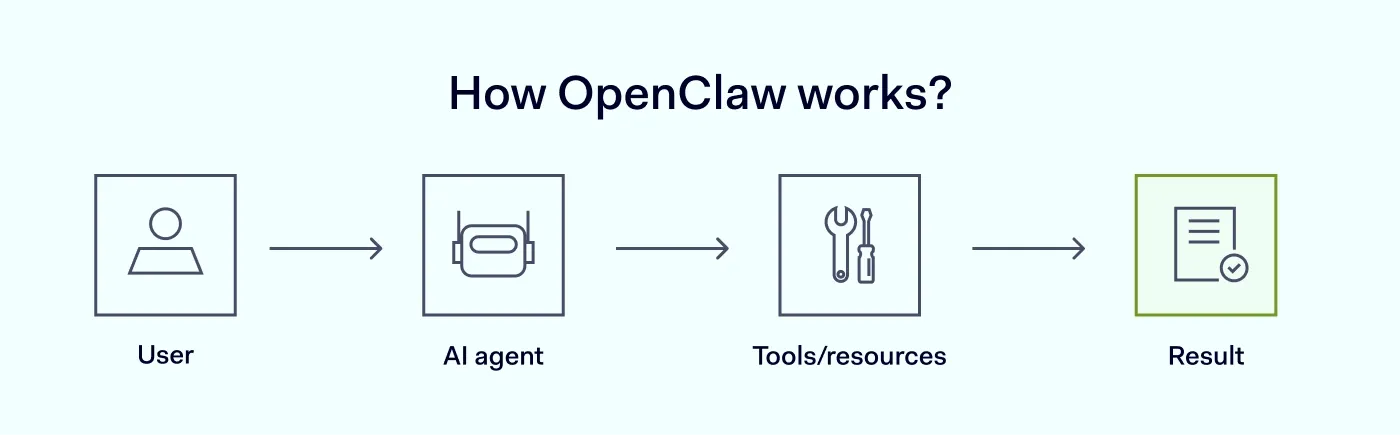
At a high level, OpenClaw acts as a bridge between users, AI models, and system resources.
First, the user interacts with OpenClaw through a chat app, terminal interface, or integration with messaging applications. The request might be something simple—like summarizing a document—or something more complex, such as analyzing project files and running a script.
Next, OpenClaw interprets the request using connected AI engines. These models analyze the input and determine the steps needed to complete the task.
Then, the system may access local files, interact with external tools, or execute system commands to perform the required action. For example, OpenClaw could read a log file, run a diagnostic command, and generate a report explaining the results.
Finally, the AI assistant returns the output to the user, usually through the same chat application interface.
Because OpenClaw can combine multiple AI systems, it effectively acts as an orchestration layer that coordinates different tools and resources.
Key capabilities of OpenClaw
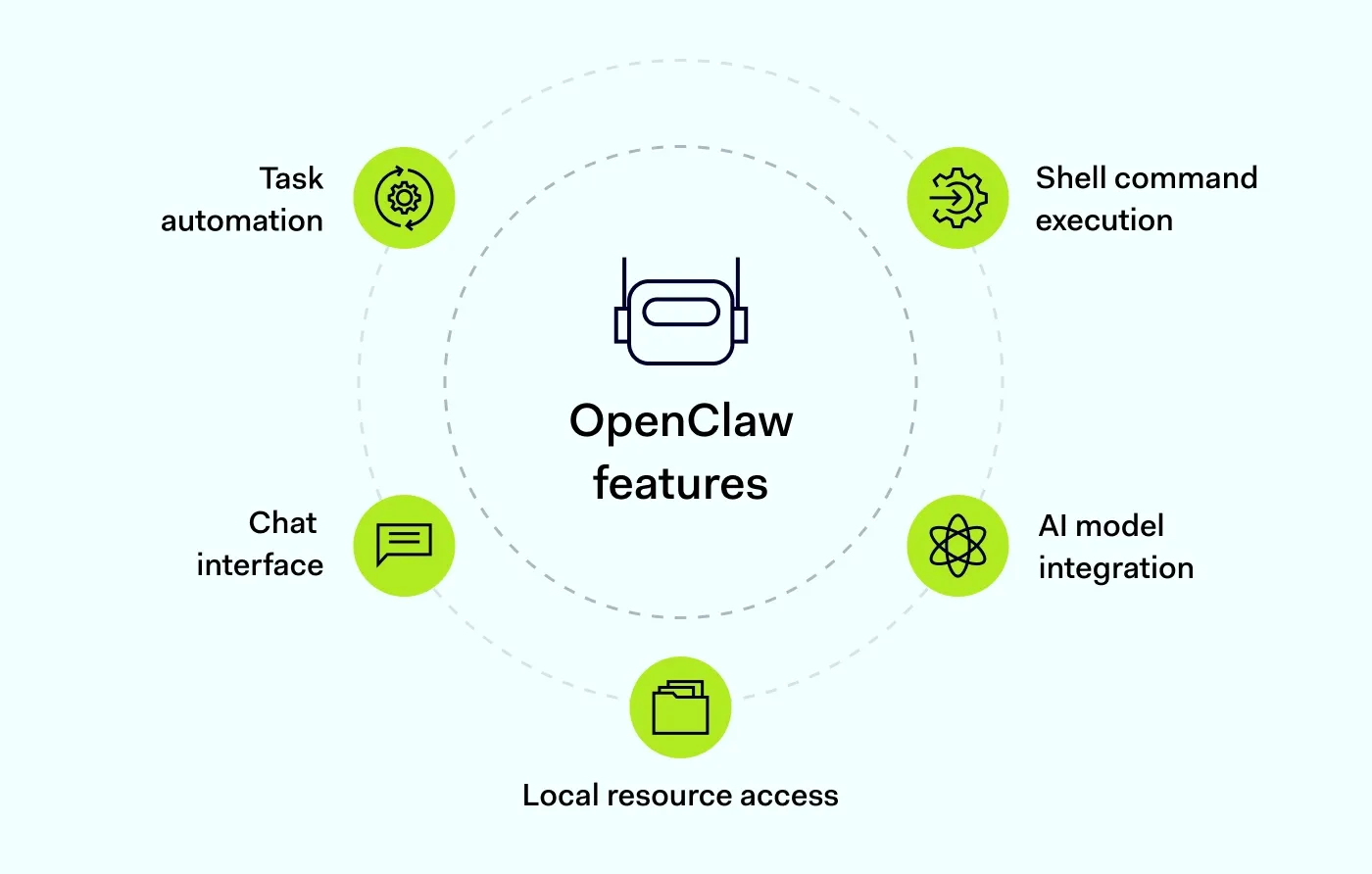
OpenClaw’s functionality depends on how it is configured, but several core capabilities stand out.
Task automation
OpenClaw can automate common workflows, such as retrieving information from files, running scripts, or orchestrating different AI solutions. This makes it especially useful for development environments, research workflows, and technical operations. Instead of switching between tools or running commands manually, users can ask the AI assistant to handle the process.
Interaction through chat interfaces
Many users interact with OpenClaw through a chat app interface or integrations with messaging apps. This conversational approach allows users to give instructions in a natural language instead of complex command syntax. For example, a developer might ask the assistant to analyze logs, summarize documentation, or run a diagnostic task. The system interprets the request using AI engines and performs the necessary steps.
Access to local resources
Because OpenClaw is often run locally, it can work directly with local resources, databases, and internal systems. This capability is especially valuable for organizations that want to keep sensitive information within their infrastructure. Instead of uploading data to external services, the personal AI assistant can analyze documents, logs, or datasets stored locally. This enables deeper automation, since the it can interact directly with the user’s environment.
Integration with AI models
OpenClaw can connect to a variety of AI models, including both cloud-based services and local models running on the same machine or internal infrastructure. This flexibility allows users to choose the models that best fit their needs, whether they prioritize performance, privacy, or cost control. In some setups, multiple models can work together to handle different tasks.
Execution of commands
OpenClaw can run shell operations in some configurations, enabling it to perform system-level tasks. For example, the assistant might run scripts, retrieve logs, check system status, or automate development processes. OpenClaw is powerful because of this capability, but it also requires careful configuration. Running commands automatically means the system should have clear permission boundaries and monitoring.
When configured responsibly, command execution allows the AI agent to act as a hands-on automation partner inside technical environments.
How to set up OpenClaw
Setting up OpenClaw usually involves preparing a local environment where the AI agent can safely interact with models, files, and system resources. While OpenClaw can run on a personal computer, many users deploy it on a dedicated server or virtual private server (VPS) to improve isolation and security.
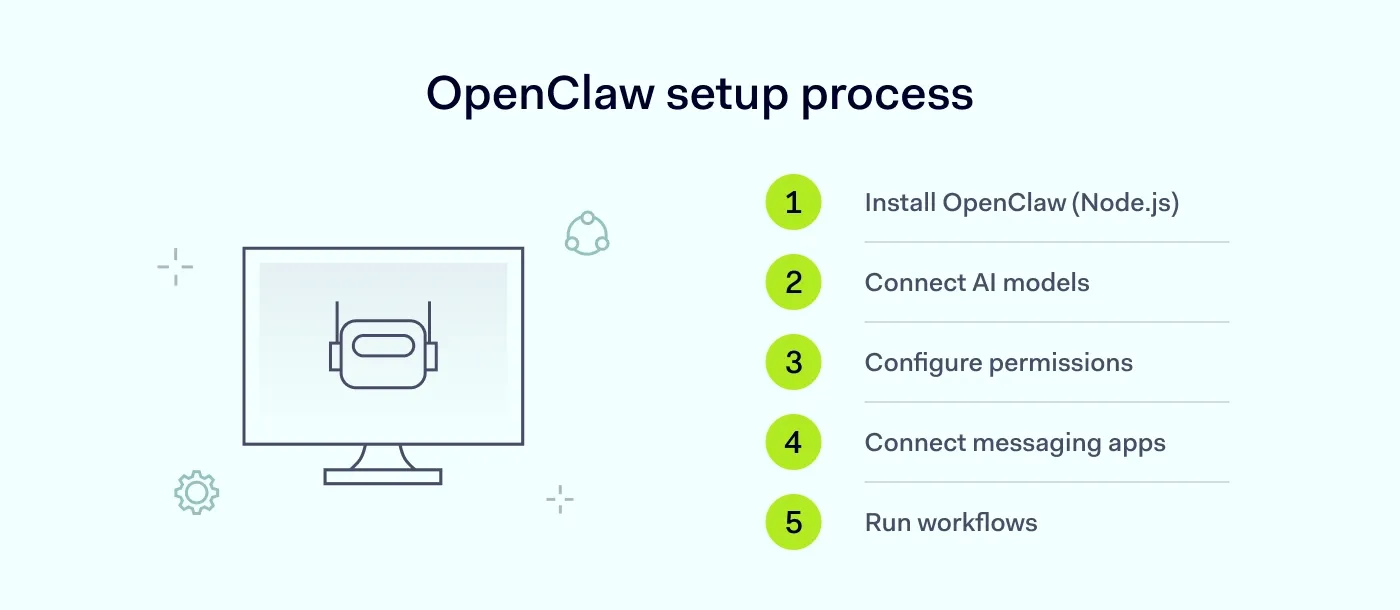
A typical setup process includes the following steps:
Prepare the environment. OpenClaw runs on a local machine or server and requires a JavaScript runtime such as Node.js (version 22 or higher). Once the required dependencies are installed, the OpenClaw application can be launched locally.
Connect AI models. OpenClaw can work with both local and external AI services. Users choose the models that best fit their needs based on performance, privacy, and cost considerations.
Configure system access. After installation, users define how the AI agent interacts with the system. This includes specifying which directories it can access, which shell operations it can run, and which external tools or services it can integrate with.
Set up storage and memory. OpenClaw stores conversations, long-term memory, and reusable skills as Markdown and YAML files on the local machine. This makes it easier to review, modify, or back up the assistant’s data.
Connect communication channels. Many users integrate OpenClaw with messaging platforms such as WhatsApp or Telegram, allowing them to interact with the assistant through a chat interface.
Depending on the configuration, OpenClaw can execute shell commands, manage local resources, and even control browser actions. Because these capabilities give the system deep access to the environment, permissions should be configured carefully.
Before deploying OpenClaw in production environments, it is recommended to test the setup in a controlled environment and review access permissions to ensure the system operates safely.
Related articles

Agnė SrėbaliūtėApr 17, 202510 min read

Anastasiya NovikavaFeb 5, 20266 min read
Security risks and considerations when using OpenClaw
Despite its benefits, OpenClaw introduces several security considerations that users should understand before deploying it in production environments. Tools like OpenClaw provide powerful automation capabilities, but they also carry potential risks.
One major factor is the ability to execute shell commands. If OpenClaw is configured improperly or given overly broad permissions, it could perform actions that affect system stability or expose sensitive data. This risk is particularly relevant when the tool interacts with local data or internal systems.
Another concern involves the AI engines. When OpenClaw connects to external APIs or services, sensitive information may leave the local environment. Even when using local models, the configuration of data access and permissions remains important.
Additionally, because OpenClaw can integrate with messaging apps or chat interfaces, organizations should ensure that authentication and access controls are properly configured.
For these reasons, OpenClaw should be treated as a powerful automation tool that requires thoughtful deployment and continuous monitoring.
Don’t treat symptoms—detect issues
Proactive network monitoring from NordLayer prevents problems before they occur
How to use OpenClaw safely
Operating OpenClaw safely requires a mix of technical safeguards and good operational practices. If you plan to run OpenClaw in a development environment or business workflow, consider the following steps.
Limit system permissions. Give the personal AI assistant only the permissions it actually needs. Restrict access to sensitive directories, databases, and administrative functions.
Use isolated environments. Running OpenClaw in containers or sandboxed environments helps reduce the impact of potential errors or misconfigurations.
Control access to shell commands. Because OpenClaw can execute shell operations, carefully define which commands the system is allowed to run.
Monitor AI activity. Keep logs of requests and actions performed by the AI agent. Monitoring helps identify unexpected behavior early.
Protect access to chat interfaces. If OpenClaw is connected to a chat app or messaging platform, ensure only authorized users can interact with the system.
Review AI model connections. When connecting external AI tools or APIs, review how data is transmitted and stored.
Following these steps helps ensure that OpenClaw remains a helpful personal assistant rather than a source of new security risks.
How NordLayer can help secure AI workflows
As AI assistants become more integrated into everyday workflows, organizations need to carefully consider how these tools access internal systems and data.
With OpenClaw security solutions, you can isolate AI agents, control access, and protect sensitive data directly at the network level. This makes protecting underlying systems and connections just as important as configuring the AI tool.
Secure remote access and network protection play a key role here. With NordLayer, organizations can control access to internal systems, verify device compliance, and improve visibility into network connections and access activity across applications and infrastructure.
By combining strong access controls with better oversight, teams can safely test new AI tools, deploy self-hosted solutions, and support AI-driven workflows—without exposing critical resources.
AI-driven workflows will continue to develop. Building them on a secure network foundation helps ensure innovation doesn’t come at the expense of security.
Agnė Srėbaliūtė
Senior Creative Copywriter
Agne is a writer with over 15 years of experience in PR, SEO, and creative writing. With a love for playing with words and meanings, she crafts content that’s clear and distinctive. Agne balances her passion for language and tech with hiking adventures in nature—a space that recharges her.