AI access security for safer AI adoption
See how employees use AI in the browser, control which tools they can access, and prevent sensitive company data from being shared – all without slowing down work.

14-day money-back guarantee
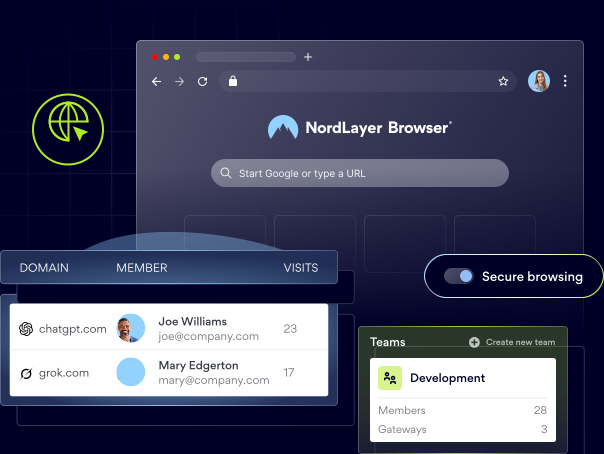
15,000+ businesses trust NordLayer to stay secure, compliant, and in control






ISO 27001 compliant
HIPAA compliant
SOC 2 compliant
PCI-DSS compliant


statistics
AI adoption is moving faster than security

88% of organizations regularly use AI in at least one business function, making secure adoption an increasingly urgent business priority (McKinsey’s The State of AI in 2025).

72% of enterprise generative AI users access these tools through personal accounts, limiting visibility into how AI is being used (Netskope’s Cloud and Threat Report: Generative AI 2025).

97% of organizations that were breached through AI models or applications lacked proper access controls, exposing a critical gap in AI security governance (IBM’s Cost of a Data Breach Report 2025).
MANAGING AI RISKS
Why AI access needs proper control
AI tools can improve productivity, but unmanaged use creates new visibility, data security, and compliance risks. NordLayer Browser helps businesses see which AI tools are used and control access without blocking approved tools.
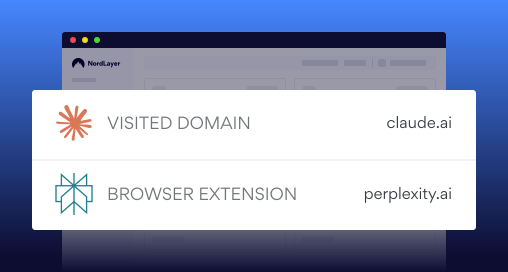
Unapproved tools create shadow AI risks
The risk: Employees can adopt AI assistants, browser extensions, and AI-powered SaaS tools without IT approval, leaving security teams unable to see which tools are being used or where company data is going.
How NordLayer Browser helps: Provides web activity monitoring activity logs, and extension visibility to help identify unsanctioned AI use and enforce company policies.
How NordLayer helps: Adds network-level visibility, access policies, and zero-trust controls to help enforce AI usage policies across the organization.
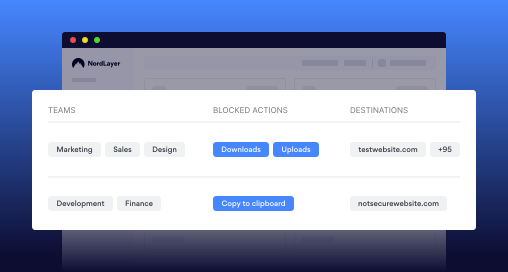
Sensitive data can be exposed via prompts
The risk: Employees may paste confidential information into AI prompts or upload sensitive files without knowing how that data will be processed, stored, or shared.
How NordLayer Browser helps: Uses clipboard controls file transfer policies, and browser-based DLP to prevent sensitive data from being copied, pasted, uploaded, or downloaded through unapproved AI tools.
How NordLayer helps: Adds network-level security policies and secure access controls to reduce the risk of data exposure across AI services.
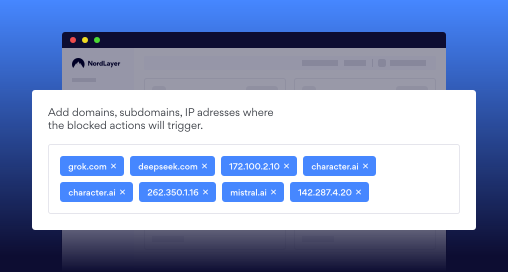
Not every AI tool should be trusted
The risk: AI applications vary in their security, privacy, and compliance standards, making it difficult to keep risky or unapproved services out of company workflows.
How NordLayer Browser helps: Uses domain blocking web app controls, extension blocking and network-level DNS filtering to allow approved AI tools and restrict unsafe ones.
How NordLayer helps: Strengthens protection with DNS filtering zero-trust network access and centralized access policies to ensure employees only use approved AI services.
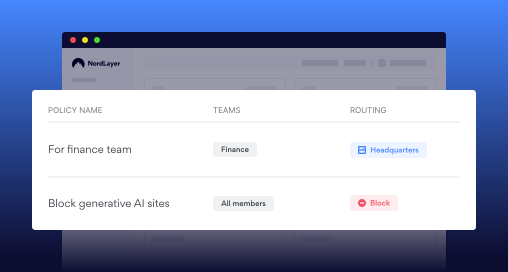
Most workplace AI use happens in the browser
The risk: Generative AI platforms, embedded SaaS features, and AI-powered extensions are accessed through the same browser employees use for everyday work.
How NordLayer Browser helps: Applies visibility, access, and data protection policies directly in the browser, where employees interact with AI tools.
How NordLayer helps: Adds centralized policy management and secure access controls that extend beyond the browser when needed.
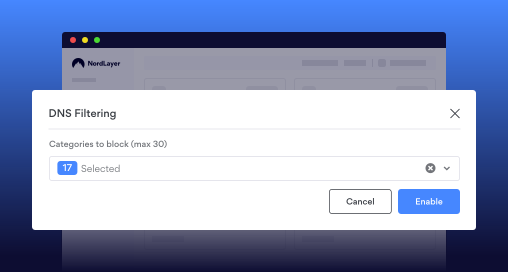
AI makes online threats harder to recognize
The risk: AI-generated phishing pages, impersonation attempts, and deceptive websites are becoming more convincing and increasingly difficult for employees to identify.
How NordLayer Browser helps: Blocks access to malicious websites by enforcing security policies and domain controls directly at the browser level.
How NordLayer helps: Adds DNS filtering, web protection, and zero-trust access controls to help prevent employees from reaching phishing sites and other AI-enabled threats.
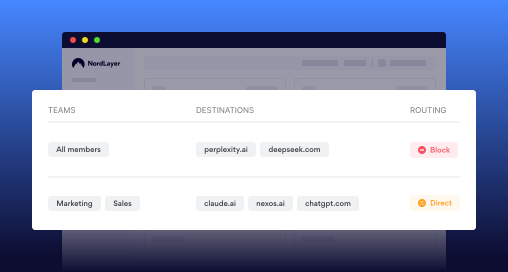
Safe adoption should not mean blocking AI
The risk: Completely restricting AI can slow down productivity and encourage employees to use unapproved tools operating outside of company oversight.
How NordLayer Browser helps: Provides browser-level visibility and data protection to help employees use approved AI tools without exposing sensitive information.
How NordLayer helps: Extends protection with zero-trust access centralized policy management, network controls, and secure remote access so organizations can enable approved AI tools without sacrificing security.
QUALITY GUARANTEE
Browser-level security for safer AI adoption
Trusted by 15,000+ businesses worldwide, NordLayer helps protect browser-based AI use with visibility, policy controls, data protection, and secure network access.
integrations
NordLayer fits into your existing stack
Connect NordLayer with your identity providers, cloud platforms, and endpoint tools without changing how your team works.


REVIEWS
Why teams all around the globe trust NordLayer
In Security Service Edge category
NordLayer has been very accommodating in terms of our needs. They are flexible to cater timing of payments and also providing exclusive support
Everything is super efficient and easy: negociations, setup, dashboard, accounting, support
Very easy to set up and use and is very reliable. There are good security options to enable the configuration comply with security policies.
NordLayer in numbers
15,000+
Businesses protected
10 min
Average time to deploy
40+
Global service locations
Additional info
Frequently asked questions
AI access security is the set of controls used to monitor which AI tools employees use, decide which services are allowed, and protect company data during use. It can include browser activity monitoring, access policies, data loss prevention, authentication, and secure traffic routing.
The 30% rule is a guideline for responsible human-AI collaboration. It suggests that AI should contribute no more than 30% of the final work, while the remaining 70% should come from human creativity, critical thinking, and judgment.
An example is an employee opening an approved AI assistant in a managed browser. The organization can verify the user, permit the approved service, block restricted tools, and prevent sensitive files or clipboard data from being shared.
AI can make access control more adaptive by evaluating identity, device, location, behavior, and session risk. Instead of relying only on static permissions, access can be challenged, limited, or blocked when unusual activity is detected.
AI access security governs how AI tools are accessed, which applications are allowed, and how data is handled during use. Shadow AI security focuses specifically on detecting and reducing the use of unknown or unapproved AI tools.
Yes. Organizations can permit approved AI services while blocking restricted domains and web applications through browser-level policies. DNS filtering can add broader network-level restrictions across user groups.
NordLayer verifies users through SSO and MFA, then securely routes approved browser traffic to internal resources through private gateways. Clipboard and file transfer controls also help prevent sensitive data from leaving approved workflows.
Yes. Browser policies can be assigned to individual users or teams, while routing rules can separate access by team, domain, or environment. Device posture security can also prevent noncompliant devices from accessing protected network resources.
Yes. NordLayer Browser applies activity logging, domain controls, web application control, and data protection directly in the browser. These controls can cover standalone AI tools and browser-based SaaS workflows across collaboration, CRM, and productivity platforms.