Browser domain blocking that stops shadow IT fast
Block unauthorized, unapproved, and unwanted web apps, risky sites, and AI tools at the browser level before your employees ever reach them.

14-day money-back guarantee
Featured in


THE CHALLENGE
Your employees are using tools and sites you don’t even know about
Every week, your employees sign up for apps and tools your security team has never reviewed. The browser is where it happens, and for most organizations, it’s completely unprotected.




BENEFITS
How browser domain blocking can help
What is browser domain blocking?
Browser domain blocking is a built-in feature of NordLayer Browser that prevents users from accessing specific domains. It enforces organizational policies by blocking unsafe, unapproved, or noncompliant websites before they load.

Malware and phishing never reach your endpoints
Risky and noncompliant domains are caught at the browser level. That means no scripts execute, no payloads download, and no sensitive data is compromised.

Get full visibility and control over shadow IT
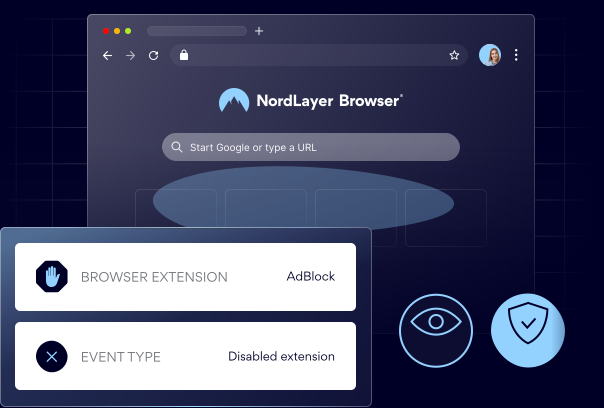
Admins can see every domain visited or extension installed across the organization and block anything unapproved before it spreads.

Unapproved AI tools blocked org-wide in one policy
Prevent employees from accessing AI platforms your security team hasn’t vetted. One rule in the Control Panel applies across every user and device instantly.

Compliance enforcement that runs in the background
Users only interact with approved, trusted domains. Internal policies and external regulations are enforced quietly in the browser with no extensions required.

Faster networks because irrelevant traffic never starts
Bandwidth from non-essential or high-traffic sites is eliminated at the browser level, so critical applications get the resources they need.
How does browser domain blocking work?
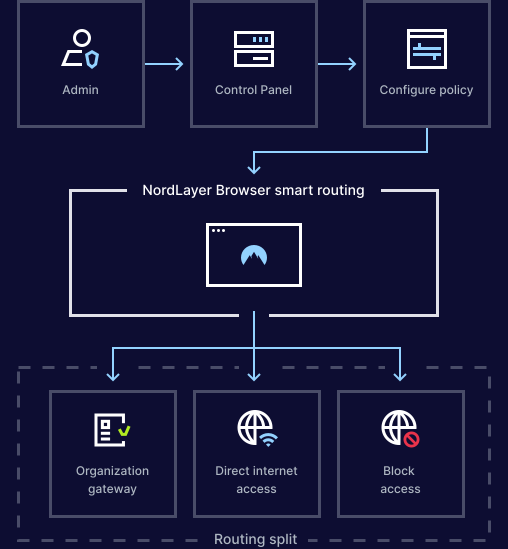
Blocking a domain takes seconds. Add it to the blocklist in the Control Panel, apply the policy to your teams, and NordLayer Browser handles the rest. When someone tries to reach a blocked site, the connection is instantly stopped before any content loads.
- Add any domain to your blocklist in the Control Panel
- Apply the policy to specific users, groups, or your whole org
- Blocked sites never load, no data is ever exchanged
Take full control of which domains your team can access
SEE THE VALUE
What happens when you deploy the NordLayer Browser?
Enterprise-level browser security that layers onto your existing stack in minutes, not months.

Your entire business is protected in one sprint
Roll out the NordLayer Browser across every team and device in a single sprint with no staged migrations, specialist implementation teams, or months of planning.

Your security stack stays, we layer on top
NordLayer Browser integrates with your IdP, SSO provider, and existing security tools so you can add browser domain blocking without replacing anything.

Your IT managers get more time to focus on other tasks
Security is built into the browser itself. There are no agents on endpoints, no extensions to manage, and no ongoing maintenance pulling your IT team away from the work that matters.

Your team never even notices the switch
NordLayer Browser looks and feels like the browser your team already uses. Adoption happens naturally because there’s nothing new to learn and less resistance to manage.
Additional info
Frequently asked questions
Add the domain to your blocklist in the NordLayer Control Panel, apply the policy to your users or groups, and the browser enforces it automatically.
The browser intercepts the request before the page loads. The connection stops immediately, and the user sees a block message referencing your company policy.
It prevents access to unauthorized tools before employees can use them. Instead of discovering shadow IT after the fact, you block it at the entry point.
Yes. Blocking operates at the browser request level. The site is stopped before any content loads, so no data is exchanged and no scripts or trackers execute.
Yes. Add any AI platform domain to your blocklist, and the policy applies org-wide instantly. Employees see a block page instead of the tool.
NordLayer Browser delivers enterprise-grade domain blocking, DLP, and session-level controls at a fraction of what legacy enterprise browsers charge. Try it risk-free for 14 days or book a call for a demo and pricing discussion.