Summary: Think your SSH is truly locked down? We’re skipping the basics to reveal the non-negotiable best practices for securing SSH that your company needs to implement today.
Secure Socket Shell (SSH) is the universal standard for remote access, managing servers, and ensuring confidential communication between systems. It relies on strong encryption and authentication to protect critical infrastructure, making it mandatory for any modern, distributed environment.
However, the protocol is only as secure as its implementation. Default configurations, simple password use, and unmanaged SSH keys create serious vulnerabilities that attackers look for. This article moves past the basics. We focus purely on non-negotiable, advanced best practices for securing SSH, detailing the layered defense required for a Zero Trust environment and explaining how solutions like NordLayer's Cloud LAN simplify your remote access security.
SSH best practices at a glance
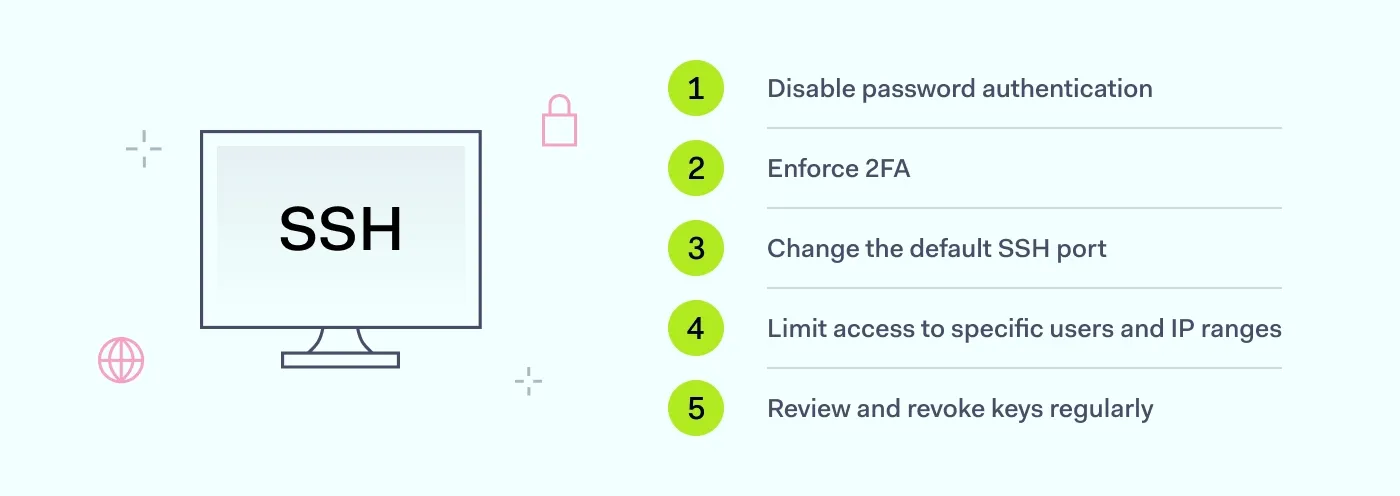
Ditch passwords for keys. Immediately disable password logins and enforce key-based authentication to stop easy brute-force attacks.
Always use two-factor authentication (2FA). Make 2FA mandatory to protect against compromised public keys or workstation breaches.
Audit your key sprawl: Regularly review and revoke all old or forgotten private-key access to eliminate silent security holes.
Shield your servers: Change the default port (22) and stop exposing your SSH access to the public internet entirely.
What is Secure Socket Shell (SSH)?
Secure Socket Shell is a cryptographic network protocol that ensures secure communication between devices. SSH employs strong encryption algorithms, like Advanced Encryption Standard (AES), to protect data during remote logins to computers or servers.
With this protocol, port forwarding lets you conveniently access your office desktop from your laptop at home. Yet, it's important to note that SSH channels should be closely monitored to prevent unauthorized access on less secure networks.
Why is SSH important, and why do you need it?
So, why bother with SSH at all? Simple: it solves a handful of issues simultaneously, making it indispensable for today's IT infrastructure.
First off, it’s all about secure connectivity, especially when you’re dealing with the cloud. SSH creates a secure, encrypted path right through firewalls to a virtual machine. This totally eliminates the need for that machine to have direct, risky exposure to the wider internet.
Plus, SSH ensures secure remote access and communication between any two systems. It protects data confidentiality and integrity by using that strong encryption we talked about earlier. Beyond encryption, though, SSH delivers robust authentication methods. This is key for efficient remote management, secure file transfers, and automated processes.
Think about its core functions:
Protecting sensitive data. It keeps all information confidential during transmission.
Remote command execution. It lets you issue commands and manage network infrastructure safely.
Strong authentication. It helps you verify who's connecting to your SSH servers, which is critical for preventing unauthorized access, especially to privileged accounts like root login.
Essentially, if you are a professional responsible for maintaining systems, SSH is the reliable way to manage and interact with those systems without putting your data—or your entire network—at risk.
Advantages of Secure Socket Shell
We've established that SSH is critical, so let's look at the tangible advantages it brings to the table every day. It offers a suite of built-in benefits that directly improve SSH security and operational efficiency:
Secure system administration. This is what SSH was built for. It provides vital access control and strong user authentication methods. It allows your admins to manage accounts, change permissions, and control web servers remotely. It lets you handle high-privilege tasks, like making changes after a root login, without exposing credentials.
Secure file transfers. You need to prevent threats like IP spoofing or data theft. SSH makes secure transfers possible by encrypting data in transit. This feature prevents unauthorized access to files while they're moving between systems.
Automation with SSH keys. By using SSH keys, you can streamline server access and remove the need for entering passwords repeatedly. Keys enable SSO for automated processes, using a paired private key and public key for fast, secure key-based authentication. This is crucial for pipeline automation and overall system security.
Cryptographic authentication. This is the key security feature. SSH uses cryptographic methods to ensure that the user claiming to be Bob is actually Bob. This reliable verification is your first line of defense against data breaches and unauthorized SSH connection attempts.
Automatic session encryption. For data integrity and confidentiality, SSH handles the encryption automatically. Once a session is established, everything is scrambled—it protects sensitive information from eavesdropping and interception.
Speed. SSH is optimized for speed using a technique called multiplexing. It allows multiple data streams to flow over a single TCP connection, reducing overhead and resource use. The result is fast remote management and quick, secure data transfers.
Related articles

Joanna KrysińskaOct 15, 20245 min read

Anastasiya NovikavaApr 29, 202410 min read
Vulnerabilities of Secure Socket Shell
SSH offers a strong protocol for secure remote connections, but it's important to be aware of the potential vulnerabilities and challenges associated with its implementation. By understanding these aspects, your organization can proactively improve its security posture. Here are some key considerations to keep in mind:
Weak authentication. This is often the easiest entry point. Sticking to simple password authentication is practically inviting
brute-force attacks. Attackers run automated scripts 24/7, trying thousands of combinations. If you aren't enforcing a modern authentication method, like requiring key-based authentication or, better yet, mandatory two-factor authentication (2FA), your fundamental SSH security is undermined.
Outdated SSH versions. Running old software is just an unnecessary risk. Older SSH versions frequently have publicly known exploits. If you haven't patched or updated in a while, you're exposed to easy compromises that any decent vulnerability scanner can spot.
Misconfigured SSH settings. The defaults are sometimes fine, but making careless changes (or not making necessary ones) can instantly weaken security. For instance, allowing direct root login or keeping password access enabled even when everyone uses SSH keys is a mistake that leaves you exposed.
Man-in-the-Middle (MITM) attacks. An attacker may still try to wedge themselves between your client and server to intercept traffic. It shows why relying solely on the protocol's built-in encryption isn't enough. You need layered protection for every SSH access point.
Compromised SSH keys. If a private key isn't secured, gets forgotten, or isn't revoked when someone leaves the company, it becomes a risk. Poor key hygiene is one of the quickest ways threat actors gain persistent, unauthorized SSH access.
Choosing weak encryption. It’s simple: if you default to older, weaker encryption algorithms or short key lengths, you're making a sophisticated attacker’s job much easier. Always use strong, modern encryption protocols.
Insider threats. Don't forget risks from within the network. If you aren't tracking who has which SSH keys, or if you're slow to terminate access for contractors or departing staff, you create an internal risk.
SSH best practices for security
To achieve strong SSH security, you need a modern strategy that moves beyond basic configurations. It's all about layering multiple, non-negotiable checks to ensure that only the right people get in, and only in the right ways.
1. Disable password authentication
If you're still relying solely on passwords for SSH, you're putting yourself at risk of a brute force attack. Attackers automate bots to hammer your server with password guesses 24/7. It’s an easy, low-effort attack that will eventually succeed if your passwords aren't strong enough—and they usually aren't.
The solution is simple: turn off password authentication completely. You should enforce key-based authentication using public key infrastructure. Keys are cryptographically complex, making them extremely hard to guess. This one change removes the majority of automated threats against your SSH setup.
2. Enforce two-factor authentication (2FA)
Even the best key can be compromised. Maybe an admin saved their private key somewhere insecure, or maybe the workstation was breached. That’s why two-factor authentication is the essential security blanket.
Think of 2FA as the check after the check. You've already authenticated with your public key (something you have), but 2FA requires a second rotating code from a separate device (something you are or something else you have). Enabling this means that even if an attacker steals a user's key, they still can't gain access without the time-sensitive code. It's a fundamental move in modern security best practices.
3. Change the default SSH port
By default, SSH runs on TCP port 22. Guess what the first thing automated scanners and bots look for is? Port 22.
While changing the port (say, to 2222 or any other non-standard number) might not be the whole solution—it's security through obscurity, after all—it does make a massive difference. It instantly stops the noise and the majority of simple, untargeted brute-force attacks. Your logs will become significantly cleaner, allowing you to spot truly targeted threats faster.
4. Limit access to specific users and IP ranges
Giving every user global SSH access is an operational challenge and a massive liability. Good security demands a principle of least privilege (PoLP). You must define who can access a server and, just as importantly, from where.
Restrict SSH access only to the users who absolutely need it using the “AllowUsers” or “AllowGroups” directives in your configuration. Better yet, implement a solution like NordLayer's Cloud LAN to restrict access based on user identity and connections coming only from your trusted virtual network IP address range. This moves you beyond basic network controls and ensures only authorized sources can attempt an SSH connection.
5. Review and revoke keys regularly
The biggest long-term risk in SSH environments is key sprawl. These keys don't expire, and they’re often forgotten. When a contractor finishes a job or an employee leaves the team, that key remains valid unless someone manually removes it.
You should regularly audit the “authorized_keys” file on all SSH servers to ensure every public key belongs to an active user. This is particularly important for privileged accounts.
How does NordLayer enhance your SSH security?
Manually enforcing all those best practices—managing hundreds of keys, tracking firewall changes, and setting up 2FA server-by-server—is time-consuming. It’s why a modern Zero Trust Network Access solution like NordLayer exists. We handle the heavy lifting so you can focus on actual work.
Here’s a quick breakdown of how NordLayer strengthens your SSH security:
Cloud LAN
Forget exposing your server’s public IP address. Cloud LAN creates a secure, virtual local area network between devices, allowing your team to access and troubleshoot devices as if they were on the same local network, sitting in the office. This means SSH access must originate from your secure virtual private network, immediately shielding your systems from the public internet.
Encryption
While SSH provides encryption, NordLayer adds another layer right at the network level. We encrypt all your data into an unreadable format before it ever leaves the user’s device. By applying this network encryption, we conceal data packets and lower the risk of a breach before your SSH session even begins. NordLayer uses AES-256 and ChaCha20, providing dual-layer protection that keeps things fast but secure.
Web Protection
The biggest risk? A team member getting phished or picking up malware. Web Protection acts as a silent guardian for your network. When turned on, it automatically blocks harmful websites and prevents cyber threats from infecting devices by evaluating websites based on trusted databases and user feedback. This substantially lowers the overall risk of a compromised device being used to initiate any unauthorized or malicious activity, including attempts at SSH access.
If you want to discover an easy way to increase the security of your data, no matter where it's stored, you can contact our team today.
Alternatively, you can skip the call and see exactly how easy it is to manage your network security by exploring our Control Panel.

Aistė Medinė
Editor and Copywriter
An editor and writer who’s into way too many hobbies – cooking elaborate meals, watching old movies, and occasionally splattering paint on a canvas. Aistė's drawn to the creative side of cybercrime, especially the weirdly clever tricks scammers use to fool people. If it involves storytelling, mischief, or a bit of mystery, she’s probably interested.