NordLayer Browser for teams that need enterprise-grade control
Get enterprise browser-level control, SaaS visibility, and threat mitigation fast – without enterprise browser costs or deployment complexity.
Featured in


benefits
Why do you need a business browser?
Enterprise security browsers solve enterprise-level problems, but often bring cost and complexity smaller teams don’t need. NordLayer Browser protects what matters most without slowing people down or disrupting business processes.

Advanced threat protection
Defend your business against malware, phishing, and ransomware with built-in browser security features.

Enhanced data security
Control how data is accessed and transferred between the browser and device to prevent data exposure.

Improved productivity
Enforce safe browsing policies to minimize distractions and block unauthorized sites, so your team stays engaged.

Centralized IT management
Easily manage all browser security settings and policies from one dashboard for complete protection.

Shadow IT mitigation
Identify when employees access unauthorized websites, web/SaaS apps, or services to prevent data leaks.

Personal device support
Allow your workforce to connect with their own devices under a Bring Your Own Device (BYOD) policy.
140%
increase in browser phishing attacks over the past year
1M+
PhaaS attacks detected in January and February 2025
130%
rise in zero-hour phishing attacks
750.000
browser-based phishing attacks detected
Read our latest blogpost: NordLayer's article
Meet the new standard for secure business browsers
“By 2030, enterprise browsers will be the core platform for delivering workforce productivity and security software on managed and unmanaged devices for a seamless hybrid work experience”

FEATURES
How NordLayer Browser helps keep your business secure
NordLayer Browser is built to make secure, controlled business browsing available to every organization, not just the enterprise. Here's a look at some of the features we offer to make that happen:
Secure access to all your sensitive resources
Align with Zero Trust Network Access (ZTNA) best practices by controlling which internal and cloud resources users can access from the browser. Single sign-on (SSO) integration makes logins swift and secure, while granular access permissions give you full control over what SaaS apps and web services employees can use.
Protect your team and data from web-based threats
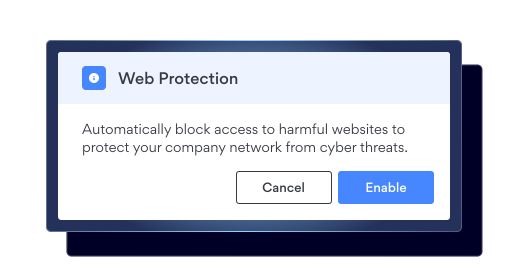
Block access to malicious websites or phishing pages and prevent users from downloading malware-infected files before they can harm your business. You can also prevent unauthorized sharing of sensitive data on unapproved platforms or web apps, and limit copy, paste and file transfers where needed.
Extend browser security to your remote workforce
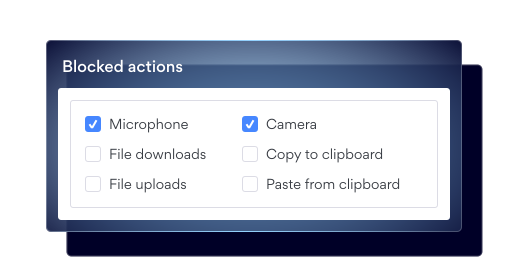
Protect corporate data when employees access resources from personal or unmanaged devices. Built-in Browser Data Loss Prevention (DLP) lets you block or control copying, pasting, and sharing sensitive data, helping reduce the risk of data leakage even when users work remotely or use unmanaged devices.
See and control where your team browses online
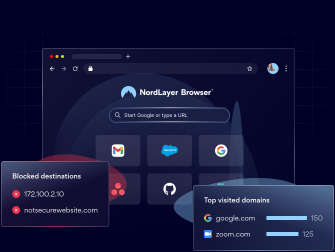
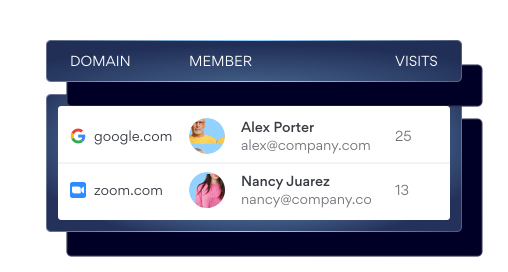
Track which domains your team visits and spot harmful sites before they become problems. Detect unapproved web app usage and block access to non-work-related sites with DNS Filtering and the Web Application Control – giving you more visibility, control, and a safer, more productive browsing environment for your team.
Route traffic intelligently based on your policies
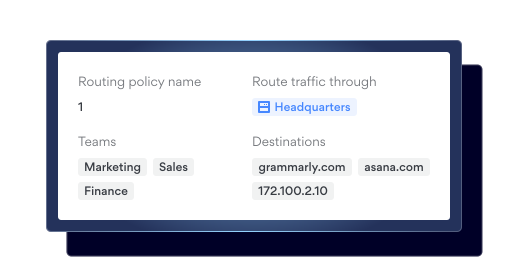
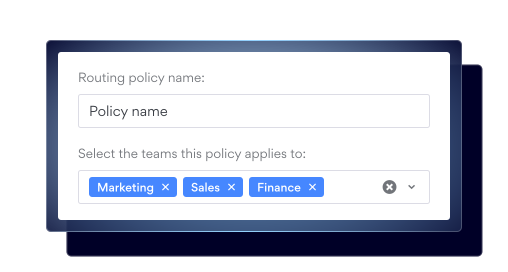
Apply routing policies to send NordLayer Browser traffic through specific gateways – or direct paths – based on your organization-defined rules (like teams and domains). The browser automatically selects the right route, so your remote workforce can access web apps from anywhere without manual setup.
SIMPLE SETUP
How to start using NordLayer Browser
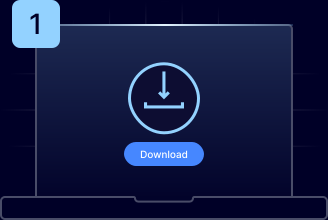
Download the app
Download NordLayer Browser for Windows or macOS and launch it.
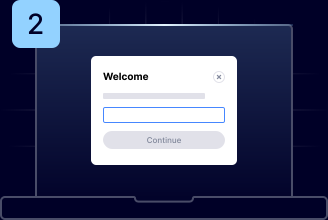
Enter your org ID
Sign in using the organization ID provided by your IT administrator.
Start browsing
Access everything you need, with all security controls already in place.
A unified approach to cybersecurity
Bringing together industry-leading security tools to create a flexible, scalable, and powerful ecosystem that protects businesses of all shapes and sizes.


NordLayer
A toggle-ready network security platform that provides cybersecurity solutions for businesses of any size or work model.

NordVPN
A world-leading VPN that encrypts internet traffic and protects online identity, ensuring privacy and security anywhere.

NordPass
A secure and intuitive password manager that simplifies storing, managing, and accessing credentials safely.

NordStellar
A real-time threat intelligence tool that monitors the dark web and helps businesses detect and prevent cyber threats before they strike.
resources
Learn more about the Enterprise Browser

DIVE DEEPER
Explore more NordLayer Browser solutions
Observability
Additional info
Frequently asked questions
An enterprise browser is a web browser designed specifically for business use. It comes with advanced security, compliance, and work optimization features to help organizations protect themselves against cyber threats and improve team productivity. It ensures stronger data protection, Data Loss Prevention (DLP), centralized security management, and real-time user activity observability—allowing companies to detect and mitigate both internal and external threats early. According to Gartner, enterprise browsers will become the core platform for workforce productivity and security by 2030.
Designed with enterprise security in mind, an enterprise browser incorporates advanced security features directly into its architecture. The company’s security teams can then enforce and manage these controls and monitor user activity within the browser to mitigate risks like data leakage or unauthorized access.
The main difference between an enterprise browser and other browser security solutions is that the enterprise browser is designed as a complete, managed browsing environment for corporate use. Unlike plugins or extensions, which let employees continue using their preferred browsers while adding security, enterprise browsers offer enhanced security by design. They also provide centralized management and integrate with other business infrastructure, such as identity management systems.
SSE is a framework that contains multiple security practices to secure and protect a business network. An enterprise browser, on the other hand, is a specific solution that contributes to the SSE framework.
Traditional consumer browsers often lack centralized management and Zero Trust security controls to effectively protect sensitive business data. To address these shortcomings, a secure enterprise browser delivers a dedicated security layer, centralized management, integration with other business infrastructure, and streamlined productivity.
Yes, an enterprise browser can boost productivity by reducing time spent on IT troubleshooting and security incidents such as data breaches. Additionally, it is designed to be intuitive and user-friendly, offering employees a seamless experience within a secure environment. Productivity is further increased because administrators can control the web environment by creating DNS-level filtering settings and restrictions. Plus, end users don’t need to manually switch between private gateways because the enterprise browser handles this routing automatically.