Anastasiya Novikava
Copywriter
Anastasiya believes cybersecurity should be easy to understand. She is particularly interested in studying nation-state cyber-attacks. Outside of work, she enjoys history, 1930s screwball comedies, and Eurodance music.
Summary: Remote employee monitoring works best when it protects data (not productivity) with clear rules and strong controls.
Many firms still lack consistent remote controls. Only 31% report that they use a VPN for staff who connect remotely, and 40% use multi-factor authentication (MFA). That’s not good news, as unsecured remote access to company information increases the risk of data leaks.
This article outlines an approach for remote employee tracking and data leak prevention. It explains how data leaks happen in a remote workforce, reviews different monitoring models, shows where to apply data loss prevention controls, and defines privacy limits that organizations can clearly communicate to employees.
In a remote environment, data creation, access, and sharing moves outside the office perimeter. On top of that, it makes regular work events (e.g. copy/paste, uploads, shares) more important to data security.
According to the UK’s National Cyber Security Centre (NCSC), common paths which insiders can use to exfiltrate data are all everyday tools. Some of them are:
Close the tabs on browser threats. Open one for security
Your first line of defense starts at the Business Browser
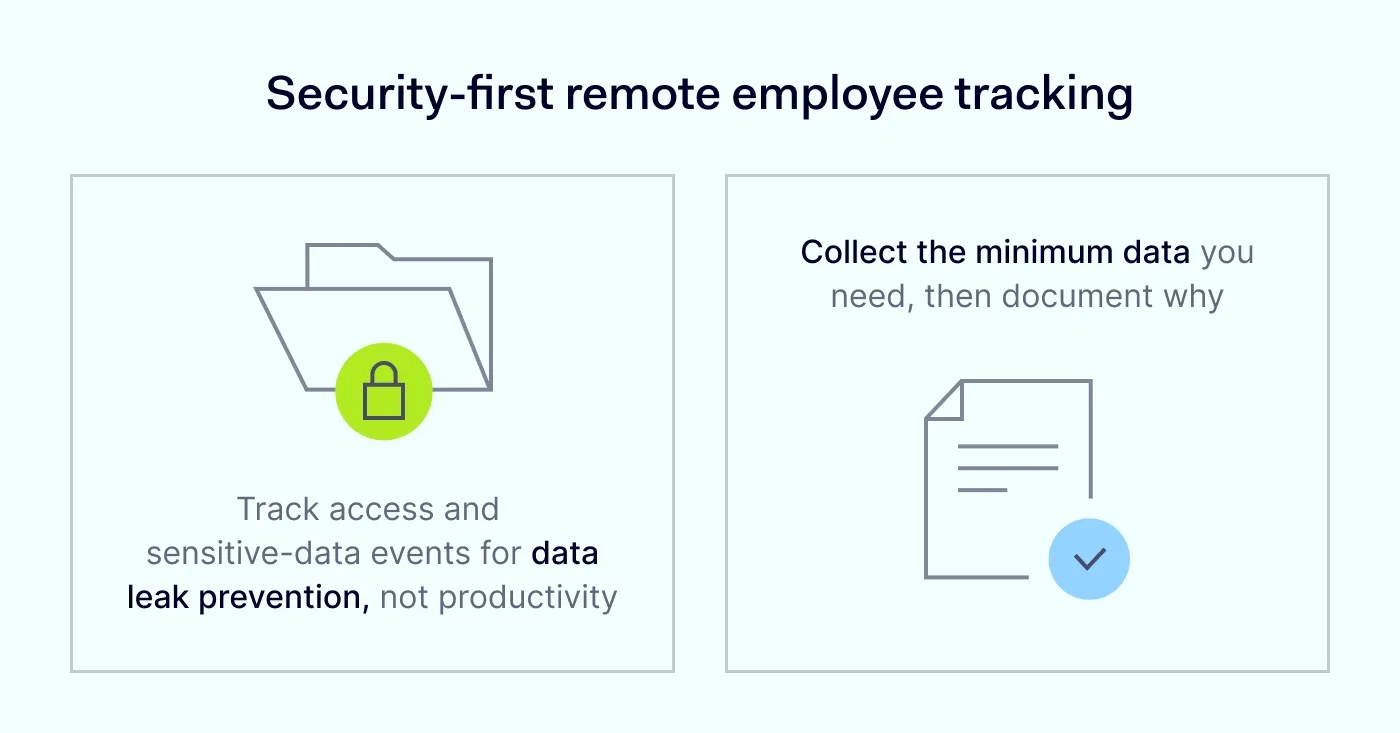
Responsible remote employee tracking is crucial because “responsible” means you should track remote work in a risk-based way, with data security as the goal. Many companies present this kind of monitoring as a productivity tool. However, for data leak prevention, the better framing is “visibility that protects systems and confidential information.” Employee tracking, when used excessively, can become invasive and threaten workers’ rights.
It’s important to skip unreasonable data collection. Collect only what you need to protect data and investigate security incidents.
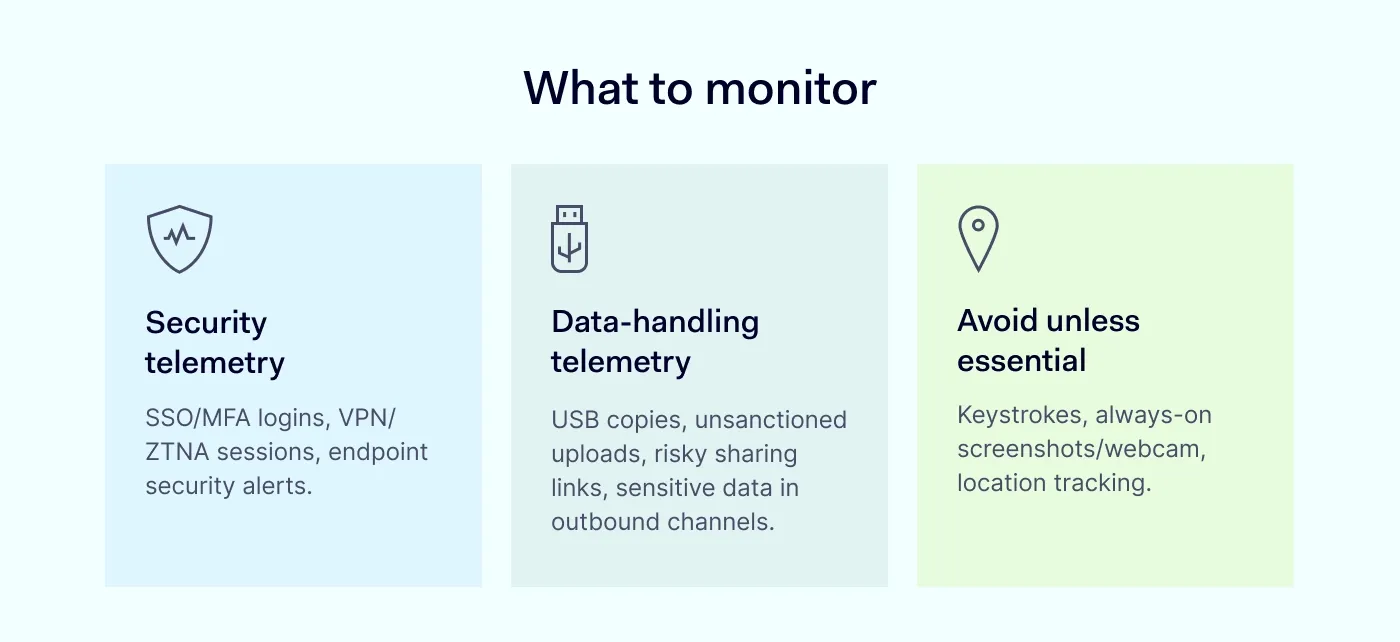
Collecting logs that protect access and infrastructure is reasonable for most organizations. For example:
You should track these events as they might point to leak risk:
These are the tools that organizations can use only with a specific need, documented controls, and legal review:
These methods can create legal exposure and damage trust fast. If your security program depends on these measures, you have likely missed more standard, lower-risk controls like security and data-handling telemetry.
Overall, aim for the smallest set of signals that supports incident prevention and investigation, and document why each one matters.
Remote employees work with sensitive data that moves across home Wi-Fi, personal devices, browsers, and SaaS sharing links. To stop unsafe actions before they lead to breaches, a practical data leak prevention strategy can help you close the most common exit points for critical data.
DLP rules only work when they target clear data types. If you skip classification, teams end up blocking actions without a clear reason, and employees learn to work around the controls.
You can start with 3 basics:
Employee training belongs here too. Most sensitive data leaks happen through ordinary workflows. In order to help you make your rules a habit, you can use NIST’s guidance on building a cybersecurity and privacy learning program.
As broad access causes broad damage, it’s important to reduce the blast radius. If remote workers can access too much data, a hacked account can leak a lot more than it normally would. Strong access control also makes logs better and speeds up investigations when something goes wrong.
To sum up, in order to protect resources, use SSO, MFA, and access controls. Device posture checks are particularly helpful when endpoint consistency is difficult to ensure due to BYOD.
Teams should add controls where data gets handled most, because remote work routes information through multiple channels. Email rules won’t apply to browser uploads, and network controls won’t always catch what happens inside SaaS apps or web sessions. Layered controls across data in motion, data at rest, and data in use give you better coverage.
Sounds simple: if you protect data in motion, at rest, and in use, you enable remote workers to use necessary workflows while blocking common leak paths.


Privacy also supports security controls: when people trust the rules, they follow them. Across Europe, regulators look for compliance with core principles such as purpose limitation and data minimization. For example, in the UK, the Information Commissioner’s Office has noted that employee monitoring increased alongside work-from-home changes and technology shifts, which is why regulators now focus on protecting employees’ privacy.
Employee consent may be enough on paper, but in practice, it’s often shaky because of the power imbalance in employment.
The European Data Protection Board’s consent guidance explicitly calls out that imbalance. According to this document, it’s unlikely that employees can refuse employee monitoring without fear or real risk of negative outcomes, which makes “freely given” consent nearly impossible to prove. The same EU guidance notes that employers may rely on employees’ consent only in exceptional cases where refusal has no adverse consequences – which is hard to define.
What an organization can do instead:
Overall, your compliance argument shouldn’t depend mainly on employees consent because such a legal basis often doesn’t hold up under scrutiny.
Existing enforcement examples show what regulators treat as unlawful. They also help you put to test your plan before you roll it out across a remote workforce. If your monitoring approach has already triggered action elsewhere, treat change your design early.
To sum up:
The Business Browser can support remote employee tracking and data leak prevention through adequate, lawful means. Instead of monitoring everything a person does, you can control how sensitive data is handled inside the browser, ensure security, and avoid collecting anything irrelevant.
Essentially, you need a set of rules that close the most common gaps for remote workers, and then run a simple feedback loop: review incidents, tune controls, and repeat. A one-month plan could be a good starting point.
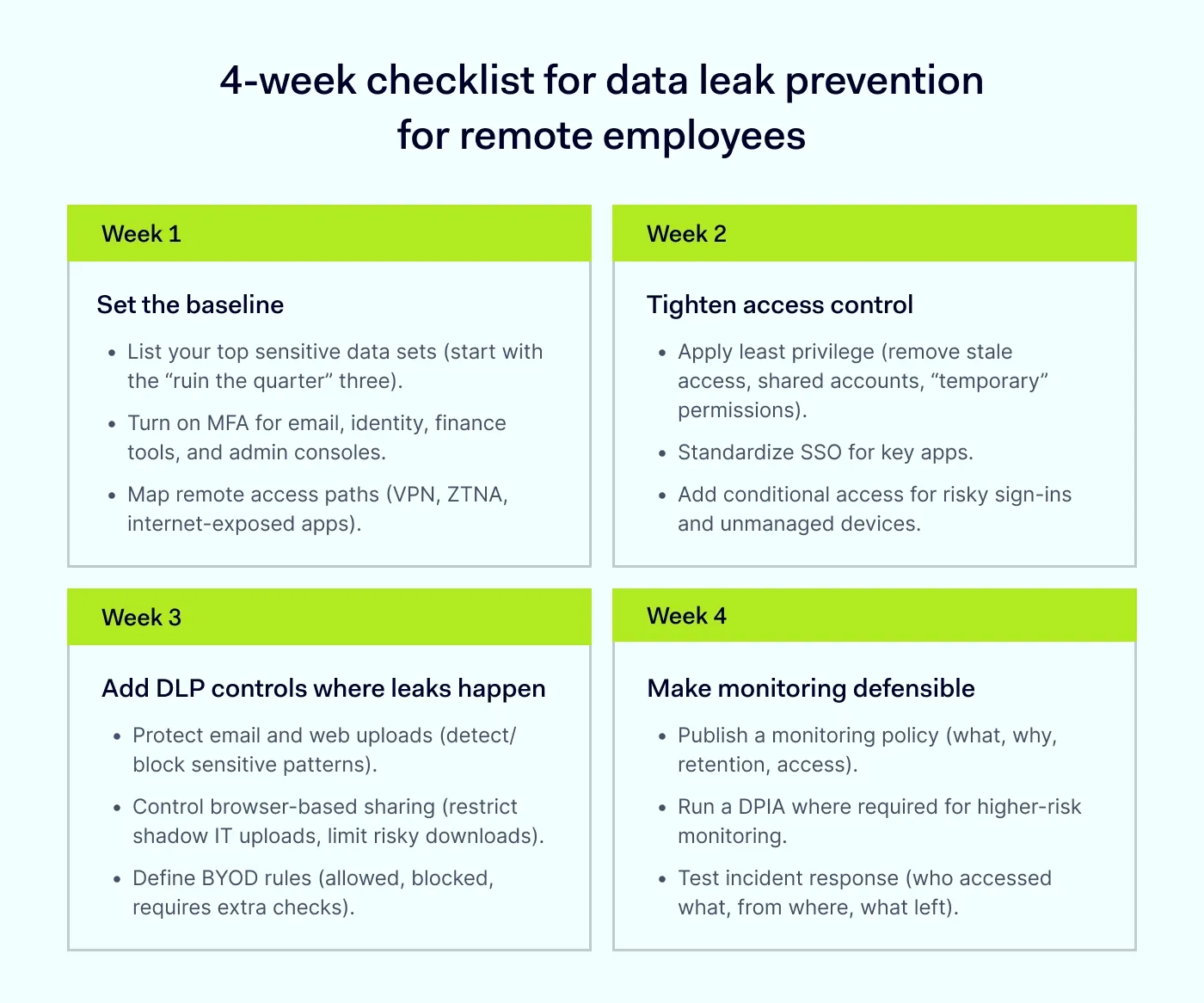
If you finish the month with stronger identity, narrower access, practical DLP controls, and a transparent monitoring policy, you will improve data security for remote employees without treating the workforce like suspects.
Responsible remote employee tracking can benefit both the business and, surprisingly, employees when it focuses on data security and risk-based controls. The main payoff is fewer data leaks and faster incident response.
For the business | For the employees |
|---|---|
Better data security. Employee tracking helps reduce the risk of costly data breaches and protect sensitive data. | Secure remote work. They can keep flexibility without turning common workflows into risk. |
Regulatory readiness. You’ll be able to prove due care through prepared logs, controls, and documented decisions. | Reduced insider-risk fallout. If one person makes a mistake, the rest of the team is protected from its impact. |
Faster incident response. It’s easier to investigate data loss with clear audit trails. | Clear expectations. People know the rules for handling sensitive data. |
Reputation protection. If you avoid major leaks, the brand won’t be damaged. | More fair conversations. Discussions about access risk and policy violations become easier as there are objective signals. |
To sum up, remote employee tracking and data leak prevention work best when you treat leaks as workflow problems. To make the process easier, organizations should map the routes where sensitive data escapes, and then apply DLP controls across data in motion, at rest, and in use. When you focus employee tracking on security and data handling events, you protect both your business and remote workers from incidents and possible chaos.
Keep remote employee tracking proportional, transparent, and documented. If you want help designing the right mix of controls, contact our sales.
Anastasiya Novikava
Copywriter
Anastasiya believes cybersecurity should be easy to understand. She is particularly interested in studying nation-state cyber-attacks. Outside of work, she enjoys history, 1930s screwball comedies, and Eurodance music.
Subscribe to our blog updates for in-depth perspectives on cybersecurity.