Zero Trust browsing for employees
Enforce Zero Trust principles at the browser level to verify every user session, tighten access controls, and prevent data leakage from network to endpoint.

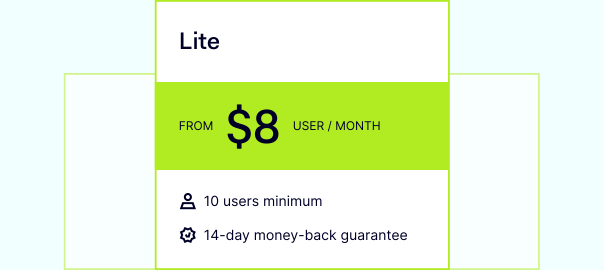
14-day money-back guarantee
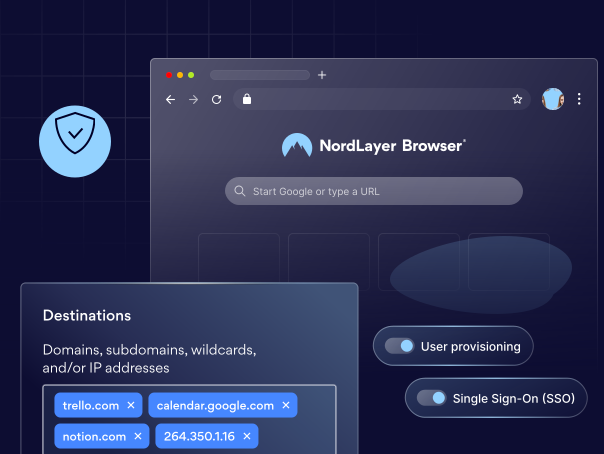
THE NEED
What your company gains from Zero Trust browsing
Your Zero Trust strategy protects the network, but your team works with web-based SaaS tools. Here's what you gain by extending Zero Trust coverage to the browser.

Detect and respond to security incidents faster
Log every browser session by user, device, app, and action, giving security teams clear visibility for audits, investigations, and compliance.

Control access with granular permissions
Allow or block specific web apps and actions like microphone and camera access, downloads, or clipboard use without exposing more resources than necessary.

Secure work with BYOD, contractors, and partners
Ensure external users can only access approved company apps through the managed browser, without exposing your internal network or granting broad VPN access.

Stop account takeovers before they spread
Constantly verify user identity so stolen passwords alone can’t be used to access sensitive apps or data.

Improve productivity without weakening security
Give employees a single pre-configured browser so they can securely access all the apps and tools they need in one place.
Extend Zero Trust to where work really happens
Most work-related apps have moved to the browser. Your security strategy should too.
features
How NordLayer Browser enables Zero Trust
Secure every connection with intelligent routing, identity verification, and centralized access control.
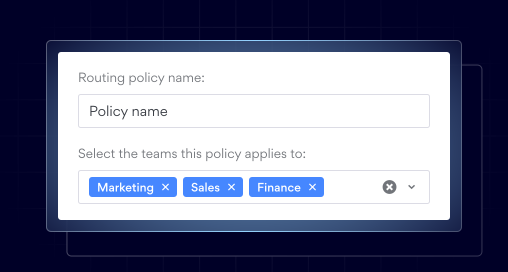
Policy-Based Routing
Enforces Zero Trust access by automatically separating and securing traffic based on pre-defined policies. This ensures sensitive data stays secure, improves performance by reducing latency, and removes the need for additional network segmentation hardware.
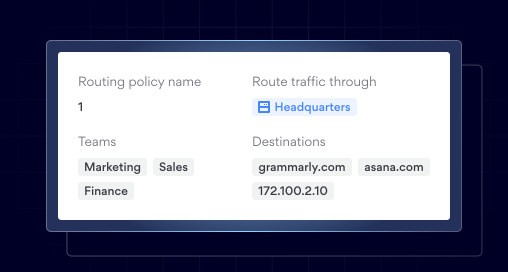
Browser Traffic Segmentation
Restricts access to internal resources by routing browser traffic through specific Private Gateways. It ensures users can access only the resources assigned to them and prevents exposing all internal web applications through a single path.
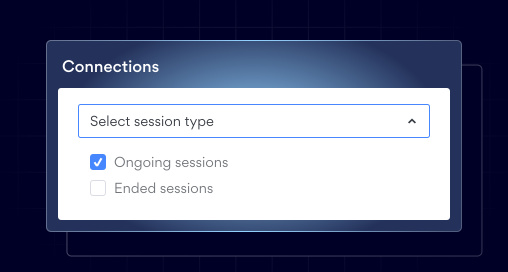
Browser Session Timeout
Defines how long a user’s logged-in session on a web app can stay active before ending automatically. This helps prevent sessions from staying active indefinitely and reduces issues from unattended or forgotten sessions.
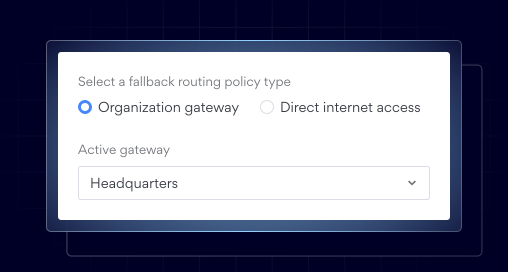
Browser Secure Tunneling
Allows browser traffic to reach private company resources without making them publicly available. As a result, users can securely access internal web tools directly in the browser through a Private Gateway.
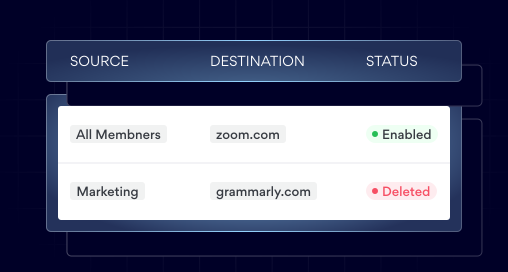
Browser Firewall
Controls access to internal resources and cloud tools by specifying which connections are allowed and which are blocked. It prevents browser access to specific systems and reduces the risk of internal services being accidentally or unnecessarily exposed.
Ready to test Zero Trust browsing with your team?
See how NordLayer Browser helps close the security gaps that traditional network security can't reach.
THE BENEFITS
What extra value will NordLayer Browser bring to your business?

Get built-in protection
Keep sensitive data shared inside the browser protected without installing add-ons, agents, or extra software.

Speed up adoption
Deploy in minutes with a familiar browsing experience that requires no retraining, making onboarding fast for users and effortless for IT.

Keep things consistent
Standardize and enforce strict browser policies across all users and devices, and give your admins full visibility over what’s happening in your SaaS workspace.

Streamline compliance
Centralize governance with full visibility of in-browser SaaS activity and get clear audit trails to simplify compliance and reporting.

Reduce IT resources
Quickly secure BYOD and remote access without requiring any complex network setups that drain IT hours and budget.
RESOURCES
Learn more about Zero Trust browsing


Additional info
Frequently asked questions
A Zero Trust browser is one built with Zero Trust security principles at its core. It verifies every request and session continuously, enforces granular access policies for websites, web applications, and SaaS tools, and protects sensitive data by controlling what users can do within browser sessions. This way, organizations can ensure only authorized users can access the resources they need to work, without relying on heavy endpoint agents.
A regular browser assumes the network and endpoints are trusted, provides only basic security features like HTTPS and pop-up blocking, and grants full access once authenticated. A Zero Trust browser never assumes trust and continuously verifies user identity, device health, and context throughout the session. It enforces adaptive policies based on risk factors like user role, location, and application sensitivity, while providing granular controls over actions like copy/paste, downloads, and screenshots, with detailed session monitoring to prevent data loss.
Modern work happens increasingly in the browser, with most SaaS and web applications accessed this way by remote and hybrid workforces. This creates an expanding attack surface where phishing, malicious websites, and browser-based attacks are growing, while sensitive information can be easily copied, downloaded, or shared from browser sessions. A Zero Trust browser addresses these challenges by integrating security controls directly into the browsing experience.
Zero Trust browsers allow secure access to corporate web applications from unmanaged or personal devices without installing heavy endpoint agents. They enable organizations to enforce usage policies and redirect users to approved alternatives. These policies are enforced at the browser level, ensuring that company data remains protected while giving employees, contractors, and partners a seamless user experience.
A Secure Web Gateway works at the network perimeter, filtering web traffic, blocking malicious sites, and inspecting content in transit. It asks, "Should we allow traffic to this website?" A Zero Trust browser, on the other hand, operates within the browser session itself, enforcing granular policies on user actions and data. It asks, "What specific actions should this user be allowed to perform within this application right now?"
Many organizations deploy both technologies together: SWGs for perimeter defense and threat filtering, and Zero Trust browsers for session-level control and data protection.