Summary: Is traditional VDI holding your security and growth back? Discover the top modern VDI alternatives and learn what to consider when choosing a truly secure remote access tool for your team.
For years, VDI (virtual desktop infrastructure) has been the solution for centralizing control and delivering remote desktops. But let’s be honest: it has become the definition of complexity. It’s expensive to maintain, difficult to scale, and often pushes your security team into compliance-heavy operational work. When modern threats demand agility and users expect seamless access, traditional VDI infrastructure is starting to look less like an asset and more like a liability.
The world of secure access demands a reset. The requirements have changed: we need Zero Trust principles, minimal user friction, and simplified administration. If you’re tired of managing VDI complexity, this article is your next step. We’ll review high-impact VDI alternatives and show you how to eliminate the complexity and costs, secure your access points, and implement a remote work strategy that matches today’s security and scalability needs.
Key takeaways
The high costs of hardware and the constant administrative effort make traditional VDI setups a bottleneck for modern teams.
Moving away from VDI allows you to stop trusting "locations" and start verifying every single identity with the Zero Trust framework, which lowers your risk.
Modern alternatives like DaaS and enterprise browsers reduce the lag and friction that often drive employees to bypass security protocols.
Tools that allow you to limit connections to specific apps—rather than the whole network—ensure that one compromised account doesn't lead to a total breach.
As work moves to the web, the business browser is emerging as the most direct way to secure sensitive data without managing full virtual desktops.
What is VDI, exactly?
Virtual desktop infrastructure (VDI) is a system where virtual desktops are hosted on centralized servers—usually on-premises—and delivered to end-users over a network to access from their devices. It’s similar to running a separate operating system instance (OS instance) for every employee, but those instances live in your data center, not on their laptop.
A decade ago, the solution to centralizing control and managing environments was VDI. It delivers a full, persistent remote desktop experience. However, this level of control comes with a catch: it requires huge upfront hardware costs, nonstop infrastructure management, and painful operational expenses. This is what defines the complexity of traditional VDI solutions and why organizations are now seriously considering simpler, more flexible VDI alternatives.
Why organizations rethink VDI and consider alternatives
Traditional VDI solutions were built for a different time—one where everyone was working inside the company office walls. That model no longer aligns with how modern organizations operate. It’s a necessary strategic shift driven by three core pressures: cost, complexity, and an inability to deliver the enhanced security modern work demands.
Here are the critical reasons security leaders are ditching the old way and looking for high-impact VDI alternatives:
1. The cost and complexity
Even if the promise of VDI was centralizing control, the reality is that it centralizes overhead. The initial hardware investment is only the starting point. You are continuously funding capacity planning, managing license keys, and fixing server issues.
VDI demands persistent investment in compute, storage, and networking. These high costs drain the budget that should be allocated to innovation, not maintenance. Managing the entire VDI technology stack, from the core to individual virtual desktops, is also a full-time, resource-heavy job.
2. The security model is outdated
VDI offers containment, but its security model is fundamentally flawed for the world we live in. It assumes security once users access the system, which is exactly the type of assumption Zero Trust was designed to eliminate.
VDI lacks the native security features needed for modern access control. Achieving real data security for sensitive data means costly third-party layering, which only complicates things and increases risk. VDI solutions simply cannot match the granular control and segmentation that modern tools provide out of the box.
3. Friction kills the user experience
A security tool that frustrates users is one they are more likely to bypass. For many teams, VDI has become synonymous with slow logons and frustrating performance lag.
Users access their remote desktop and immediately face latency, which slows down workflow and frustrates employees doing crucial remote work. Simple tasks become cumbersome. The friction quietly undermines adoption, forcing IT to constantly deal with help desk tickets instead of strategic projects.
Related articles

Andrius BuinovskisFeb 19, 20257 min read

Agnė SrėbaliūtėJan 26, 20267 min read
TOP VDI alternatives
VDI alternatives mean a new way to handle remote access. The goal is simple: get Zero Trust security and reduce infrastructure maintenance. If you’re ready to stop maintaining legacy VDI solutions and start enabling secure, seamless remote work, these are the high-impact solutions you need to evaluate now:
Secure enterprise browsers
This is the newest, most disruptive entry into the access game. Instead of streaming a bulky virtual desktop or application from a distant server, the enterprise browser’s approach focuses on making the endpoint itself a hardened control point for remote access.
| |
|---|
Zero Trust from the first click. Browsers are built with integrated security features to isolate web sessions, control data transfer, and prevent malware—adding a critical layer of protection for every web-based application. | Web-only access. This model is highly effective but only supports web-based applications (SaaS, internal web apps). |
Simple user experience. It feels just like using a regular browser, instantly boosting user experience and adoption for remote teams. | Not a full desktop replacement. It cannot run traditional local client-server applications that require a full operating system environment. |
Operational efficiency. You simplify employee onboarding and centralize policy management into one place. This gives IT clear visibility and control over browsing, reducing the time and resources usually spent on manual troubleshooting. | |
Virtualized applications (app streaming)
This is the focused, lighter cousin of VDI. If your team only needs one or two specific, legacy applications—not a whole remote desktop—you can stream just the application itself.
| |
|---|
Targeted delivery. You only publish the application, which simplifies licensing and reduces the bandwidth required compared to full VDI. | Limited scope. While it solves the problem for isolated apps (like a specific finance tool), it doesn’t scale well or manage the modern user workflow that requires multiple tools. |
Better performance. Because you’re only streaming the application window, user access generally feels quicker than trying to run an entire virtual desktop instance. | Still infrastructure. You still need to host and manage the underlying operating system and application server, which means a high maintenance effort. |
Desktop as a Service (DaaS)
Desktop as a Service (DaaS) is essentially VDI migrated and managed by a cloud provider (like AWS, Azure, or Google Cloud). It’s one of the primary VDI alternatives for companies that like the VDI model but don’t want to own the hardware.
| |
|---|
No hardware costs. You remove the capital expense and the painful reality of managing physical servers, allowing for easier scaling of your remote work strategy. | OS management is still yours. The provider manages the infrastructure, but you still manage the operating system images, application patching, and user environments—the core complexity of VDI remains. |
Pay-as-you-go model. Shifts the financial model from CAPEX to OPEX, offering greater elasticity for seasonal or project-based teams. | High run rate. While upfront hardware costs are gone, the cloud consumption model can lead to unpredictably high costs if resources aren’t meticulously managed. |
Things to consider when choosing modern remote access tools
Migrating away from legacy VDI solutions is a major decision. Before adopting any of the VDI alternatives like enterprise browsers or Desktop as a Service, you need to apply a rigorous checklist.
Forget marketing buzzwords and focus on the practical outcomes. The tool you choose must:
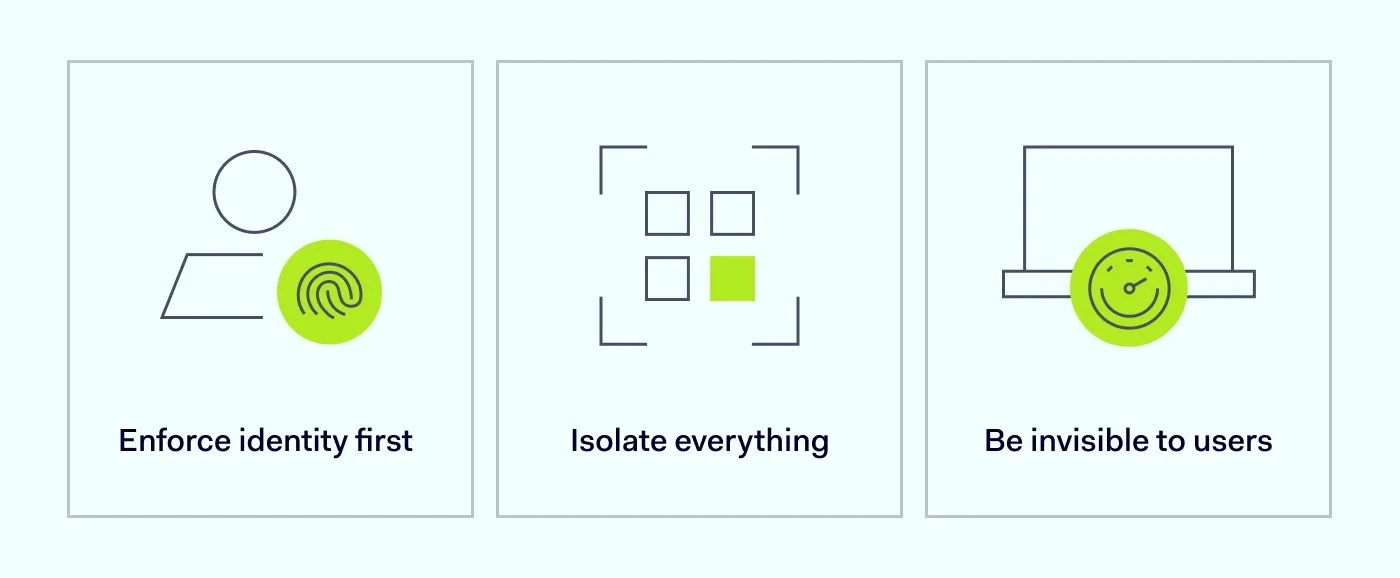
Enforce identity first. Does it check who the user is, every time? Demand Zero Trust access built on continuous identity verification and seamless integration with your existing SSO. No more trusting an employee just because they’re connected.
Isolate everything. Can you limit access down to a single application? Look for micro-segmentation capabilities to ensure users access only what they need, keeping breaches isolated and protecting sensitive data. Make sure it logs everything for compliance.
Be invisible to users. If the tool is clunky, people will avoid it. Insist on fast, reliable remote access and a simple implementation process that doesn’t create tickets for IT or ruin the employee’s workflow.
How NordLayer can help
The limitations of traditional VDI solutions are real: you’re trapped between sky-high costs and outdated security. At NordLayer, we saw the fundamental flaw and built a solution around the reality of modern work. Our platform is designed to replace that operational complexity with a cohesive Zero Trust model that actually simplifies life for IT and delivers a great user experience for your teams.
We cover all the bases we just prioritized, but we do it without unnecessary complexity:
Access is about identity, not location. We eliminate the idea of trusting a user just because they are "on the inside." NordLayer integrates seamlessly with your existing SSO (identity provider), making every single connection identity-driven. Your users access resources only after verification, every time, giving you confidence and reducing credential management.
Contain the risk. We give you the granular control you’re missing. Our platform allows you to limit connections across your network, ensuring users only connect to the specific applications they need. This means if one user account is ever compromised, the breach hits a dead end, protecting your data and giving you the audit logs you need for total compliance.
NordLayer Browser. Think of it as a way to handle things like
Data Loss Prevention (DLP) and shadow IT without the usual friction. The NordLayer Browser provides a clear view into how data is being used and granular control over your most important apps. You get to see exactly what’s happening in real-time, making sure sensitive workflows stay safe and your team stays productive—all without the overhead of a full virtual desktop setup.

Aistė Medinė
Editor and Copywriter
An editor and writer who’s into way too many hobbies – cooking elaborate meals, watching old movies, and occasionally splattering paint on a canvas. Aistė's drawn to the creative side of cybercrime, especially the weirdly clever tricks scammers use to fool people. If it involves storytelling, mischief, or a bit of mystery, she’s probably interested.