Shadow AI: see what AI tools employees use
- Find shadow AI across web and desktop apps, including unapproved tools.
- See who uses each tool, which teams use it, and where usage grows.
- Review flagged activity and investigate findings by employee or app.

Try every feature risk-free for 30 days
15,000+ businesses trust NordLayer to stay secure, compliant, and in control



39.7% of data entering AI tools is sensitive.
Source: Cyberhaven Labs

47% of employees use AI through personal accounts
Source: Netskope

Only 37% of organizations can detect shadow AI usage.
Source: Vectra AI

The cost of breaches rises by $670k when shadow AI is present.
Source: IBM
WHY VISIBILITY MATTERS
The hidden risks of shadow AI
Employees adopt new AI tools, use personal accounts, and run coding agents without IT’s knowledge. Security teams then struggle to assess risks, investigate findings, and apply the right controls.

Exposure of sensitive company data
Employees can enter confidential data or upload sensitive files to unapproved AI tools. Without visibility, this can lead to data leaks that are difficult to detect, trace, and contain.

Financial losses and reputational harm
Legal costs, regulatory fines, and operational downtime can quickly add up. Customers may also hesitate to share sensitive data with a company that has failed to protect their information.

Compliance and regulatory risks
Using unapproved AI tools to process sensitive data can put GDPR, HIPAA, and other compliance regulations at risk. Limited records make it harder to enforce policies and demonstrate compliance.

Wider attack surface
Every unsanctioned AI tool introduces another service, account, or integration for IT to manage. Tools operating outside of company security controls can create vulnerabilities that remain hidden and unmonitored.
Turn AI blind spots into clear next steps
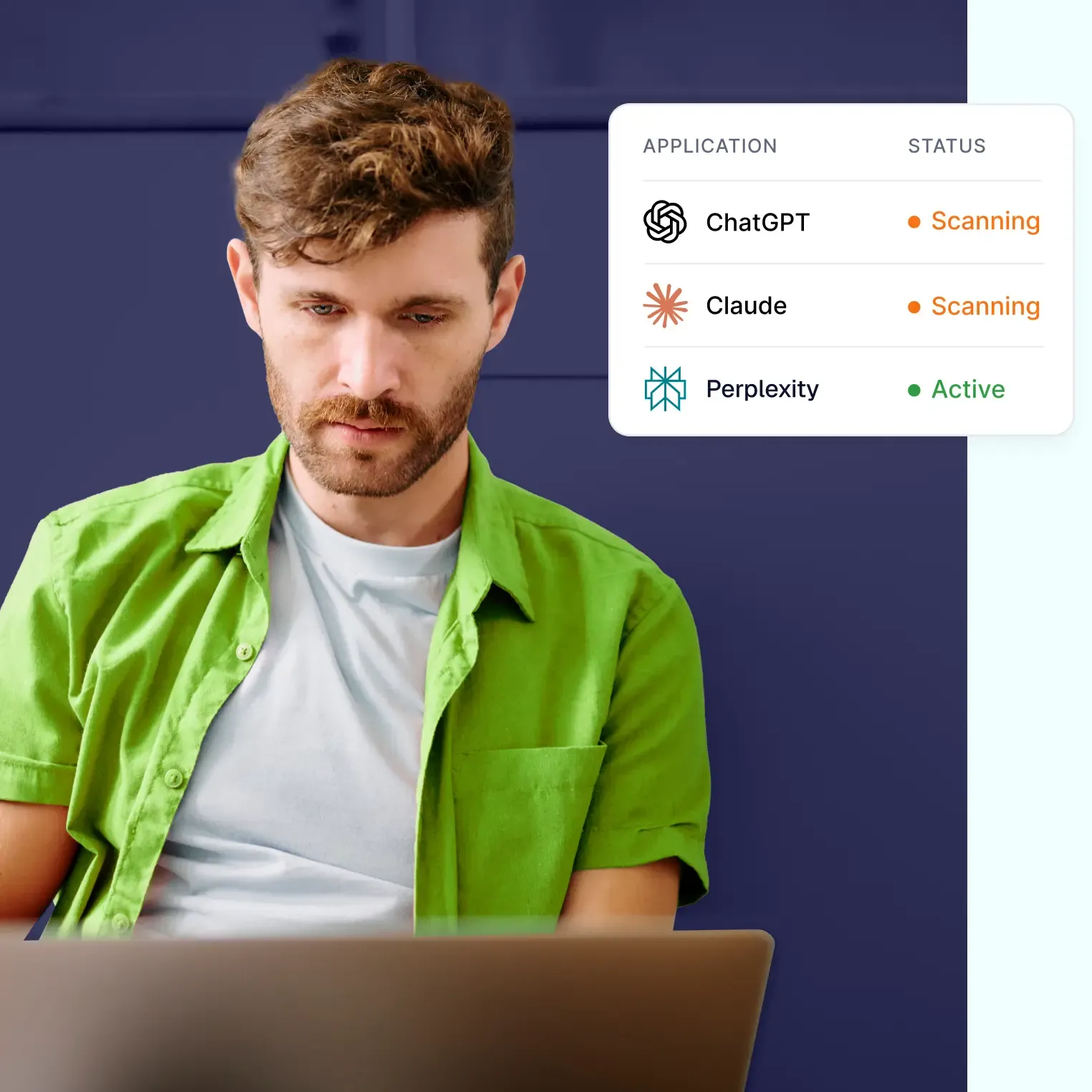
See which AI tools employees use without your knowledge, investigate risky activity, and turn findings into clear security decisions.

Try every feature risk-free for 30 days
HOW SHADOW AI DISCOVERY WORKS
Bring hidden AI usage into the light
Employees access AI tools through the browser and desktop apps, so NordLayer AI Scout covers both: a managed browser extension captures activity in supported web AI apps, while a lightweight desktop sensor reads supported session files from coding agents.
Web AI apps
See which AI tools employees use in the browser
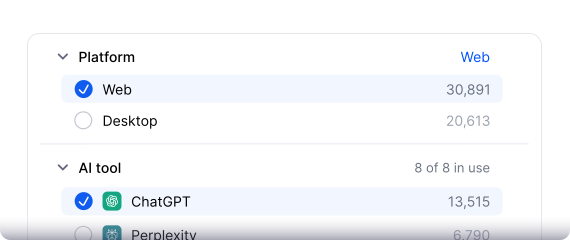
Deployed to managed browsers, the extension detects supported AI apps and records which tool was used and what was submitted in the prompt.
- Covers ChatGPT, Claude, Gemini, Copilot, Perplexity, DeepSeek, and HuggingChat.
- Captures user prompts and AI conversation transcripts.
- Shows page URL, title, and what initiated the request.
- Includes attachment metadata: file name, type, and size.
DESKTOP AI apps
See activity in desktop AI apps and coding agents
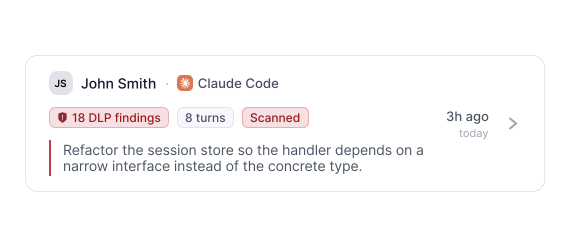
The desktop sensor reads supported local session files as they update. It reconstructs multi-turn sessions and reports the tool, user, and any detected findings.
- Covers Claude Code, Cursor (agent + composer), Antigravity, Codex, Claude Desktop (agent mode), Cline, Kilo Code, OpenCode, Zoo Code, Pi, and OpenHands.
- Captures user prompts, assistant reasoning, and tool calls.
- Observes local session files as they update, without interrupting active work.
FULL VISIBILITY
Track AI usage from a single dashboard
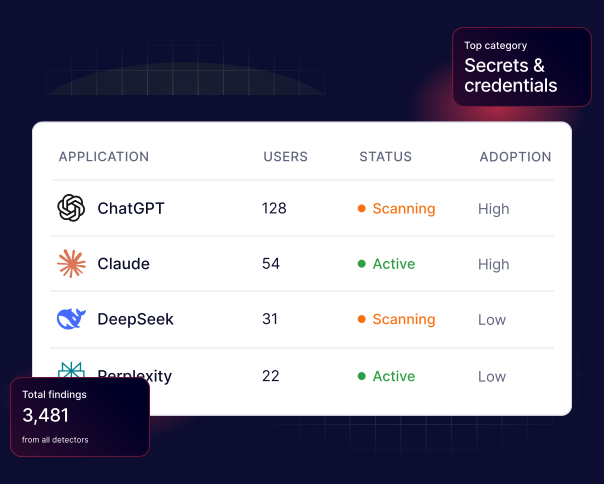
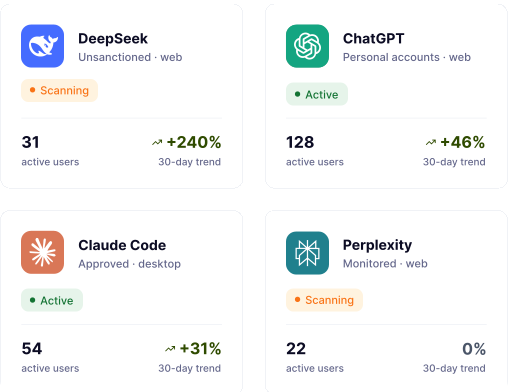
See each tool’s approval status, risk level, number of active users, and AI usage trends. Quickly spot unsanctioned apps, personal account use, and tools spreading across your workforce.
WHAT THE DATA SHOWS
The data you need to make the right call on AI risk

Risk band
Groups each AI tool as low, medium, or high risk, so your team can prioritize reviews.

Active users
Shows how many employees use each tool and how widely it has spread across your workforce.

Usage trend
Shows whether usage has grown, remained stable, or decreased.

Findings per app
Shows where sensitive data appears in flagged AI activity, helping teams focus their investigations.

Capture source
Shows whether activity was captured through a managed browser extension or desktop sensor.

Sanction status
Identifies whether each tool is approved, monitored, unsanctioned, or used through personal accounts.
Get an audit-ready record of AI activity
REVIEWS
Why IT teams worldwide choose NordLayer
See what customers say about NordLayer’s reliable protection, modern security capabilities, and ease of management.
In Security Service Edge category
NordLayer has been very accommodating in terms of our needs. They are flexible to cater timing of payments and also providing exclusive support
Everything is super efficient and easy: negociations, setup, dashboard, accounting, support
Very easy to set up and use and is very reliable. There are good security options to enable the configuration comply with security policies.
ADDITIONAL INFO
Frequently asked questions
Shadow AI is the use of AI tools, models, or features for work purposes without the knowledge or approval of the IT or security teams. Examples include unapproved apps, personal AI accounts, browser extensions, coding agents, and AI features built into SaaS platforms.
Shadow AI specifically refers to AI tools or features that are used outside of IT oversight. Shadow IT, on the other hand, covers any unapproved technology, including software, cloud services, devices, and applications. Therefore, shadow AI is a specific category of shadow IT that raises additional data security and governance concerns.
For example, an employee might use a personal ChatGPT or Claude account to summarize a confidential client document without IT approval. This could also include a developer adopting an unapproved coding agent or a team enabling an AI feature within a SaaS app without a security review.
Shadow AI can expose sensitive data, create compliance gaps, expand the attack surface, and make incidents harder to trace. It also prevents security teams from knowing which tools employees use, how quickly usage is spreading, and where additional controls may be required.
ChatGPT becomes shadow AI when employees use it for work purposes without the knowledge, approval, or oversight of the IT department – for example, through a personal account. However, if an organization has formally approved ChatGPT and implemented the appropriate access, data protection, and monitoring policies, its use is not generally considered shadow AI.
Organizations can detect shadow AI tools by monitoring activity across managed browsers and devices, maintaining an AI tool inventory, and reviewing usage by identity, app, and team. Usage trends, personal accounts, browser extensions, coding agents, SaaS integrations, and flagged prompts can all reveal activity outside of approved policies.
Effective shadow AI detection is the first step toward prevention. Organizations should define approved tools, provide secure alternatives, educate employees, monitor browser and desktop activity, protect sensitive data, and restrict unsanctioned services when necessary. Regular reviews help policies keep pace with changing AI use.