Protect sensitive data across AI agent workflows
Agentic AI data protection gives you visibility across prompts, files, tool calls, commands, and connected services. See how agents are used and what data moves through their workflows.
- See which AI tools, agents, and connected services are being used.
- Detect sensitive data across prompts and agent workflows.
- Track AI adoption with a complete audit trail.

Try every feature risk-free for 30 days
15,000+ businesses trust NordLayer to stay secure, compliant, and in control




The CHALLENGE
AI agents create new paths for sensitive data exposure

Agents can access data beyond the prompt
AI agents can read files, run commands, query internal systems, and pull data from other tools without an employee ever pasting that data into a chat. That makes sensitive data access and movement much harder to see and control.
MCP connections expand the attack surface
MCP servers can connect AI agents to services such as Google Drive, Linear, and Sentry, as well as to databases and local files. Each connection creates another path to company data, credentials, and external systems that security teams need to know about and control.
One prompt can trigger an entire workflow
A single request can lead to multiple model responses, tool calls, file reads, commands, and external actions. Looking at the chat alone can leave important activity unseen.
overview
Get visibility into what AI agents actually do
How NordLayer AI Scout delivers agentic AI data protection
AI agents can read files, call tools, run commands, and connect to external services without users manually pasting data into a prompt. NordLayer AI Scout reconstructs activity from coding agents like Claude Code or Cursor and scans the workflow on-device for sensitive data, giving security teams visibility beyond the chat window.
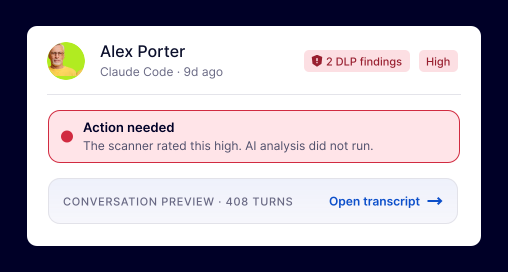
See the full agent session
Reconstruct the complete session behind a coding agent, including user and assistant messages, model reasoning, tool calls, inputs, outputs, and errors – not just what appears in the visible chat.
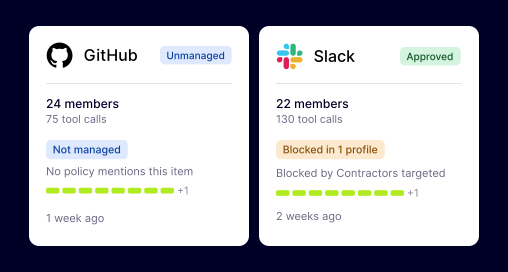
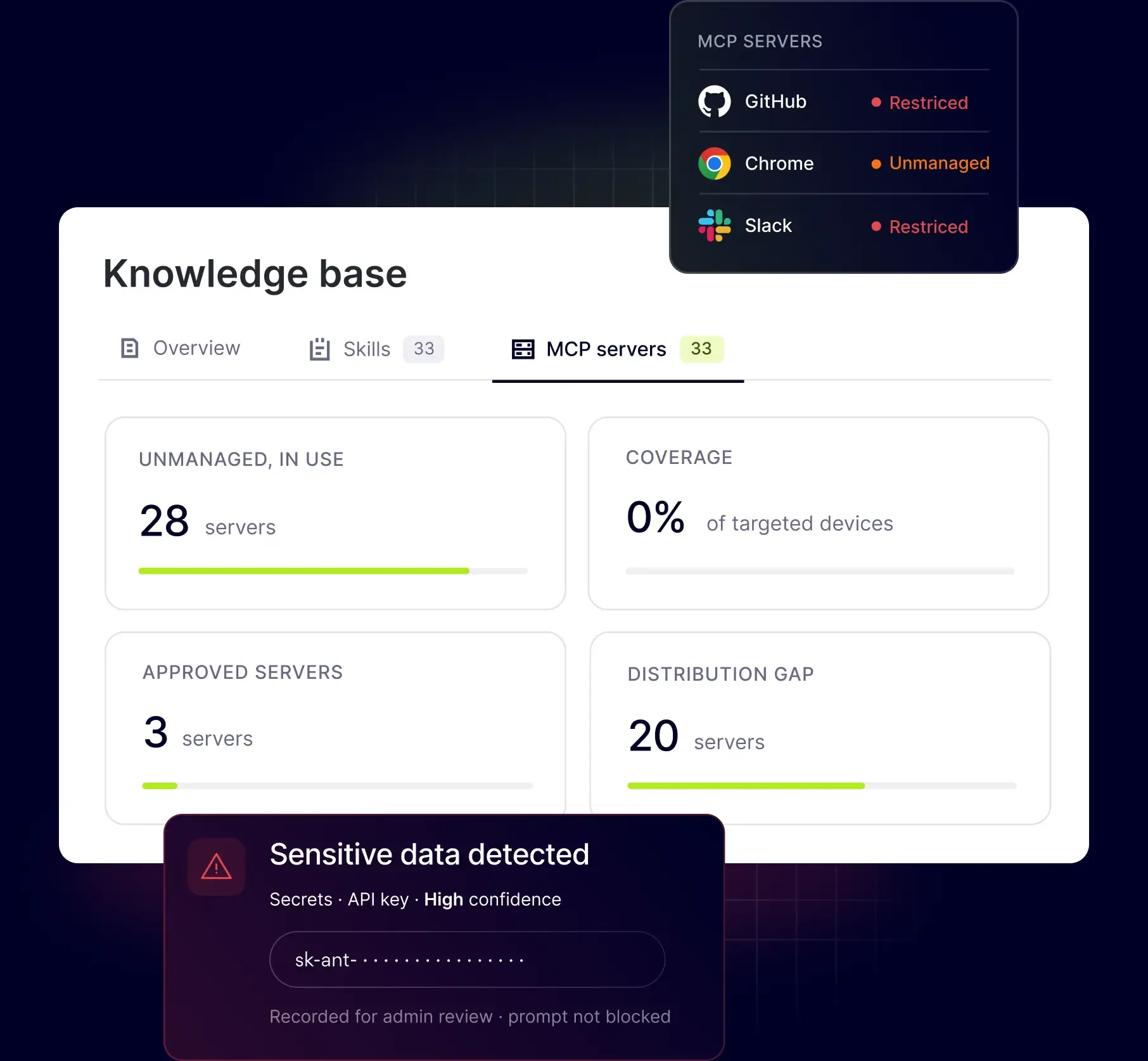
See and control MCP connections
See which MCP servers the coding agents connect to from various sources, including Google Drive, Linear, Sentry, and local files. Identify connections that reach external services or sensitive credentials, and allow or block specific MCP servers by organization, team, role, or MDM group.
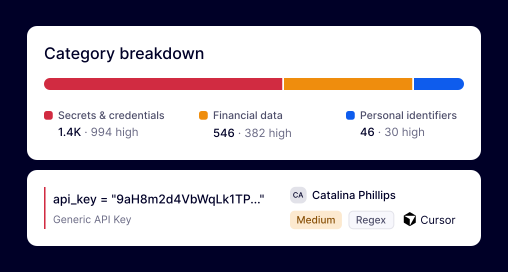
Detect sensitive data across the workflow
Spot and flag sensitive data across files, command output, tool activity, and model reasoning using built-in and custom rules. Detection runs on-device across the workflow, so sensitive data doesn’t need to leave the device to be checked.
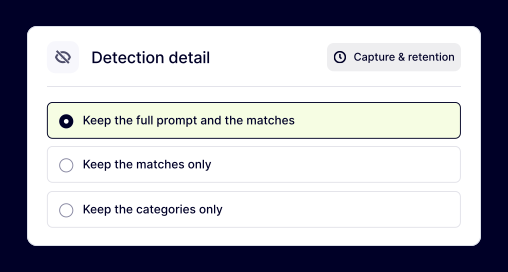
Choose what data you keep
Decide how much information to keep before each finding is stored: full prompts and matched values, detections only, or categories only. Balance investigation needs with data minimization and privacy requirements.
how it works
Simple deployment. Clear visibility into AI activity.
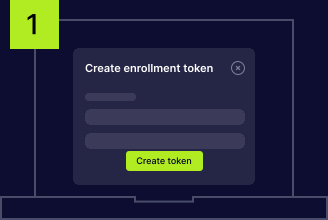
Enroll employee devices
Create a token in the Control Panel to connect devices to NordLayer AI Scout. Roll it out across multiple employees at once or add devices individually as needed.
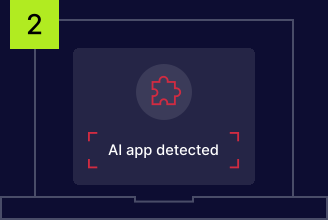
Monitor AI activity in the background
The browser extension and desktop sensor start capturing AI activity after setup. Employees continue using their existing tools and workflows, with no separate app or additional login required.
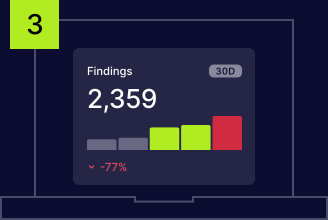
View AI activity and findings in one place
Security findings and AI activity appear in the security dashboard, while organization-wide adoption trends are shown in the adoption dashboard. Both dashboards are only visible within your organization.
LEGACY DLP VS. MODERN DLP
Traditional DLP wasn’t built for AI data flows
An engineer enters a database connection string into ChatGPT, Microsoft Copilot, Gemini, or Claude. No file is transferred, and no email is sent, so DLP tools designed around files and network traffic never detect it. AI introduces new data flows that traditional controls simply were not built to inspect.

Designed around files, not AI prompts
Endpoint DLP usually monitors files, uploads, removable media, and clipboard activity. But it can miss sensitive information entered directly into an AI prompt or accessed by a coding agent during a workflow.

Encrypted AI traffic limits network visibility
Network DLP inspects data moving across the network. However, with encrypted data moving through AI traffic, it may only identify the service being accessed rather than the sensitive content sent through it.

Coverage depends on known applications
A CASB can govern supported and approved cloud applications. New AI services, personal accounts, free chatbots, and desktop agents may still sit outside the tools and policies it is configured to monitor.
Retention modes
Control how much context each finding retains
Retention settings are applied on the device before findings are stored. Choose the level of context that fits your investigation needs while supporting data minimization for GDPR and PCI DSS requirements.
MOST CONTEXT
Full

Keeps the full prompt, matched sensitive values, and event metadata so admins can review the complete context behind a finding.
Balanced
Detections only
Removes the surrounding prompt while retaining matched values and metadata. Admins can see what triggered the detection without storing the full conversation.
MINIMUM DATA
Categories only
Retains only the detected category and event metadata. The prompt and matched sensitive values are not stored.
Additional info
Frequently asked questions
Agentic AI can introduce additional security risks because autonomous agents might access files, run commands, call tools, and connect to external services with limited user involvement. Agentic AI security depends on how well organizations can monitor those workflows, detect sensitive data, govern MCP connections, and keep an audit trail of agent activity.
Traditional DLP is usually built to monitor files, uploads, network traffic, and other known data channels. However, AI systems and agents can access sensitive data through prompts, files, commands, tool calls, and MCP connections, creating activity that traditional DLP may not see. Agentic AI data protection requires visibility across the full session, not just files or network traffic.
NordLayer AI Scout is designed to monitor coding agent activity in the background without interrupting the workflow. Detection runs on-device across agent activity and is used to detect and log sensitive data rather than block or redact agent actions, so employees can continue working in tools such as Claude Code and Cursor as usual.