Limit your exposure level with browser secure tunneling
Get secure tunneling built into every browser session, so your team can connect to private web apps and internal resources without ever exposing them to the public internet.

14-day money-back guarantee
Featured in


What is browser secure tunneling?
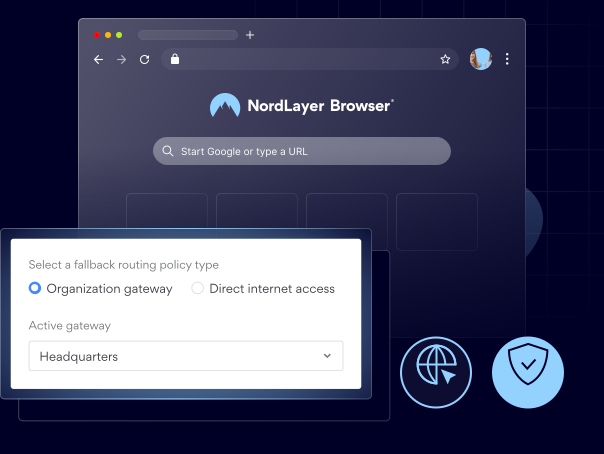
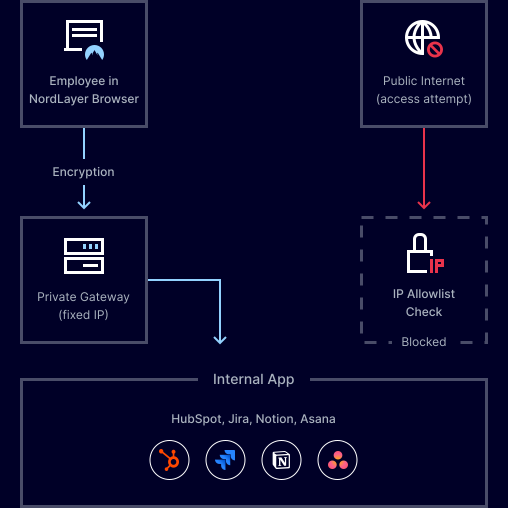
Browser secure tunneling lets a device reach private, internal resources without exposing them to the public internet. Every request is routed through a private gateway, which verifies the IP address before granting access, so users get a standard browsing experience while your resources stay protected and hidden from the outside.
How browser secure tunneling lets your team reach resources securely
The request starts in the browser and is routed through a private gateway before it ever reaches the public internet. The gateway checks the device and session against policy, then lets the resource load exactly as expected without exposing it to the public internet.
- Request starts in the browser, no agent needed.
- Gateway verifies the device before granting access.
- Resource loads normally without public exposure.
THE BENEFITS
What changes when you have browser secure tunneling in place?

Keep your private resources off the public internet
Your internal sites and data stay hidden from public exposure, yet still fully accessible to authorized users in the browser.

Enforce access at the web app level, not the network level
You grant access per resource instead of per network, so a device only ever reaches what you’ve authorized it to reach.

Give authorized users access from any device
Whether it's a managed work laptop or a personal one, users get the same secure, tunneled access to private resources without you needing to trust the device.

Govern every connection from one place
You get consistent policy enforcement, controlled routing, and full visibility into how your team connects, all from a single gateway.
Give your team secure access without the exposure risk
SEE THE VALUE
Why choose NordLayer Browser to secure your business?

Get built-in protection
Keep sensitive data shared inside the browser protected without installing add-ons, agents, or extra software.

Reduce IT resources
Quickly secure BYOD and remote access without requiring any complex network setups that drain IT hours and budget.

Streamline compliance
Centralize governance with full visibility of in-browser SaaS activity and get clear audit trails to simplify compliance and reporting.

Keep things consistent
Standardize and enforce strict browser policies across all users and devices, and give your admins full visibility over what’s happening in your SaaS workspace.

Eliminate risky workarounds
Deploy a browser with every rule, permission, and approved apps, so users never need to use personal accounts, unauthorized extensions, or risky workarounds.