Define who can access what with a browser firewall
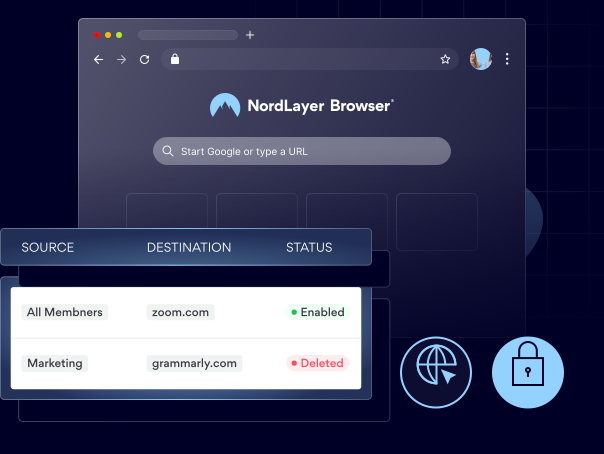
Set granular rules for browser traffic to control which SaaS applications and web services each user or team can reach through the browser.

14-day money-back guarantee
Featured in


benefits
Here’s how a browser firewall helps you avoid security risks
What is a browser firewall?
Browser firewall is a feature within the zero-trust browsing solution that controls access to web-based resources and cloud tools by applying firewall rules directly to browser traffic. Simply put, it allows or blocks connections inside the browser based on your organization’s policy.

Ensures internal tools are accessible only to authorized users
Keeps internal tools like HR systems, admin panels, and internal dashboards available only to approved employees or teams and hidden from unintended audiences.

Restricts browser access to approved internal and cloud resources
Limits browser access to approved SaaS applications and internal web services, blocking unauthorized websites and unapproved business tools.

Keeps internal services hidden
Prevents internal web applications from being exposed to users or devices that don’t comply with your access policies, minimizing unnecessary risk.

Protects your sensitive business applications
Helps secure access to internal company systems containing sensitive information, such as HR records, financial statements, and customer data, against online threats.
A CLOSER LOOK
How does a browser firewall work, exactly?
Browser Firewall enforces firewall rules directly within the browser. While policy-based routing determines how traffic is routed, Browser Firewall decides which connections are permitted based on the user, destination, and web service. Connections that don't match your policies are blocked before the page loads.
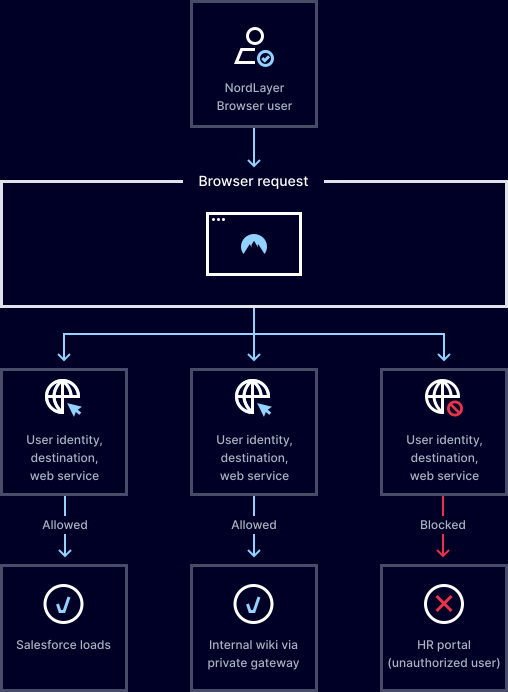
Control access to resources with NordLayer Browser
SEE THE VALUE
Why choose NordLayer Browser to secure your business?

Get built-in protection
Keep sensitive data shared inside the browser protected—without installing add-ons, agents, or extra software.

Reduce IT resources
Quickly secure BYOD and remote access without requiring any complex network setups that drain IT hours and budget.

Streamline
Centralize governance with full visibility of in-browser SaaS activity and get clear audit trails to simplify compliance and reporting.

Keep things consistent
Standardize and enforce strict browser policies across all users and devices, and give your admins full visibility over what’s happening in your SaaS workspace.

Eliminate risky workarounds
Deploy a browser with every rule, permission, and approved apps built in, so users never need to use personal accounts, unauthorized extensions, or risky workarounds.
Additional info
Frequently asked questions
You can enable the browser firewall through the control panel by defining access rules for allowed and blocked resources and assigning them to users or groups. Once configured, the policies are automatically enforced in the browser.
When a user tries to open a website or tool that is not allowed by the policy, the NordLayer Browser automatically blocks the connection before the page loads.
Yes. Access can be defined by user group or role, allowing different levels of browser access for different teams or individuals.
It reduces risk by preventing unauthorized access to internal systems and ensuring web-based resources are only accessible to approved users and connections.
Yes, it can be configured to control SaaS access, so that users can only reach approved cloud applications through the browser.